HIGH DATA RATE RECEIVER
HDR-4G+ USER’S MANUAL
Ref. DTU 100782
Is.Rev 3.5
Date: June 1, 2021
© Safran Data Systems – IMP000074 e14r1
This document is the property of Safran Data Systems.
It cannot be duplicated or distributed without expressed written consent.
TCP-IP Secondary Window 4.5.3.1.3
For detailed information on the TCP-IP clients, click on icon :
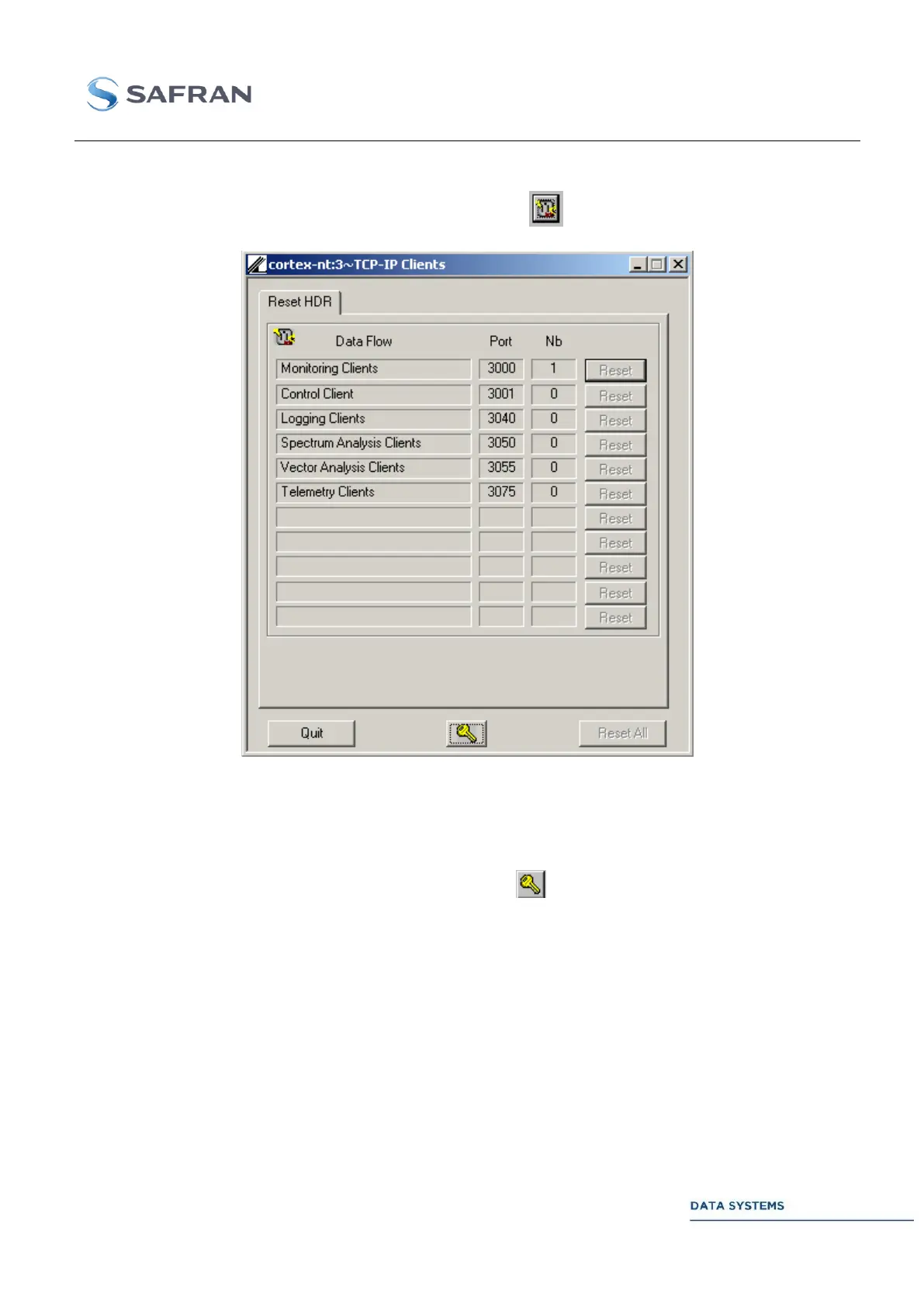
Figure 89: TCP-IP Secondary Window
The number of clients connected to each TCP-IP port is displayed in the above window. Each
Reset button allows closure of all the TCP-IP sockets connected to the associated port. The Reset All
pushbutton allows closure of all connections to all ports.
The TCP-IP reset function is password protected: click on and enter the TCP-IP password.
Default setting at delivery: no password. To change the TCP-IP password, see Section 4.3.8 ).



 To Next Page