HIGH DATA RATE RECEIVER
HDR-4G+ USER’S MANUAL
Ref. DTU 100782
Is.Rev 3.5
Date: June 1, 2021
© Safran Data Systems – IMP000074 e14r1
This document is the property of Safran Data Systems.
It cannot be duplicated or distributed without expressed written consent.
With “Report TM” mode:
Selection of the Controller for the replay.
Selection of the Partition for the replay.
Selection of the file number for the replay: 1 to N. The file must be recorded in the
“PLAYBACK” directory of the selected partition.
With “BER File” mode:
BER measurement mode (simulated data for BER analyzis):
File Simulated data from a file on the disk
PseudoDxx Pseudo random data, using from PN generator xx
(where xx = 10, 11, 15 or 23. See Section 3.6.1.1.1 )
Selection of the simulation number: 1 to N.
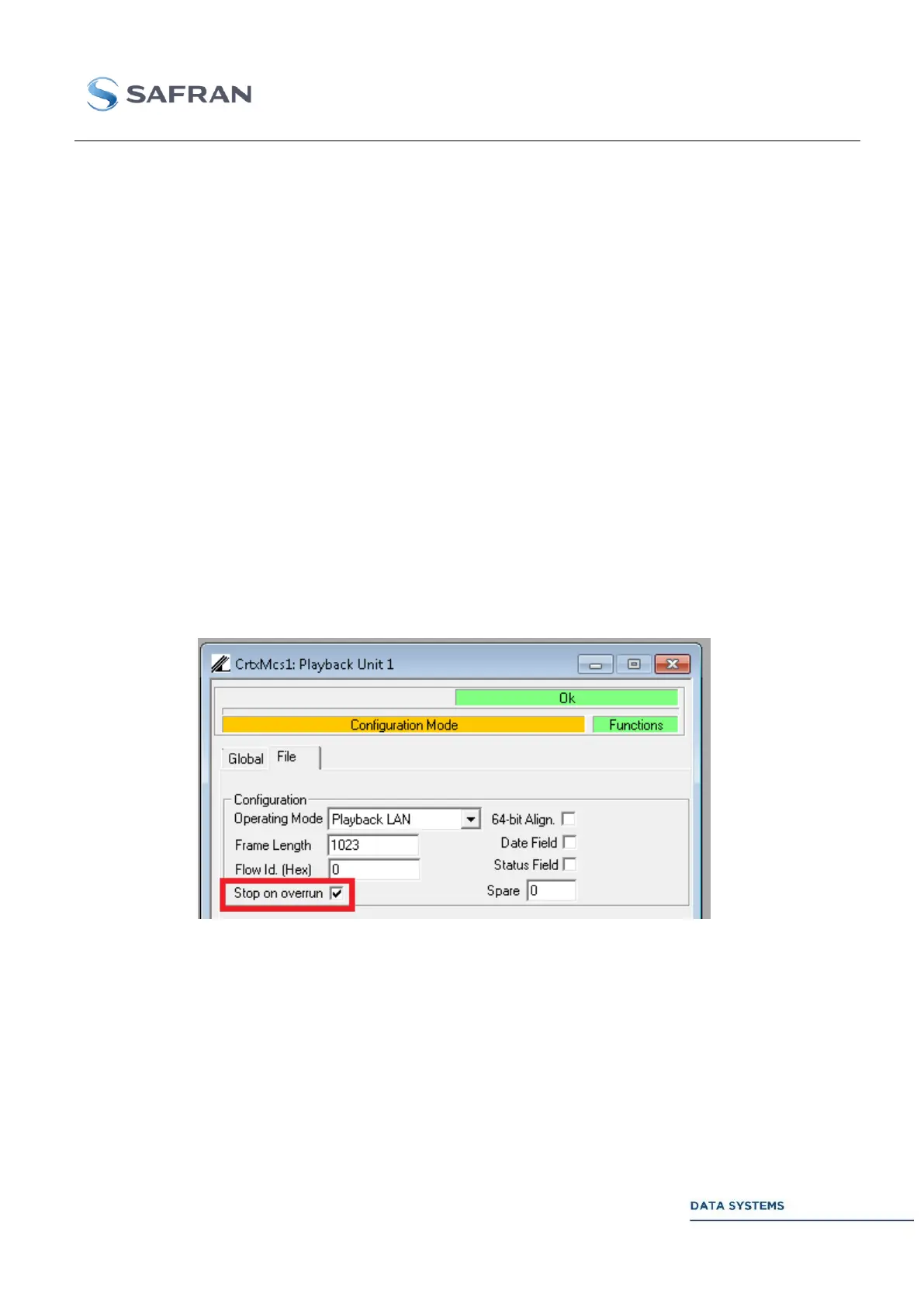
Specific operating mode: Playback LAN 4.5.9.2.3
Figure 195: Playback LAN: Overrun option
In “Playback LAN” mode, user can choose the behavior if overrun is detected:
- Default: overrun counter is incremented and session continues.
- Stop on overrun: user is disconnected from Playback port (PBK-1 or PBK-2), session is
immediately stopped and all remaining data are flushed.



 To Next Page