HIGH DATA RATE RECEIVER
HDR-4G+ USER’S MANUAL
Ref. DTU 100782
Is.Rev 3.5
Date: June 1, 2021
© Safran Data Systems – IMP000074 e14r1
This document is the property of Safran Data Systems.
It cannot be duplicated or distributed without expressed written consent.
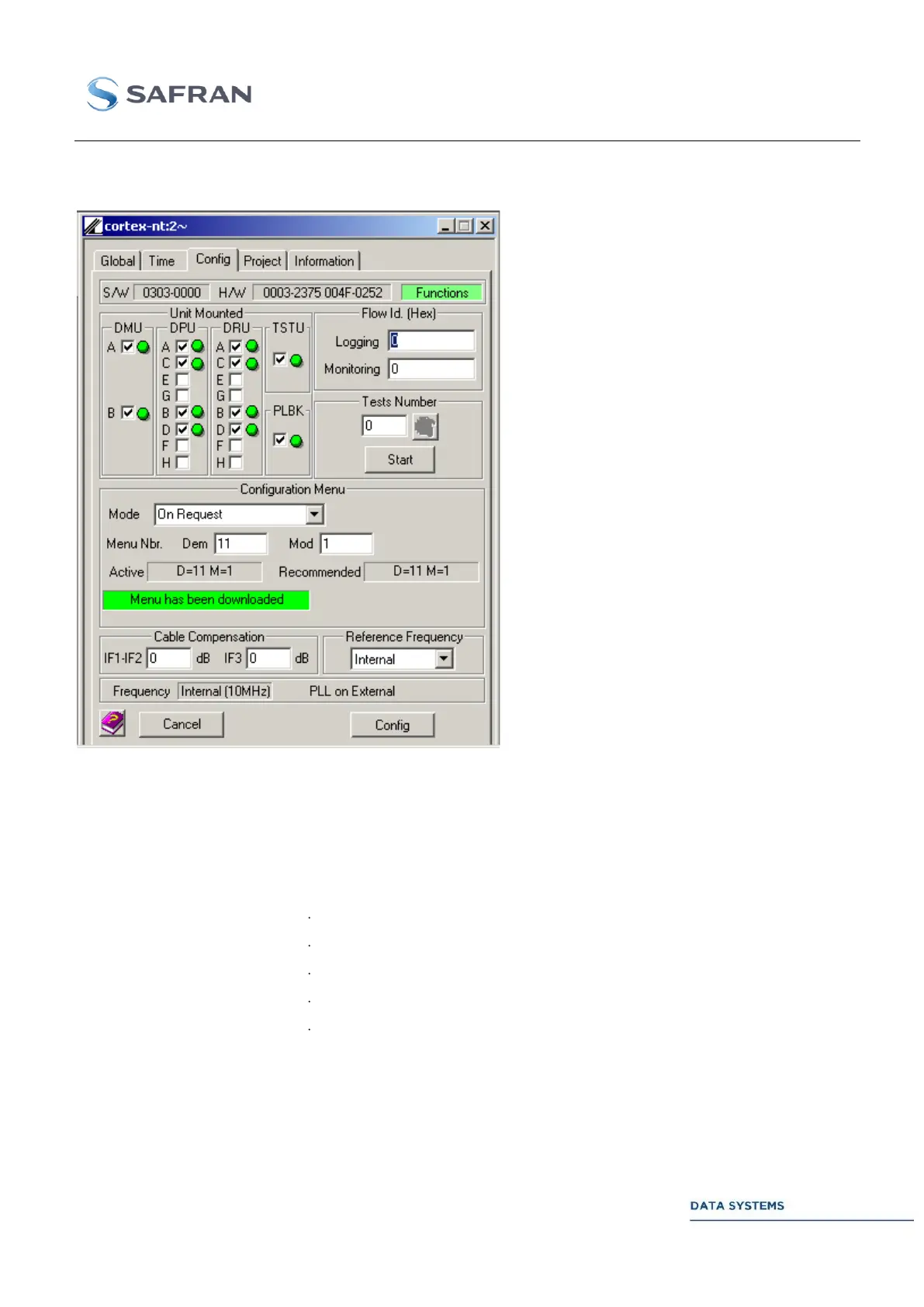
“Config” Window 4.5.3.4
From the window opposite, the User
can monitor & control miscellaneous
system parameters.
Parameters, status and alarms in this
window are described in GLOB.
Figure 92: CORTEX
HDR: Config. Window
Control 4.5.3.4.1
Identification of the mounted units in the current configuration. A green LED
indicates that the unit is mounted and enabled. A unit can be enabled or disabled
by clicking in the associated selection box:
DMU: Demodulator Unit
DPU: Data Processing Unit
DRU: Data Recording Unit
TSTU: Test Modulator Unit
PLBK: Playback Unit
Reserved for internal tests.



 To Next Page