HIGH DATA RATE RECEIVER
HDR-4G+ USER’S MANUAL
Ref. DTU 100782
Is.Rev 3.5
Date: June 1, 2021
© Safran Data Systems – IMP000074 e14r1
This document is the property of Safran Data Systems.
It cannot be duplicated or distributed without expressed written consent.
“Data Logging Editor” Window 4.5.10.2
Note that the data logging edition can be performed only in local mode.
For details on the data logging editor function, refer to section 3.8.
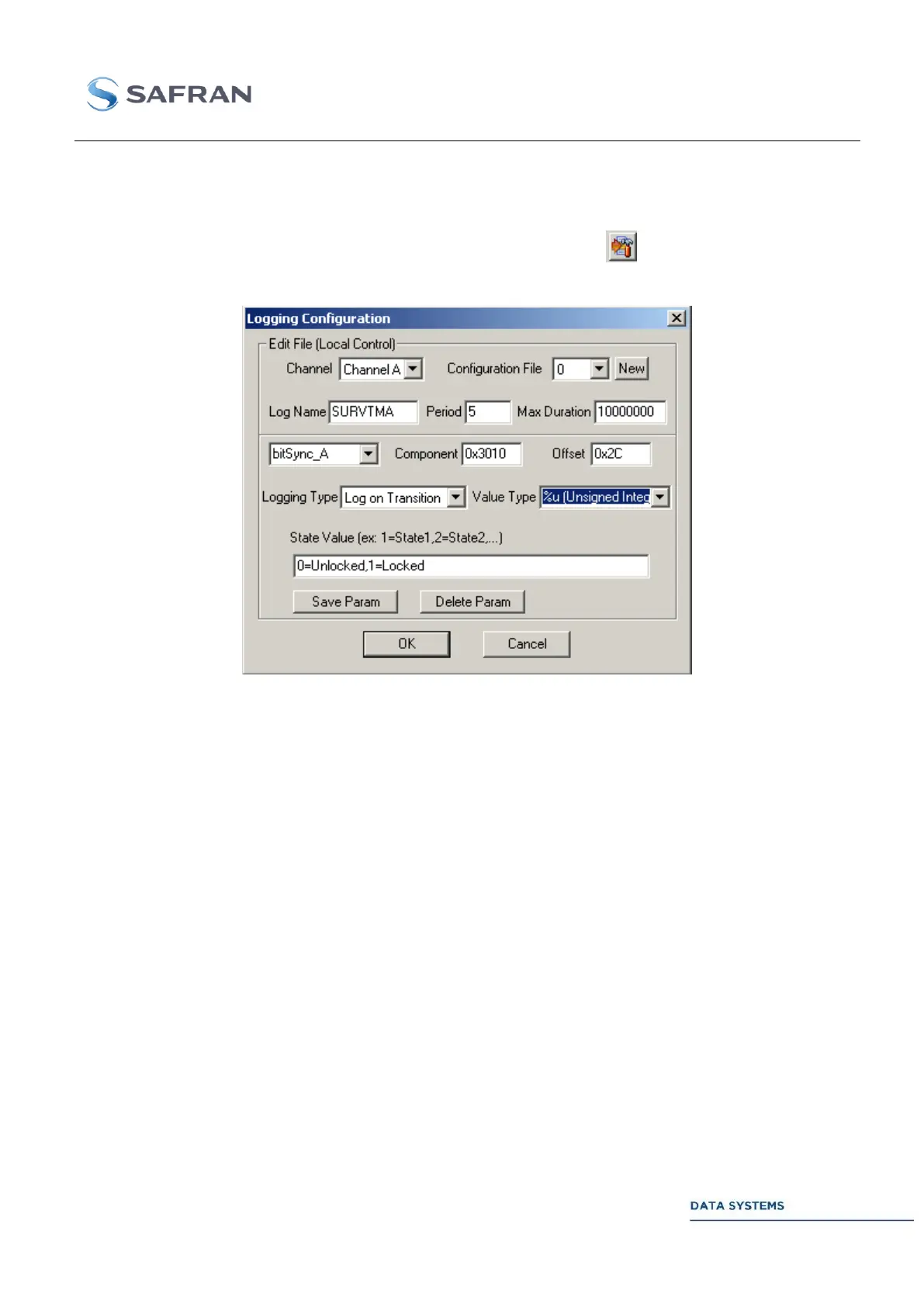
To edit an already existing or a new logging configuration file, click on in the previous data logging
control window to open the following data logging editor window:
Figure 197: Logging editor Window
Select the channel: ChannelA, ChannelB, ChannelC or ChannelD on which
the logging configuration file applies.
Select the number of the configuration file to edit: 0 to 100
Enter a general label associated with the logging file (this label will appear
inside the data logging text file).
Select a period (in seconds) for periodical recording.
If 0, the recording will stop only by clicking on the stop button in the control
window. If a value is set (in seconds), the recording will stop at the end of this
delay even is the stop button has not been clicked.
Enter a label for the parameter to log (this label will appear inside the data
logging text file).
Select the effective HDR control parameter or status by entering its component
number (hexadecimal format) and offset (hexadecimal or decimal format) as
defined in the STI document.



 To Next Page