HIGH DATA RATE RECEIVER
HDR-4G+ USER’S MANUAL
Ref. DTU 100782
Is.Rev 3.5
Date: June 1, 2021
© Safran Data Systems – IMP000074 e14r1
This document is the property of Safran Data Systems.
It cannot be duplicated or distributed without expressed written consent.
Telemetry Blocks Quick Look 4.5.5.5.2
Telemetry Blocks are displayed back to back on the Quick Look window.
Offset 0000 marks the beginning of a Telemetry Block.
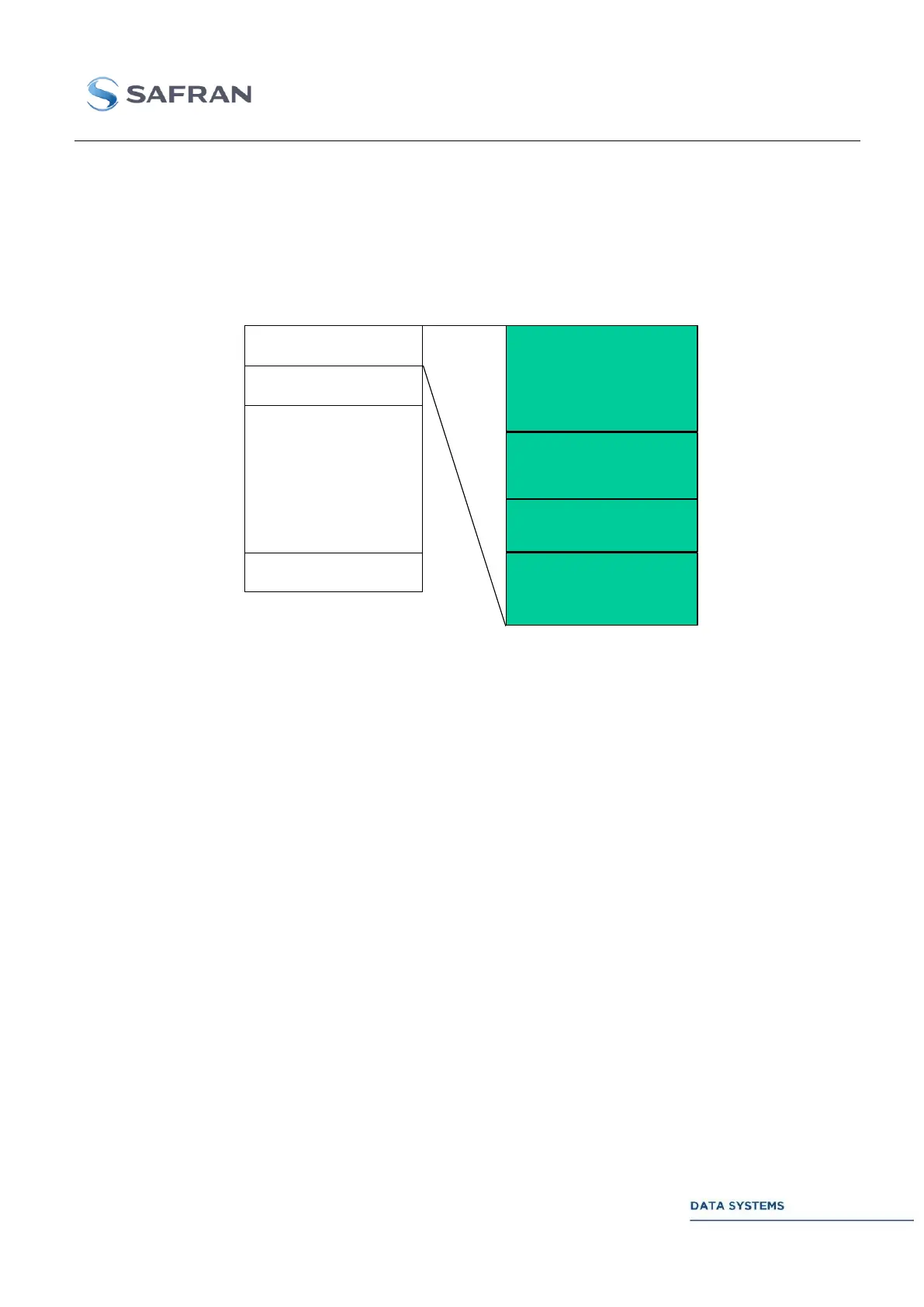
Telemetry Blocks are structured as follows (see section 3.4.11 : for more details):
Figure 137: Telemetry Block Description
Telemetry frame:
Synchronization Word + telemetry frame (if frame synchronizer ON) or raw data (if frame
synchronizer OFF). At the end of the frame, spare bytes for 8 bytes alignment (if required). These
added spare bytes can have any values.
TM Block time tag (8 bytes):
Bits D0-31 (offset N): number of seconds elapsed since January 1st, 00:00:00 of current year
Bits D32-63 (offset N+1): number of microseconds in the current second
Both 32-bit fields are integers coded in hexadecimal form.
The time tag can be disabled by set-up (refer to “Real Time Frame” window: disable frame datation).
Telemetry Block status (8 bytes): the Telemetry Block status is captured and displayed in this field
only if the frame synchronizer is ON.
Optional spare field (from 0 to 8 words of 8 bytes): the number of spare data words (64 bit words) is
selected in the “Real Time Frame” Window. These data words are filled with “00000000” values.
TM Block 1
TM Block 2
TM Block N
Telemetry Frame :
Synchronization Word
& Data Words
(8 Bytes aligned)
Time Tag
(8 Bytes)
Status
(8 Bytes)
Optionnal spare field
(0 to 8 words
of 8 Bytes)
… /…



 To Next Page