HIGH DATA RATE RECEIVER
HDR-4G+ USER’S MANUAL
Ref. DTU 100782
Is.Rev 3.5
Date: June 1, 2021
© Safran Data Systems – IMP000074 e14r1
This document is the property of Safran Data Systems.
It cannot be duplicated or distributed without expressed written consent.
Status & Warnings 4.5.8.4.3
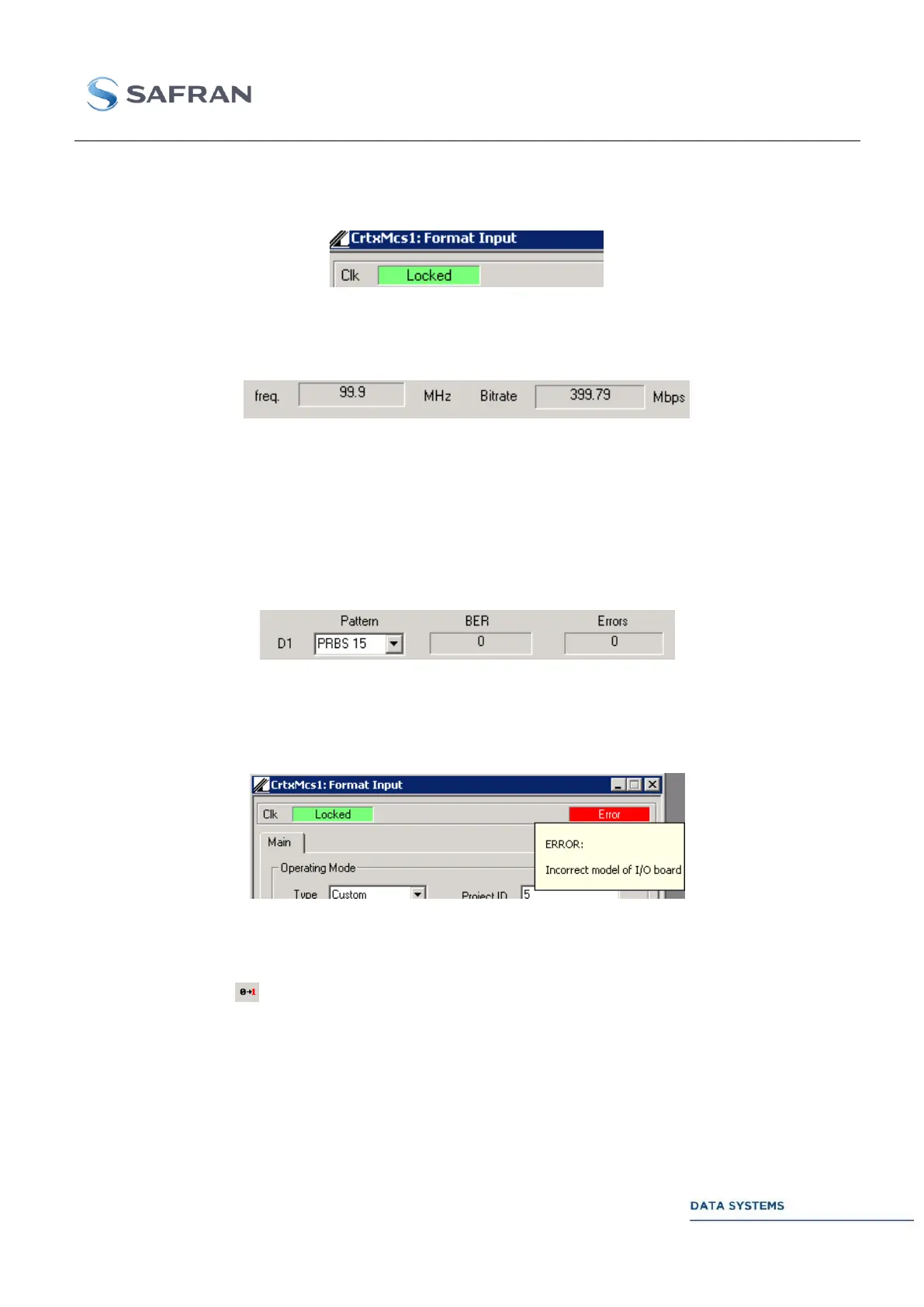
The upper left part of the window indicates whether an incoming clock is detected or not.
Figure 181: Status: clock status, Locked and Unlocked
The clock frequency and the raw bitrate are also indicated in the middle of the window:
Figure 182: clock and raw bitrate estimates
The raw bitrate is estimated by multiplying the instant frequency estimate by the number of bits in
parallel on the interface. This depends on the selected input scheme (parallel 2, 3 4 or Hard Symbol +
modulation).
For each possible data stream (1 to 4), BER status and an errors status is indicated. Both indicators
can be reset by clicking the ‘0’ button in the main Cortex GUI.
Figure 183: BER and Errors status
The upper banner indicates the Warning status: OK (green display) or ERROR (red display).
When pointing at the banner, more information about the Warning is displayed.
Figure 184: Pointing at an error
Error insertion 4.5.8.5
A click on the button inverts one bit in the simulated data-pattern. Bit inversion takes place before
convolutional encoding (if enabled).
When a “DGU” Window is active, the bit is inverted in this DGU
When a “MDU” Window is active, the bit is inverted in one of the DGUs connected to this MDU
(randomly chosen). This mode is not yet available.
When no window is active, the bit is inverted in one of the mounted DGUs (randomly chosen)



 To Next Page