HIGH DATA RATE RECEIVER
HDR-4G+ USER’S MANUAL
Ref. DTU 100782
Is.Rev 3.5
Date: June 1, 2021
© Safran Data Systems – IMP000074 e14r1
This document is the property of Safran Data Systems.
It cannot be duplicated or distributed without expressed written consent.
Logging Windows 4.5.10
“Data Logging Control” Window 4.5.10.1
For details on the data logging function, refer to section 3.8 .
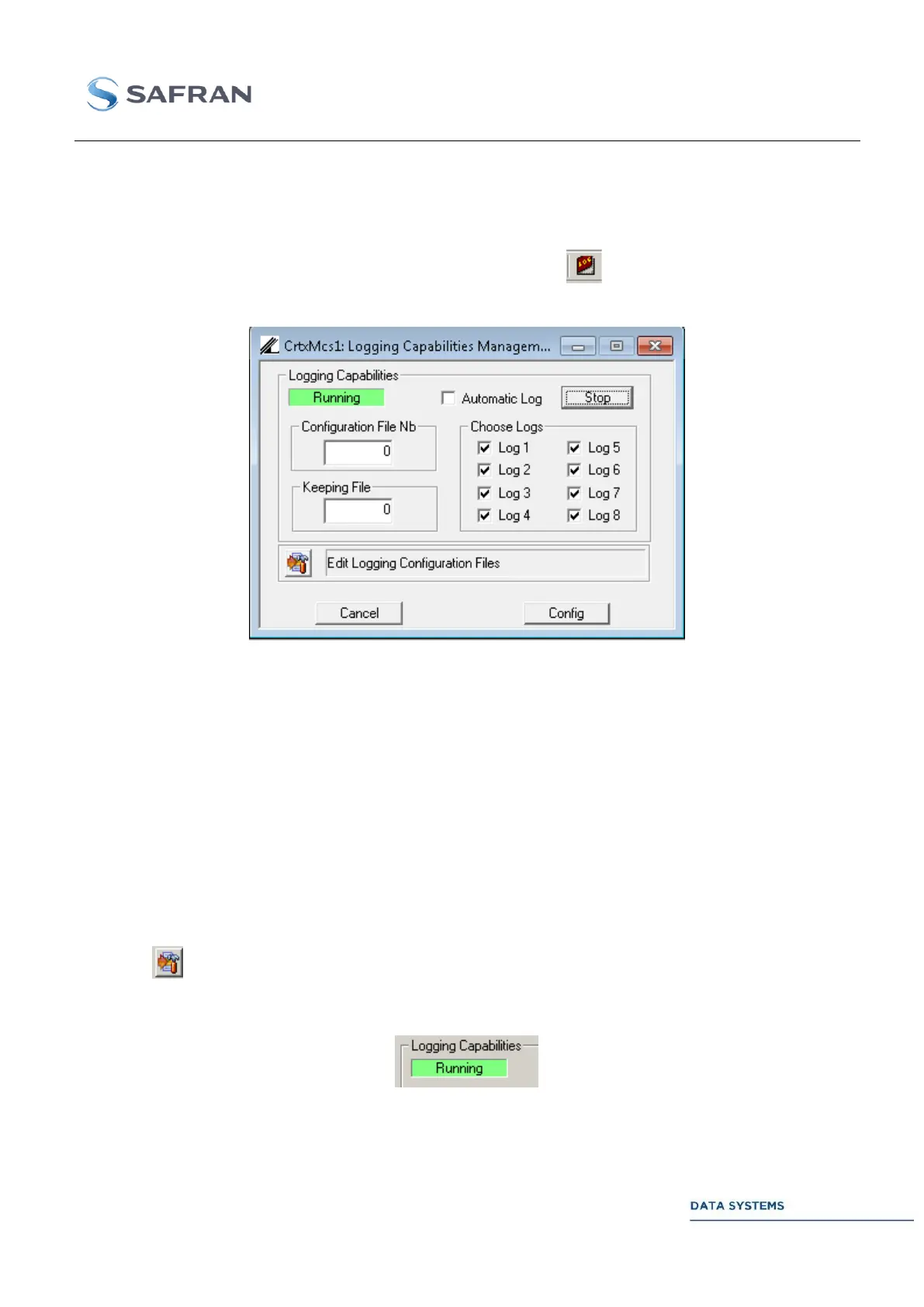
To control the data logging function, in the upper toolbar click on . This operation opens the data
logging control window:
Figure 196: Logging status Window
Control 4.5.10.1.1
Start or stop the data logging in manual mode.
If selected, the recording starts automatically with the Acquisition mode.
Select the number of the configuration file used for the current data logging
operation
Select the log(s) Log 1, Log 2, Log 3, Log 4, Log 5, Log 6, Log 7 and/or Log 8
for the current logging operation.
Open the editor window to configure a new configuration file (see next section).
Status 4.5.10.1.2
The status field can take the following values: Inactive, Running or Automatic. In case of a non-valid
configuration file number, Error is reported in this status field.



 To Next Page