HIGH DATA RATE RECEIVER
HDR-4G+ USER’S MANUAL
Ref. DTU 100782
Is.Rev 3.5
Date: June 1, 2021
© Safran Data Systems – IMP000074 e14r1
This document is the property of Safran Data Systems.
It cannot be duplicated or distributed without expressed written consent.
Storage Selection:
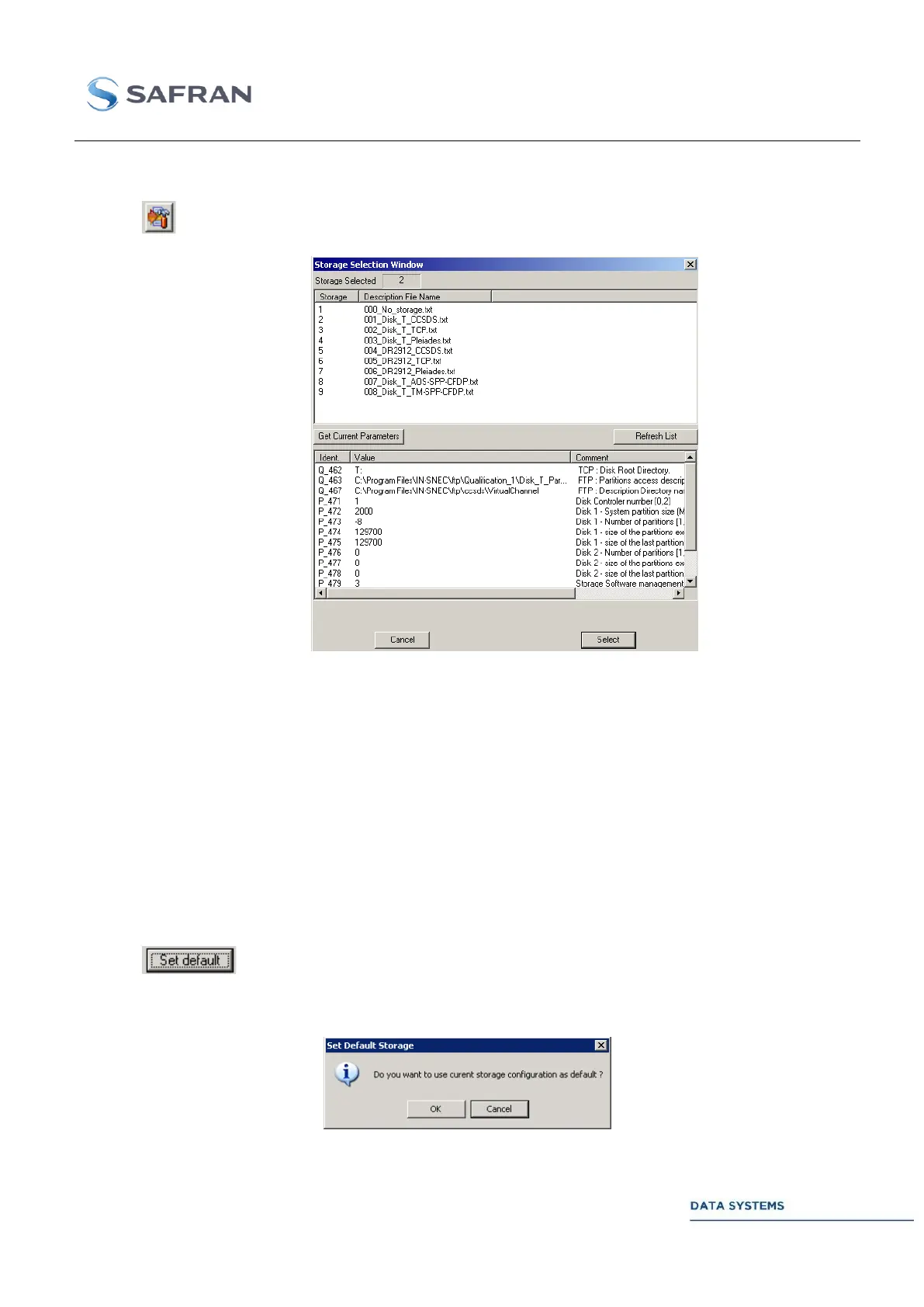
Click on to open the Storage Selection window:
To select a storage type click on the corresponding line in the upper window and then click on “Select”.
The proposed standard internal storage is the storage number 2 ( 002_Disk_T_CCSDS ).
Storage types with the label “Disk_T” are used for internal hard disk storage. Storage type with the
label “DR2912” are used for external storage on a RAID 5 DR2912 or ER2912 recorder.
Storage types with the label “Pleiades” are used for specific projects.
Storage number 8 and 9 are reserved for CCSDS Packet data and CCSDS CFDP recording in AOS
mode and Telemetry mode.
Set default:
Click on to select the current storage number as the default storage number. The
following window will be displayed to confirm:



 To Next Page