HIGH DATA RATE RECEIVER
HDR-4G+ USER’S MANUAL
Ref. DTU 100782
Is.Rev 3.5
Date: June 1, 2021
© Safran Data Systems – IMP000074 e14r1
This document is the property of Safran Data Systems.
It cannot be duplicated or distributed without expressed written consent.
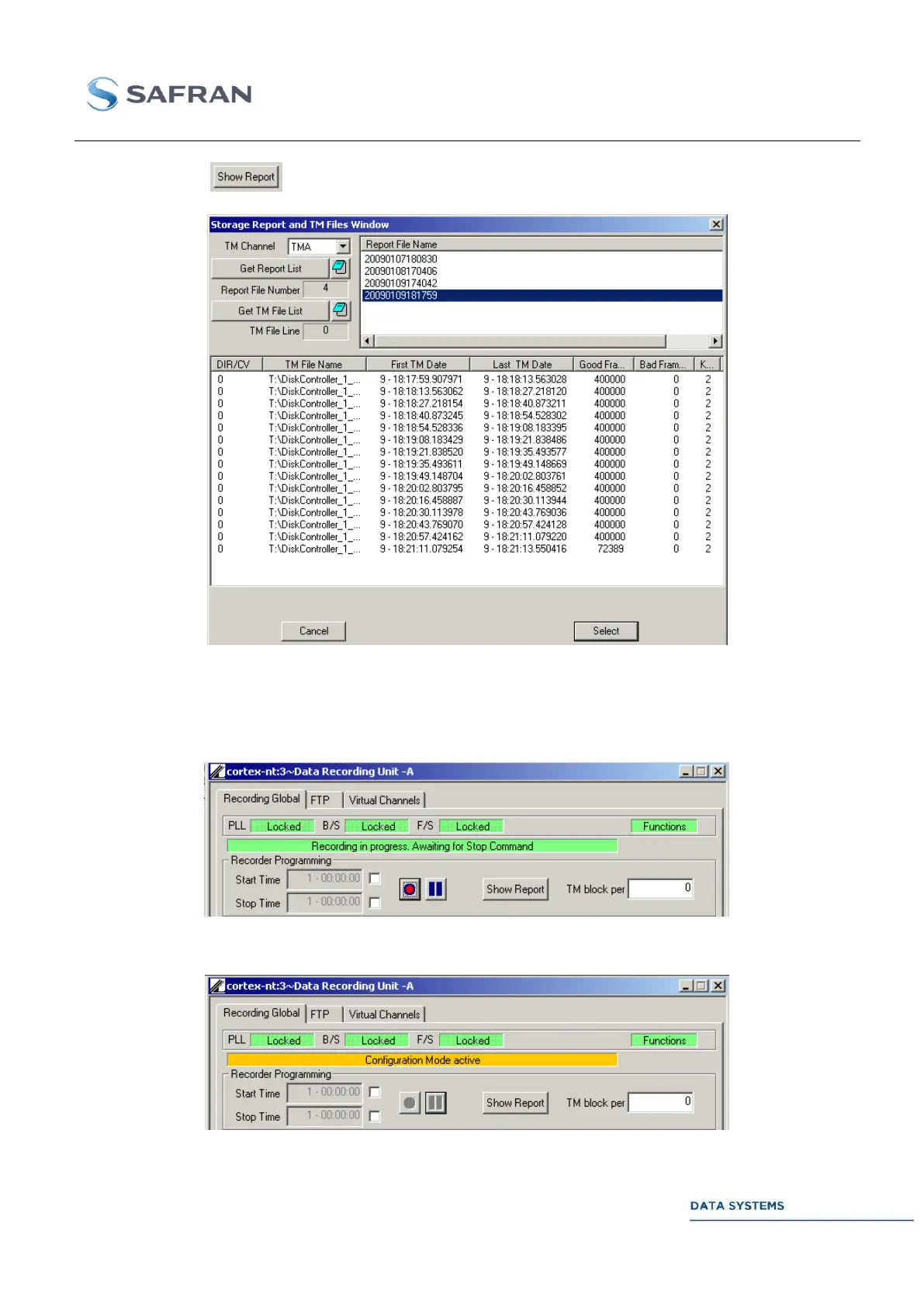
When clicking on the following window appears on the screen:
Select a report by clicking on the corresponding line in the upper window to display the recorded files
listing corresponding to the report.
Once the storage is started, the following message appears on the screen:
If the HDR is set in “Configuration” mode, the following message is display:



 To Next Page