Tilt limiter
3-63
Tilt limiter
Setting the tilt limiter
• Check that the outboard motor is mount-
ed on the boat or on a stand securely.
• Never get under the outboard motor while
it is tilted.
If there is interference between the top cowl-
ing and the motor well when the outboard mo-
tor is tilted up, adjust the setting angle of the
tilt limiter using the following procedures.
1. Fully tilt the outboard motor down.
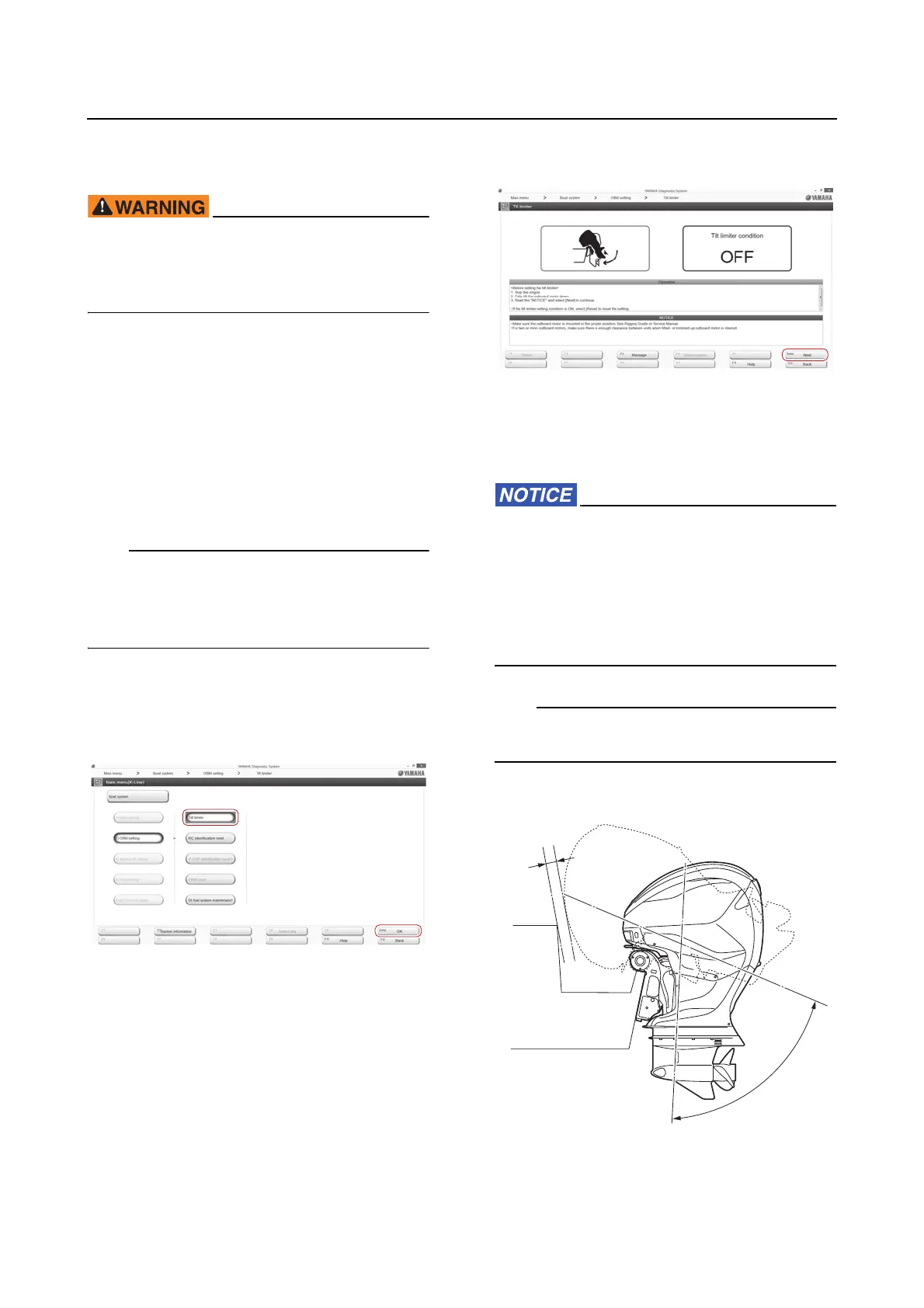
2. Connect the YDIS to display “Boat Sys-
tem” menu. To connect and operate the
YDIS, see the YDIS (Ver. 2.49 or later) in-
struction manual.
It is not possible to set or clear the tilt limiter if
there is any problem with the PTT sensor or
the wiring. In that case, correct the problem
first, and then set or clear the tilt limiter.
3. Click the “Tilt limiter” button or “OK” but-
ton, or select the “Tilt limiter” using the ar-
row keys, and then press the Enter key on
the keyboard.
4. Click the “Next” button or press the Enter
key on the keyboard.
5. Operate the PTT switch on the bottom
cowling to tilt the outboard motor up to
the position where the tilt limiter is to be
activated.
• Do not use the PTT switch on the Digital
Electronic Control during the tilt limiter
setting to avoid interference between the
motor well and the top cowling.
• Make sure to keep the clearance “a” of
50.8 mm (2.0 in) or more between the out-
board motor and the motor well.
The tilt up angle can be set at any tilt setting
range “b”.














 To Next Page