3-68
CL5 display calibration
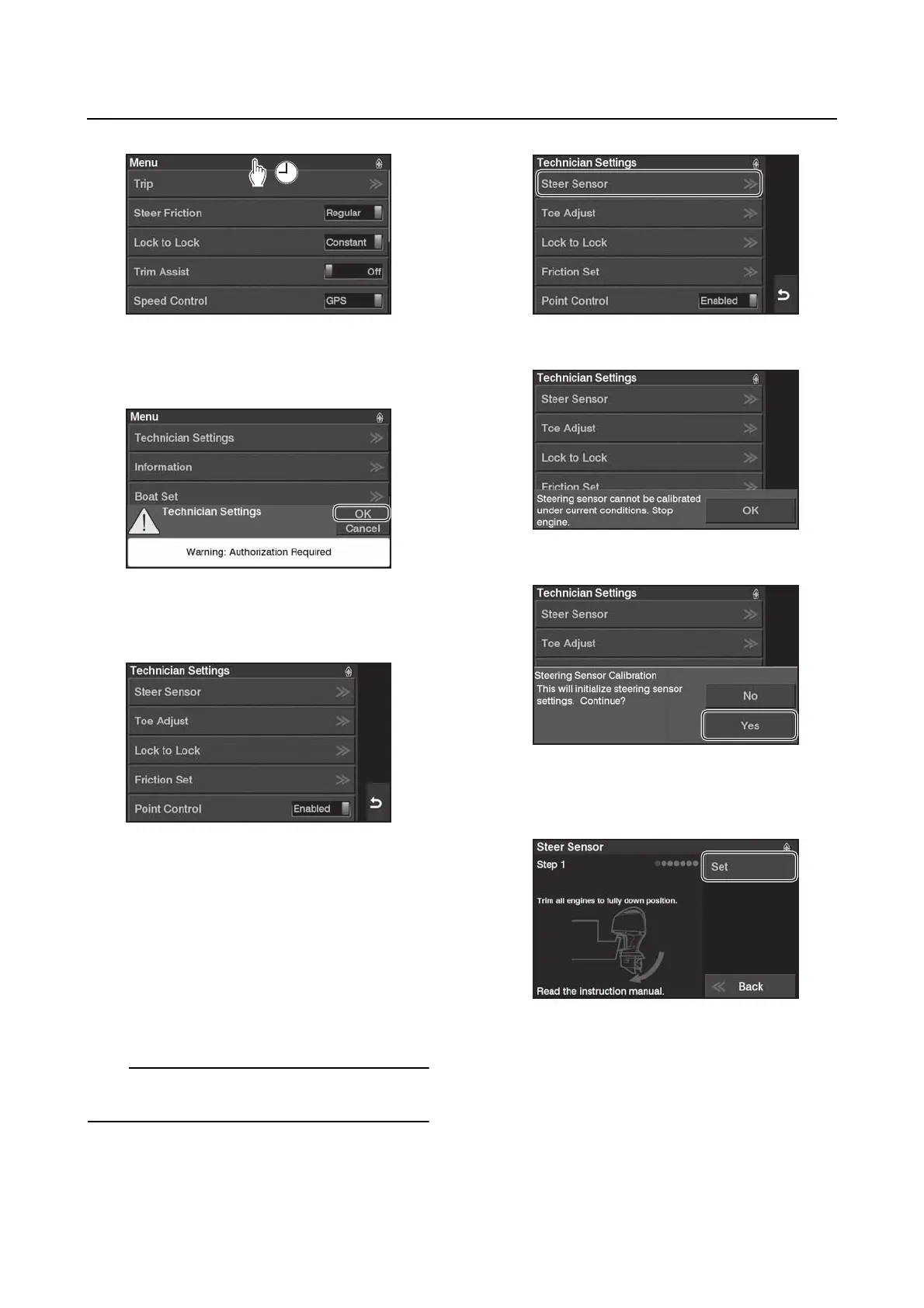
3. When the “Technician Settings” message
appears, tap “OK”.
4. The “Technician Settings” menu will ap-
pear.
Steering sensor
During this process, only the corresponding
steering actuator will operate as the steering
sensor is being calibrated.
1. Before performing this menu, switch the
battery switch(es) to the “ALL” position.
2. From the “Technician Settings” menu, se-
lect “Steer Sensor”, and then tap “Yes”.
When the engine is running, this function is not
available.
3. Tap “Set” to trim all engines to the fully
down position.














 To Next Page