3-72
CL5 display calibration
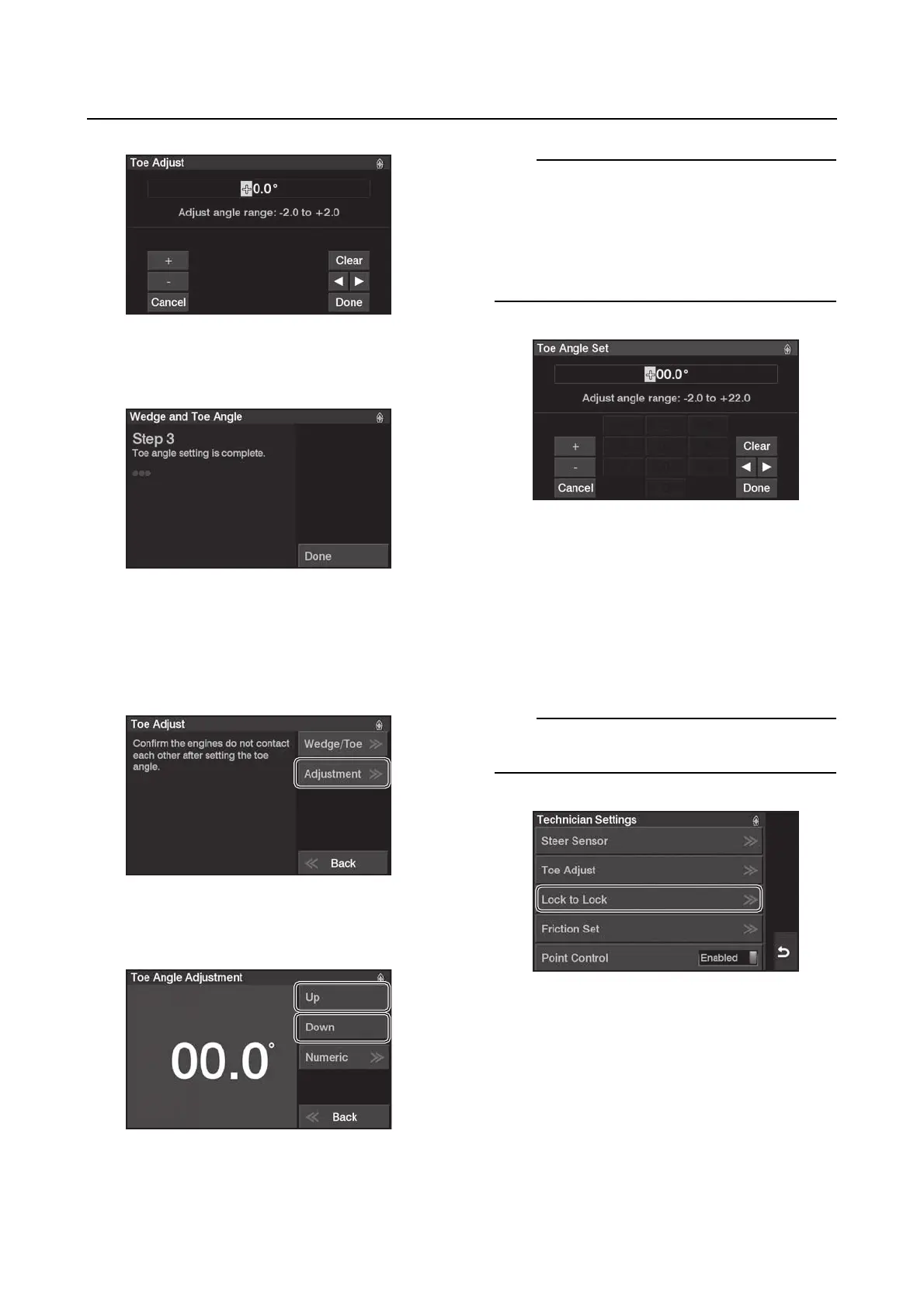
7. When the Wedge/Toe calibration is com-
pleted, a message will appear.
Adjustment settings
If you are adjusting only the toe angle, do the
setting in “Adjustment”.
1. Tap “Adjustment”.
2. Tap “Up” or “Down” to adjust the toe an-
gle.
Tap “Numeric” to adjust the toe angle.
The Helm Master EX control system comes
with the toe set at 00.0°. The adjustment range
is:
• –2.0° to +22.0° in 0.2° increments.
• Minus (–) degrees equals toe-in.
• Plus (+) degrees equals toe-out.
Lock to Lock
You can freely adjust the number of turns of
the steering wheel lock to lock.
Constant
1. From the “Technician Settings” menu, se-
lect “Lock to Lock”.
When the engine is running, this function is not
available.






 To Next Page