CL5 display calibration
3-73
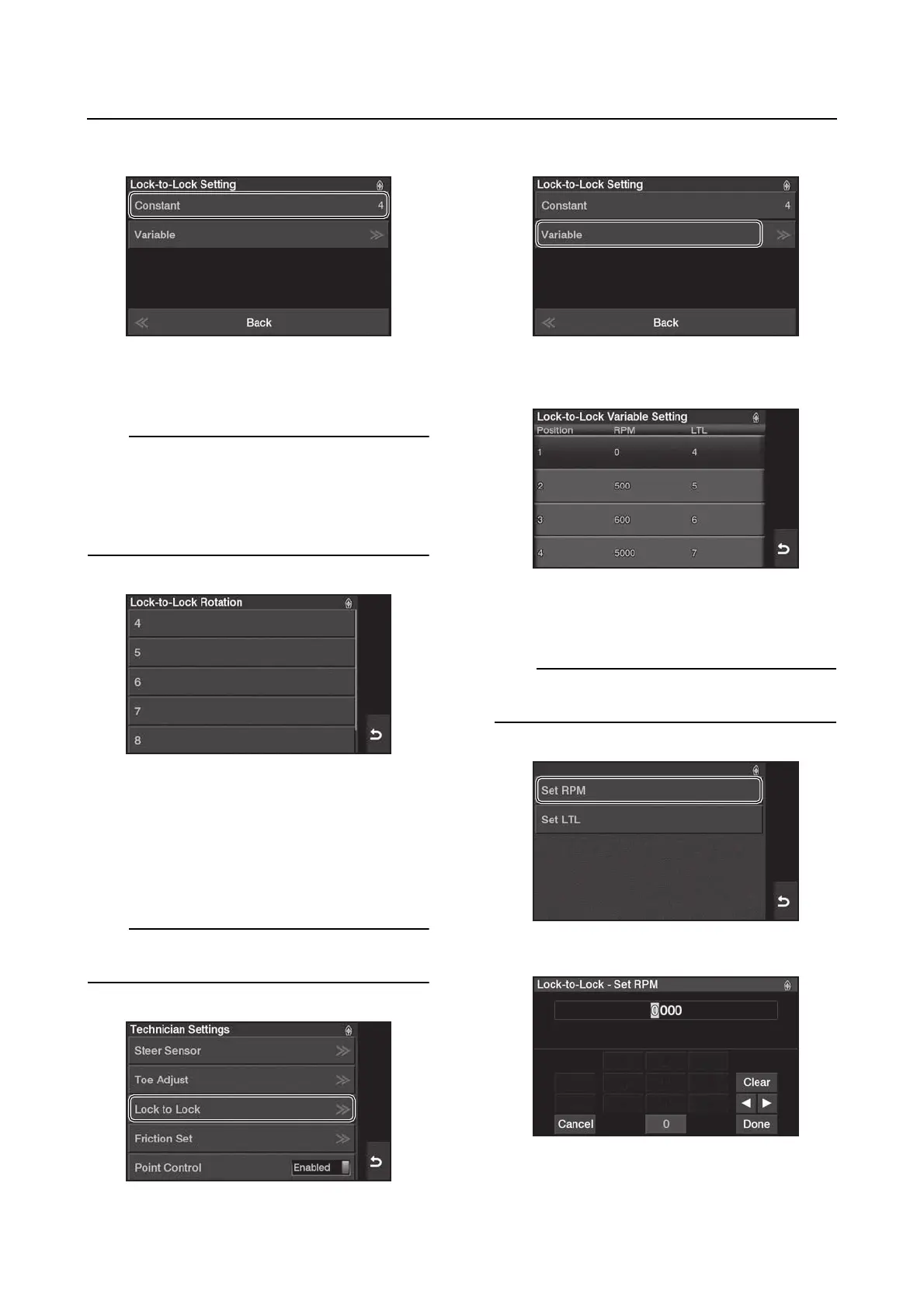
2. Tap “Constant”.
3. Select the steering wheels’ rotation range.
Tap to confirm your setting.
This setting allows you to adjust the number of
turns from “Lock to Lock”.
• Minimum: 4 turns
• Maximum: 9 turns
• Default: 4 turns
Variable
Select the rotational angle of the steering
wheel according to the engine speed.
1. From the “Technician Settings” menu, se-
lect “Lock to Lock”.
When the engine is running, this function is not
available.
2. Tap “Variable”.
3. Select the positions, 1 to 4, to set.
4. Tap “Set RPM” to adjust the RPM of en-
gines 1 to 4.
You can adjust this to any value in a range of
0 to 6000 r/min.




 To Next Page