Drive shaft and lower case (regular rotation model)
8-28
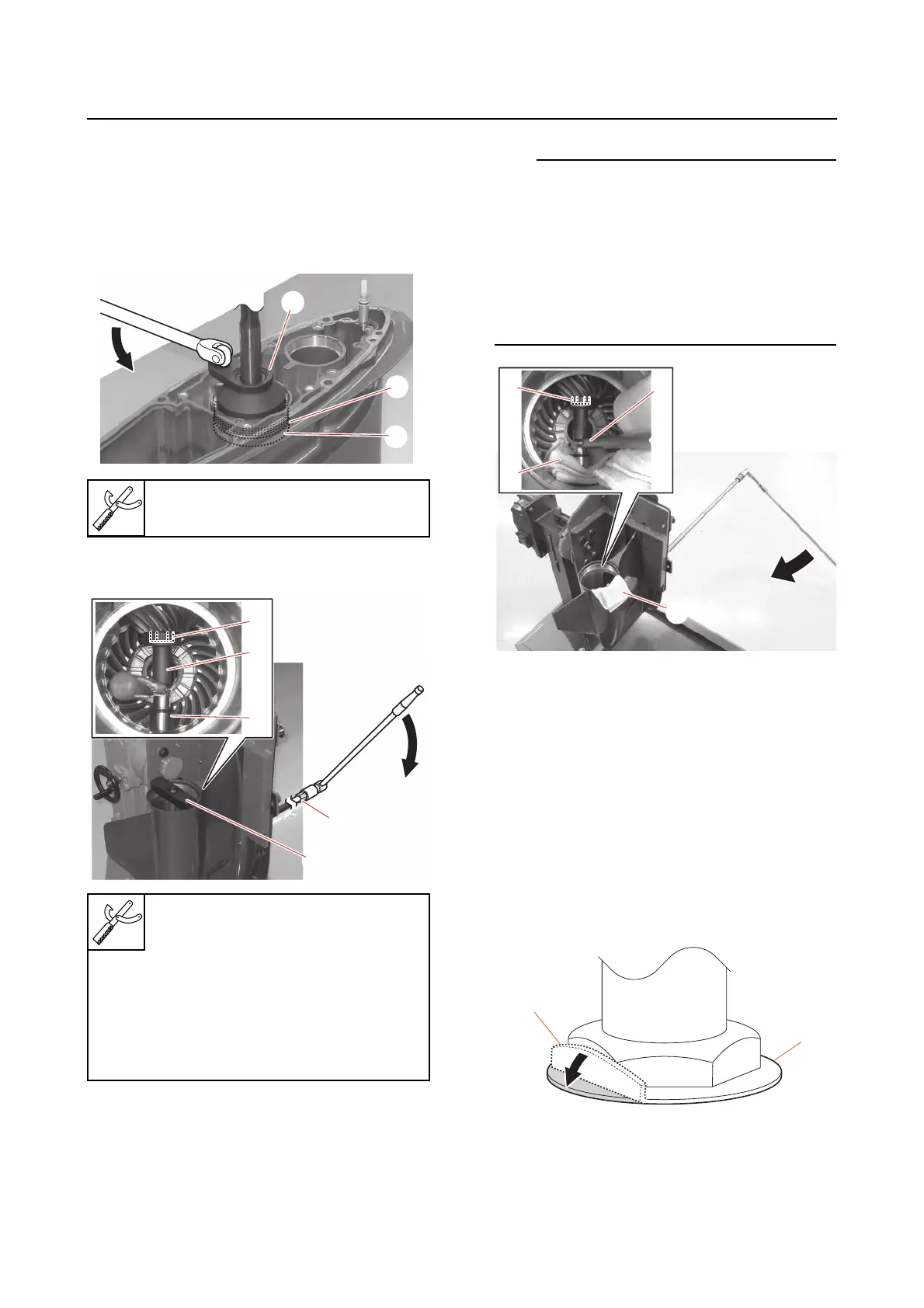
Removing the drive shaft
1. Remove:
•Cover
• Oil seal housing
• Ring nut “1”
• Spacer “2”
2. Loosen:
• Pinion nut “1”
• When the pinion nut “1” is hard to loosen, re-
move the holder guide, insert a thick rag “6”
between the pinion nut holder “3” and the
lower case, and press the special service
tool against the pinion nut “1”.
• When the holder guide is not used, place a
rag “7” where the special service tool con-
tacts the lower case.
3. Remove:
•Pinion
• Drive shaft assembly
• Pinion shims
• Spacer
Disassembling the drive shaft
1. Remove:
• Drive shaft nut
• Claw washer
a. Straighten the tab “a” on the claw
washer “1”.
b. Secure the drive shaft nut “1” on the
drive shaft.
Ring nut wrench “3”
90890-06934
Drive shaft holder “2”
90890-06935
Pinion nut holder “3”
90890-06451
Socket adapter “4”
90890-06936
Holder guide “5”
90890-06937













 To Next Page