3-64
Tilt limiter
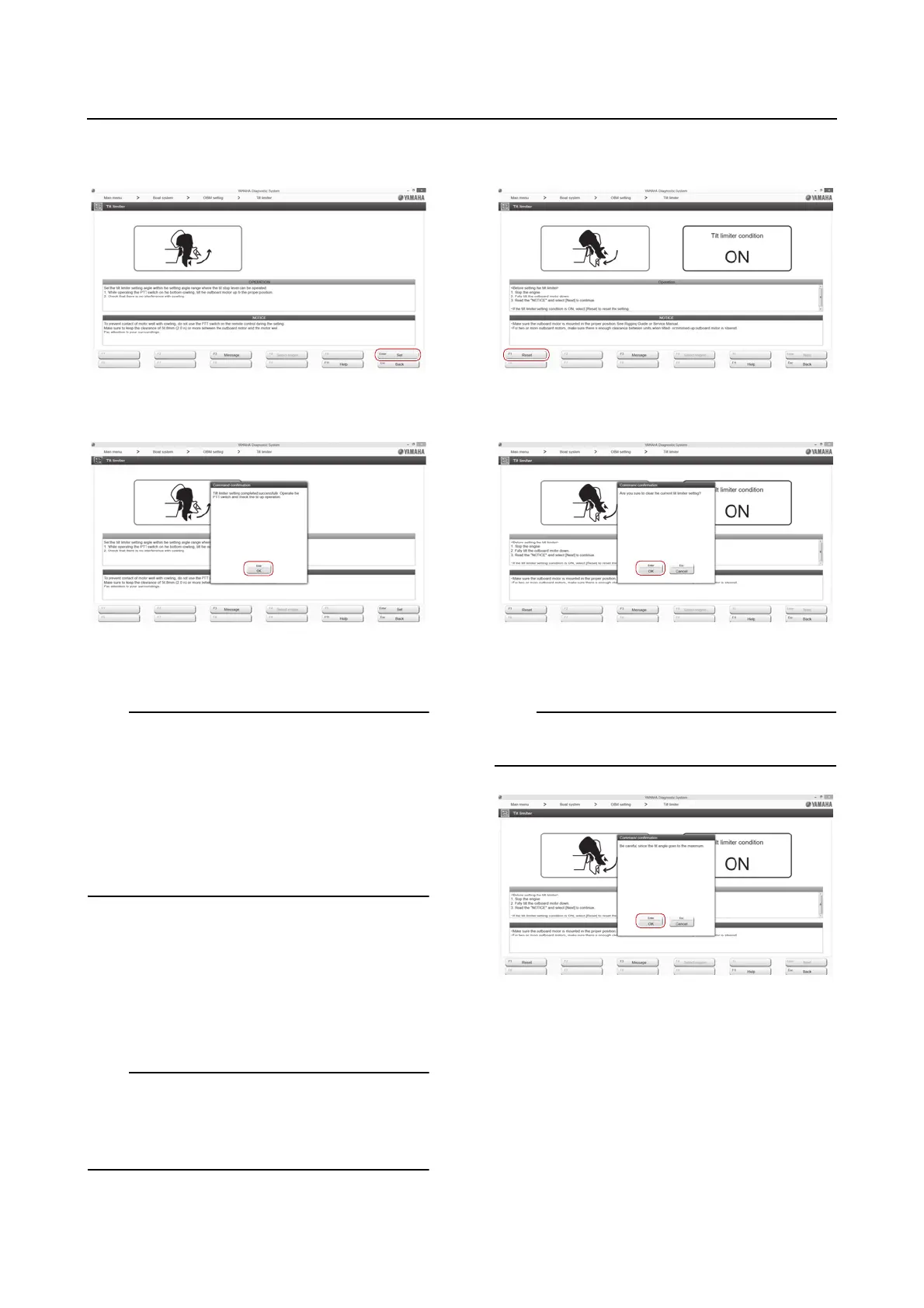
6. Click the “Set” button or press the Enter
key on the keyboard.
7. Click the “OK” button or press the Enter
key on the keyboard.
8. Check that the outboard motor stops at
the set position.
• If the tilt limiter does not operate at the set
position, or to change the setting position,
clear the tilt limiter setting, and then reset it.
• If the tilt limiter is set to a position where the
tilt support lever cannot be engaged, or if the
outboard motor is tilted up with the tilt sup-
port lever released for a long time, the out-
board motor can fall under its own weight.
Clearing the tilt limiter
1. Connect the YDIS to display “Boat Sys-
tem” menu. To connect and operate the
YDIS, see the YDIS (Ver. 2.49 or later) in-
struction manual.
It is not possible to set or clear the tilt limiter if
there is any problem with the PTT sensor or
the wiring. In that case, correct the problems
before setting or clearing the tilt limiter.
2. Click the “Reset” button or press the F1
key on the keyboard.
3. Click the “OK” button or press the Enter
key on the keyboard.
4. Click the “OK” button or press the Enter
key on the keyboard.
To reset the tilt limiter setting, see “Setting the
tilt limiter” (3-63).
Deactivating the tilt limiter
The tilt limiter can be deactivated temporarily
without using the YDIS for services or mainte-
nance. Deactivate the tilt limiter using the fol-
lowing procedure.














 To Next Page