3-74
CL5 display calibration
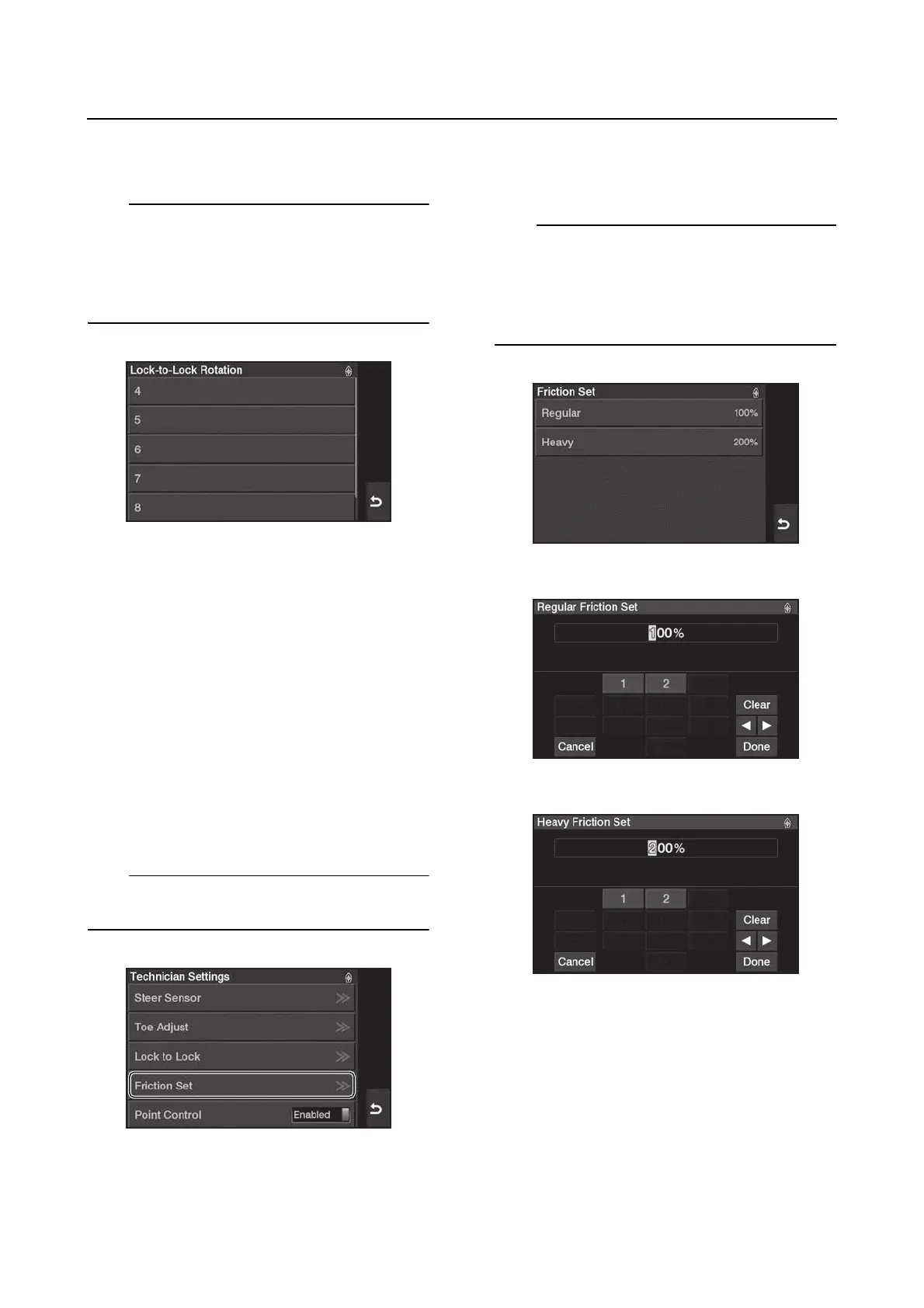
5. Tap “Set LTL” and then select a rotational
angle, from 1 to 9, for the steering wheel.
This setting allows you to adjust the number of
turns from “Lock to Lock”.
• Minimum: 4 turns
• Maximum: 9 turns
• Default: 4 turns
Friction Set
The Helm Master EX control steering system
has a unique function related to the friction of
the steering system. The steering will auto-
matically adjust the friction setting depending
on engine speed. At higher engine speeds, the
friction increases. At lower engine speeds, the
friction decreases.
Regardless of the setting chosen, the steering
still increases and decreases the friction
based on the engine speed.
1. From the “Technician Settings” menu, se-
lect “Friction Set”.
When the engine is running, this function is not
available.
2. First choose “Regular” or “Heavy”, then
adjust the percentage of friction. Tap “Do-
ne” to confirm.
The setting choices allow you to choose be-
tween “Regular” and “Heavy”. In each of those
settings, it is adjustable between 100% and
200% in 10% increments. The default setting
is 100%.




 To Next Page