5-25
Engine control unit and component
i. Turn the main switch or power switch
to OFF.
j. Disconnect the test leads, and then in-
stall the cam position sensors.
k. Connect the cam position sensor cou-
plers.
For connection of cam position sensor cou-
pler, see “Electrical component and wire har-
ness routing” (5-1).
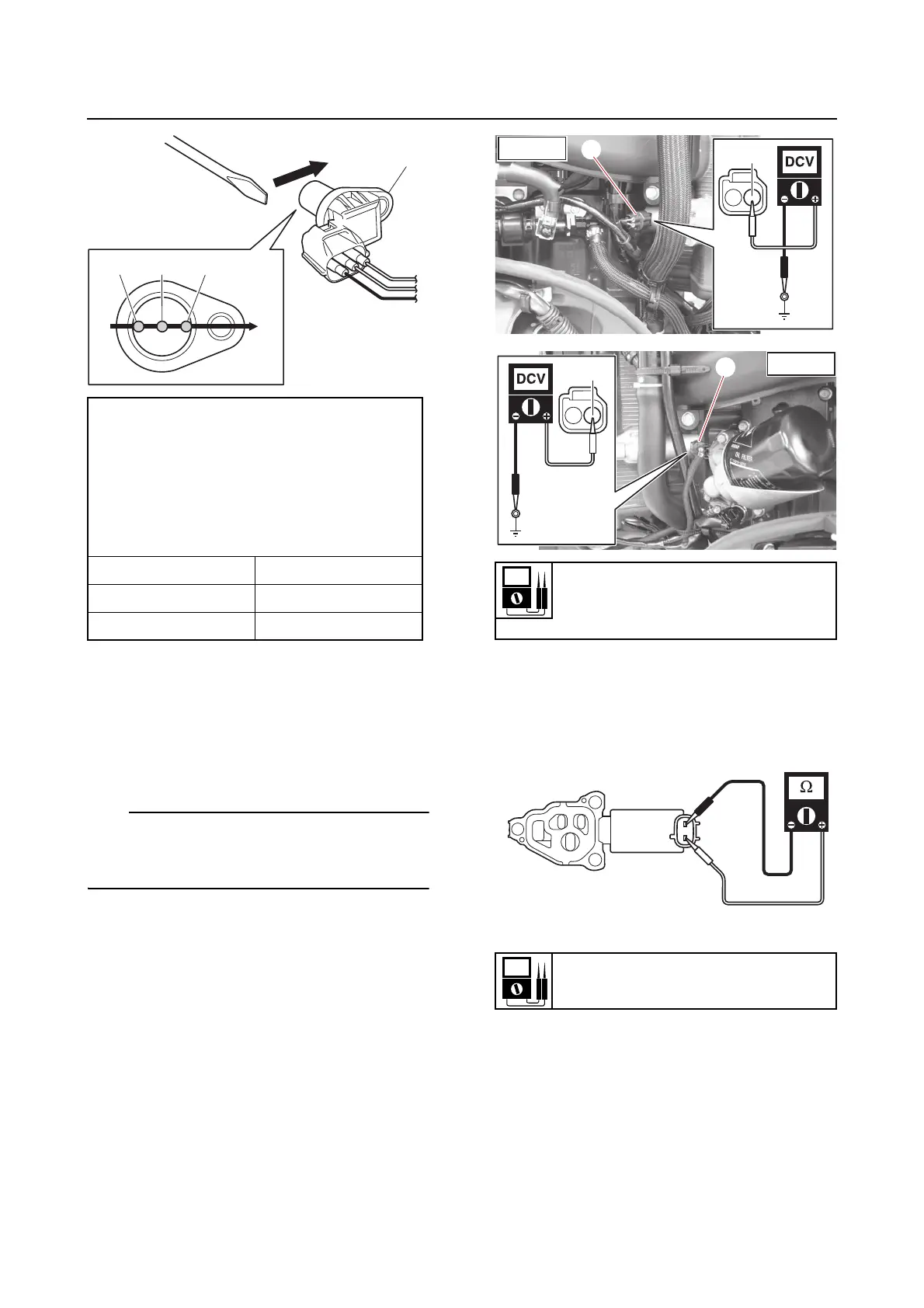
Checking the OCV
1. Check:
•OCV
a. Check the operation of the OCV using
the YDIS “Stationary test” and check
the operating sound.
b. Disconnect the OCV couplers “a” and
“b”.
c. Turn the main switch or power switch
to ON, and then measure the input volt-
age between the OCV coupler and
ground.
d. Turn the main switch or power switch
to OFF.
e. Remove the OCVs.
f. Measure the OCV resistance.
g. Connect the battery leads to the termi-
nals and check the operation of the
spool valve.
Does not operate → Replace the OCV.
Output voltage
White/Black (W/B)–Black (B)
(STBD IN)
White/Green (W/G)–Black (B)
(PORT IN)
White/Blue (W/L)–Black (B)
(PORT EX)
Position Voltage
“a”, “c” More than 4.8
“b” Less than 1.0
Input voltage
12 V
Red/Yellow (R/Y)–Ground
Resistance
6.7–7.7 Ω












 To Next Page