92 Dolby
®
IMS2000 Installation and User’s Manual
IMS.OM.004730.DRM Issue 3
ISDCF
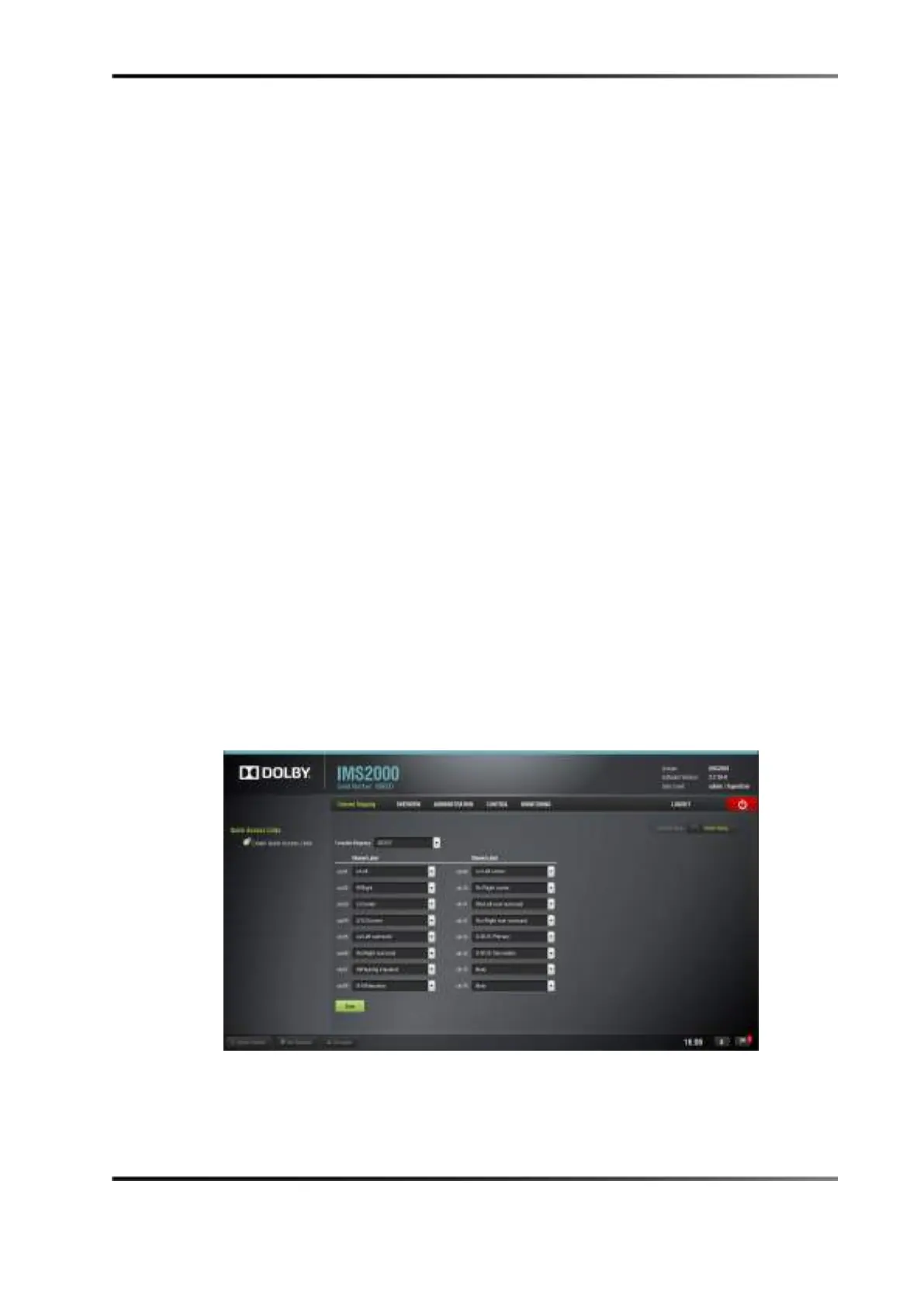
This configuration is defined as follows:
•
Ch.01 is L/Left: Output Ch.01 plays the CPL Left (L) audio channel.
•
Ch.02 is R/Right: Output Ch.02 plays the CPL Right (R) audio channel.
•
Ch.03 is C/Center: Output Ch.03 plays the CPL Center (C) audio channel.
•
Ch. 04 is LFE/Screen: Output Ch.04 plays the CPL LFE (screen) audio channel.
•
Ch.05 is Ls/Left Surround: Output Ch.05 plays the CPL Left Surround (Ls) audio
channel.
•
Ch.06 is Rs/Right Surround: Output Ch.06 plays the CPL Right Surround (Rs) audio
channel.
•
Ch.07 is HI/hearing Impaired: Output Ch.07 plays the CPL hearing impaired audio
channel.
•
Ch.08 is V-N/Narration: Output Ch.08 plays the CPL Narration (VI) audio channel.
•
Ch.09 is Lc/Left Center: Output Ch.09 plays the CPL Left Center (Lc) audio channel.
•
Ch.10 is Rc/Right Center: Output Ch.10 plays the CPL Right Center (Rc) audio
channel.
•
Ch.11 is Lrs/Left Rear Surround: Output Ch.11 plays the CPL Left Rear Surround (Lrs)
audio channel.
•
Ch.12 is Rrs/Right Rear Surround: Output Ch.11 plays the CPL Right Rear Surround
(Rrs) audio channel.
•
Ch.13: Ch.13 is set to D-BOX Primary.
•
Ch.14: Ch.14 is set to D-BOX Secondary.
•
Ch.15 is input: Ch.15 is mute, meaning there is no audio output on this channel.
•
Ch.16 is input: Ch.16 is mute, meaning there is no audio output on this channel.
Figure 13-9 Audio Mapping Set to ISDCF



 To Next Page