54 Dolby
®
IMS2000 Installation and User’s Manual
IMS.OM.004730.DRM Issue 3
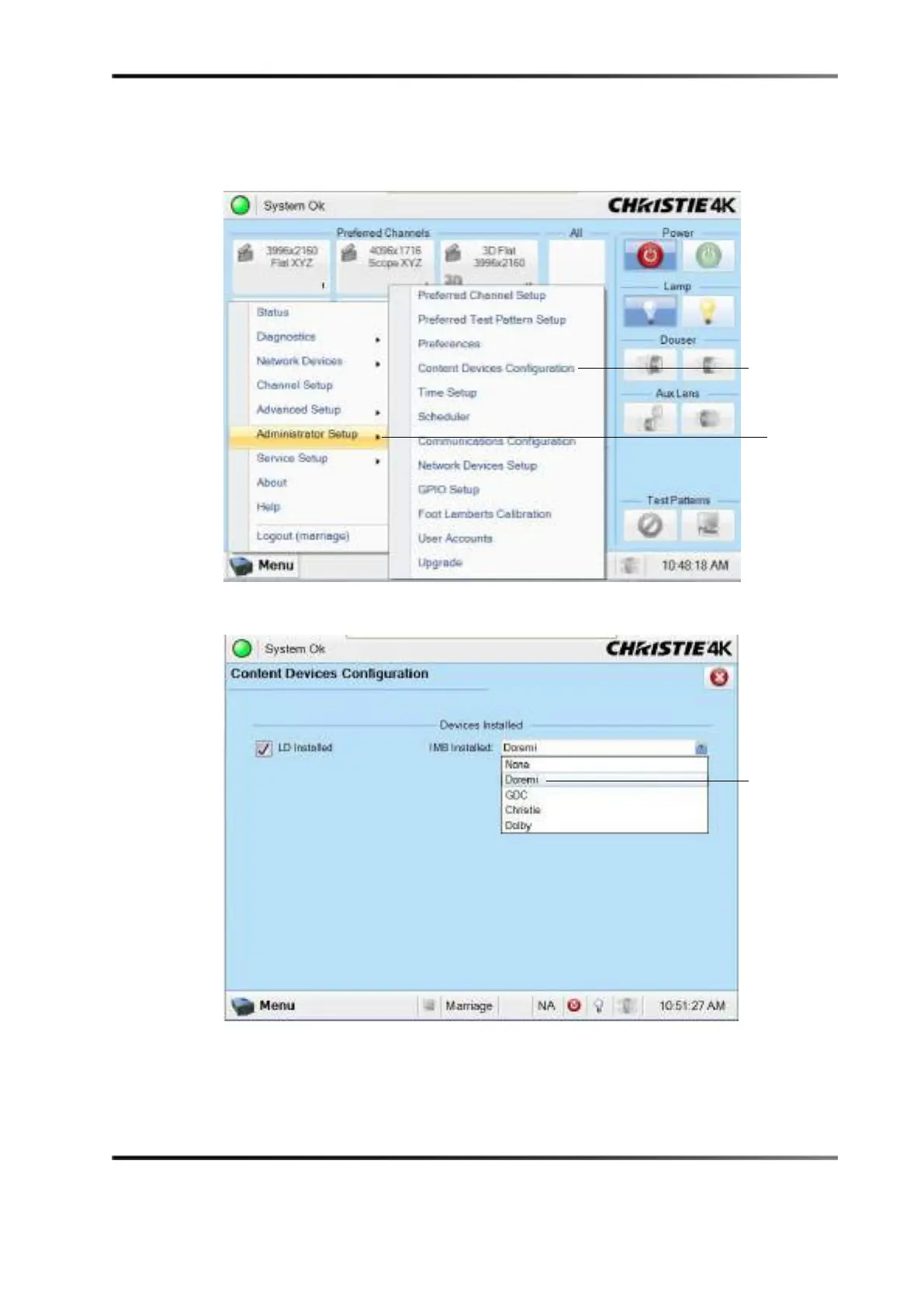
4. Select Content Devices Configuration.
5. Verify that
Doremi is selected in the Devices Installed drop-down menu.
Figure 7-16 Content Device Configuration
Figure 7-17 Devices Installed Drop-Down Menu
configuration
setup



 To Next Page