A
B
C
D
E
F
G
H
L
M
N
P
section
N 6.2
1271098/1098S - M.Y. 2007 - edition 00
Engine
Removal of the right-hand side crankcase cover
Notes
For clarity, the figures show the engine removed from the frame.
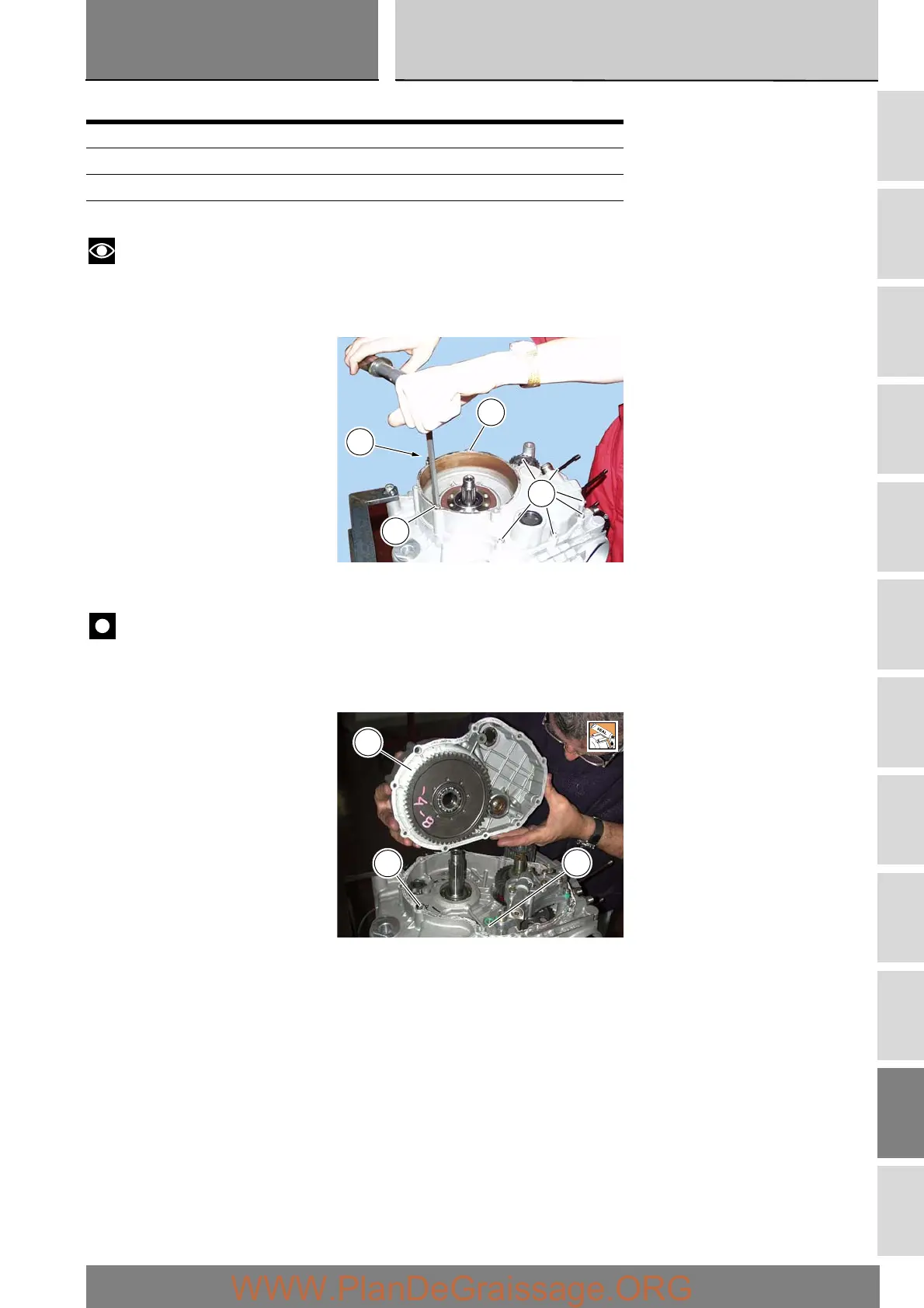
Undo and remove the six short bolts (5) and the long retaining bolts (15) and (19) from the crankcase cover (14).
Tap around the edge of the cover with a plastic mallet to detach it from the crankcase half.
Remove the right-hand side crankcase cover from the crankcase, taking care to recover the locating dowel (1).
Important
The rh crankcase cover (14) can be removed complete with the clutch drum and primary drive gear.
Remove the O-ring (2) located next to the crankcase oil way.
Operation Section reference
Remove the side fairings E 2
Drain the engine oil C 4
Remove the clutch centre N 6.1
14
19
5
15
1
2
14








 To Next Page