Chapter 3 ’Web User Graphical Interface’ — Operating Instructions (Tutorial)
132 Electra VS
-
Version 05.10
User Manual - Rev. A
a.
Click the
New group
button to create a new group of
parameters.
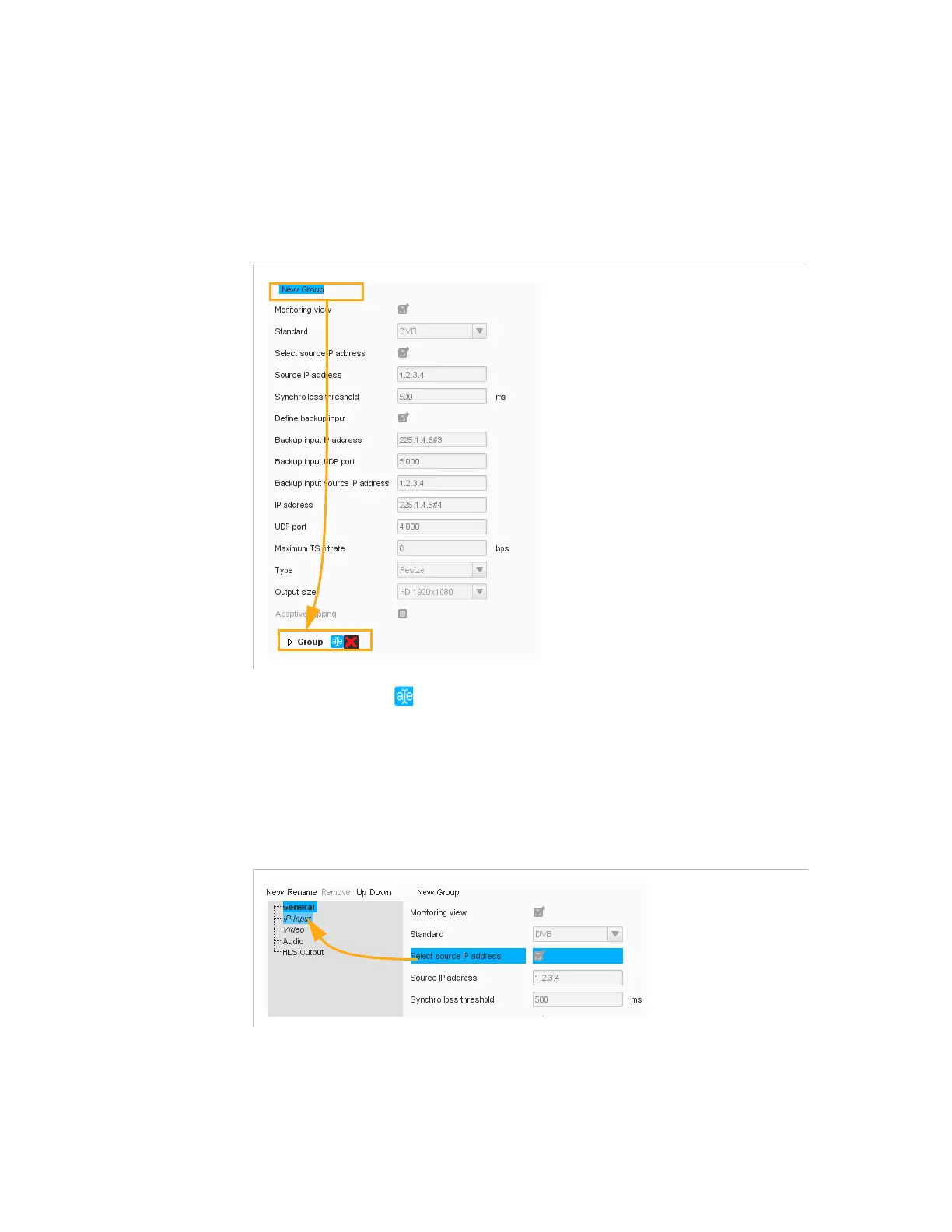
A new group is created. It appears underneath the list of
parameters.
Figure 3-75. New group of parameters
b.
Click the (
Rename
) button and give it a proper name.
4.
From the list of parameters, select a parameter and drag it to the
suitable section and group (you can select multiple parameters by
pressing the
Ctrl
key and selecting successively the parameters to
move).
Figure 3-76. Moving a parameter to a section



 To Next Page