Chapter 3 ’Web User Graphical Interface’ — Operating Instructions (Tutorial)
Electra VS
-
Version 05.10 161
User Manual - Rev. A
2.
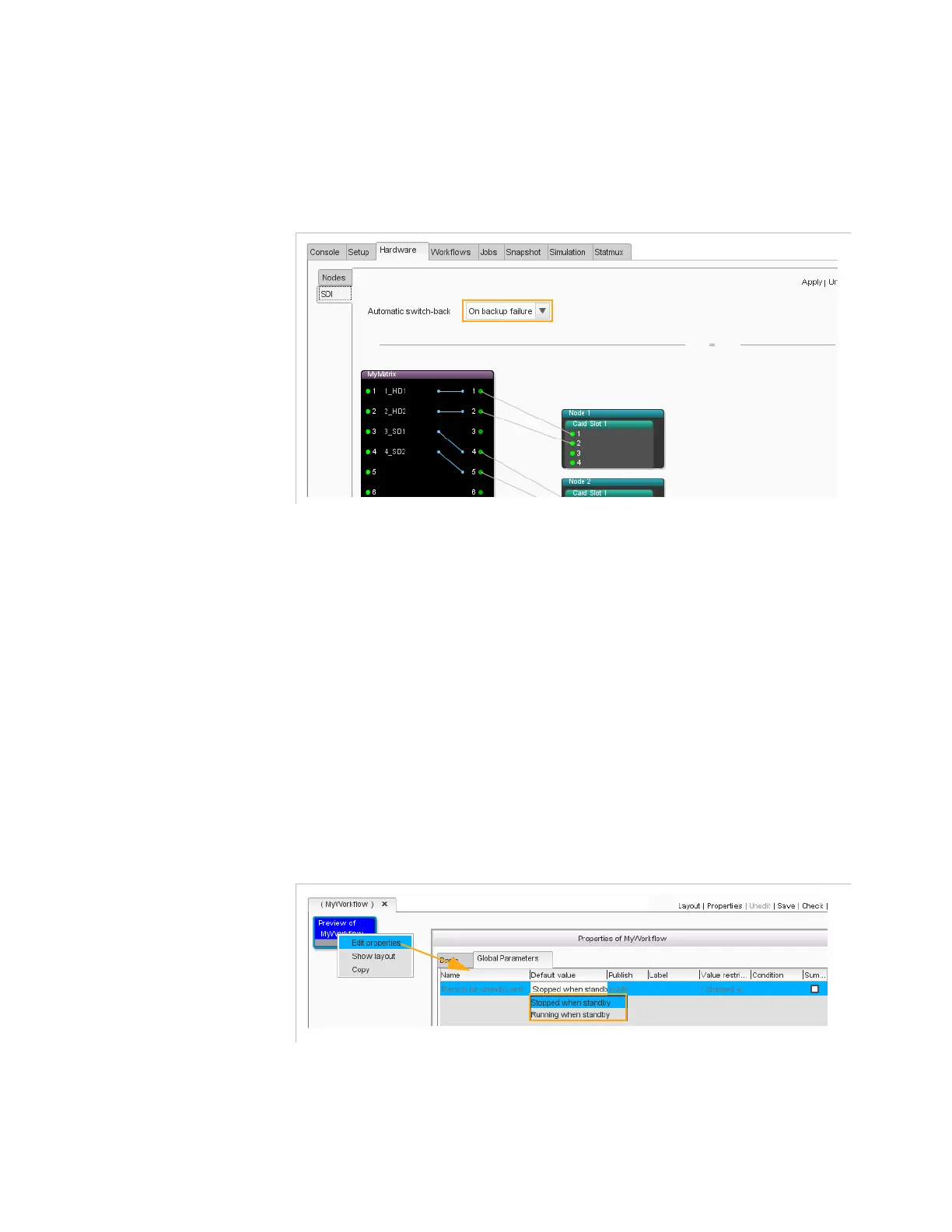
Select the Redundancy mode
The declaration of redundancy mode is done in the Hardware/SDI
panel. Refer to section
’Hardware/SDI Panel’
on page 188.
Figure 3-114. SDI panel - Redundancy Mode Select
3.
Select if the backup job must be
Stopped
or
Running
when it is in
Standby
A running backup job is an instantiated job. The backup job is running
but it is not active. This allows faster switching to the backup job if the
main job fails.
The selection can be done in the
Workflow
tab or in the
Jobs
tab.
a.
Backup job standby activity
selection in the
Workflows
tab (all
backup job(s) based on the workflow will be instantiated):
-
Edit the Properties of the workflow and display
Global
Parameters
tab.
-
Select
Backup job standby activity
=
Stopped when
standby
or
Running when standby
.
Figure 3-115. Backup job standby activity selection in the Workflows tab
b.
Backup job standby activity
selection in the
Jobs
list tab (after
creating the job and if the
Backup job standby activity
parameter sets above is
public)
:
-
Select the jobs and click
Show job details
.



 To Next Page