Chapter 3 ’Web User Graphical Interface’ — GUI Description
174 Electra VS
-
Version 05.10
User Manual - Rev. A
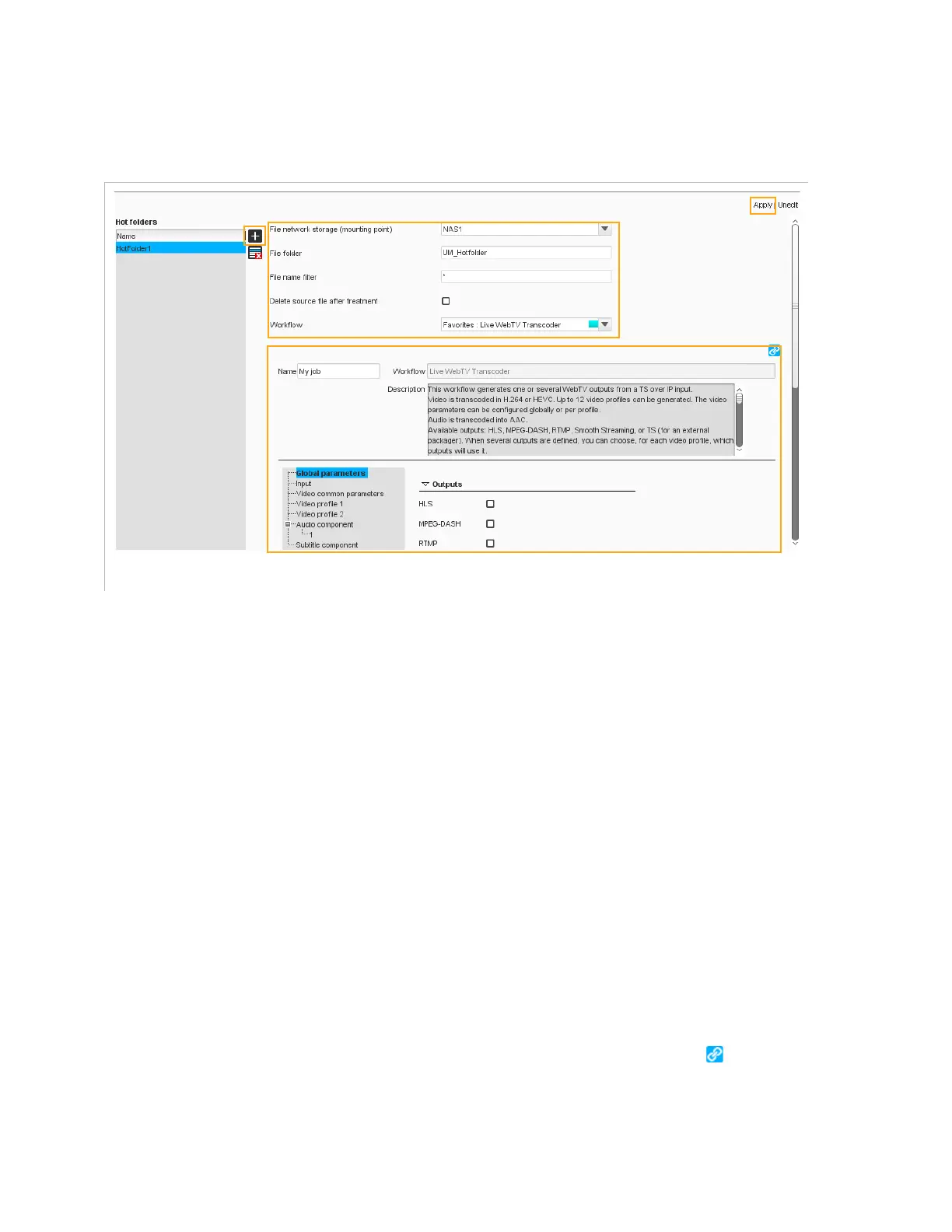
You must create one hot folder for each processing type.
Figure 3-133. Hot folder configuration
The table shows the list of hot folders. Click one of them to access its
parameters:
File network storage (mounting point)
: indicate in which
network storage the hot folder should be created.
File folder
: enter the name of the folder on the network storage
where the hot folder should be created.
File name filter
: if you want to process only some of the files placed
in the hot folder, enter filter rules. For instance, if you want to process
any file with a trp extension, enter:
*.trp
.
Delete source file after treatment
: check the box to delete the
source file once the workflow has been applied to it.
Workflow
: select the workflow to be applied to the files in the hot
folder from the list.
In the frame below the list of workflows, you can see the public
parameters of the workflow. You can change the values as required.
For workflows that use a file input, the network storage, file folder and
file name parameters are automatically linked to the parameters set
above for the hot folder. If you want to use different parameters, select
the workflow parameter from the list and click the button to
remove the link.
1. Add
2. Set the hot folder
parameters
3. Set the workflow parameters
4. Apply



 To Next Page