Chapter 3 ’Web User Graphical Interface’ — Workflow Library
Electra VS
-
Version 05.10 237
User Manual - Rev. A
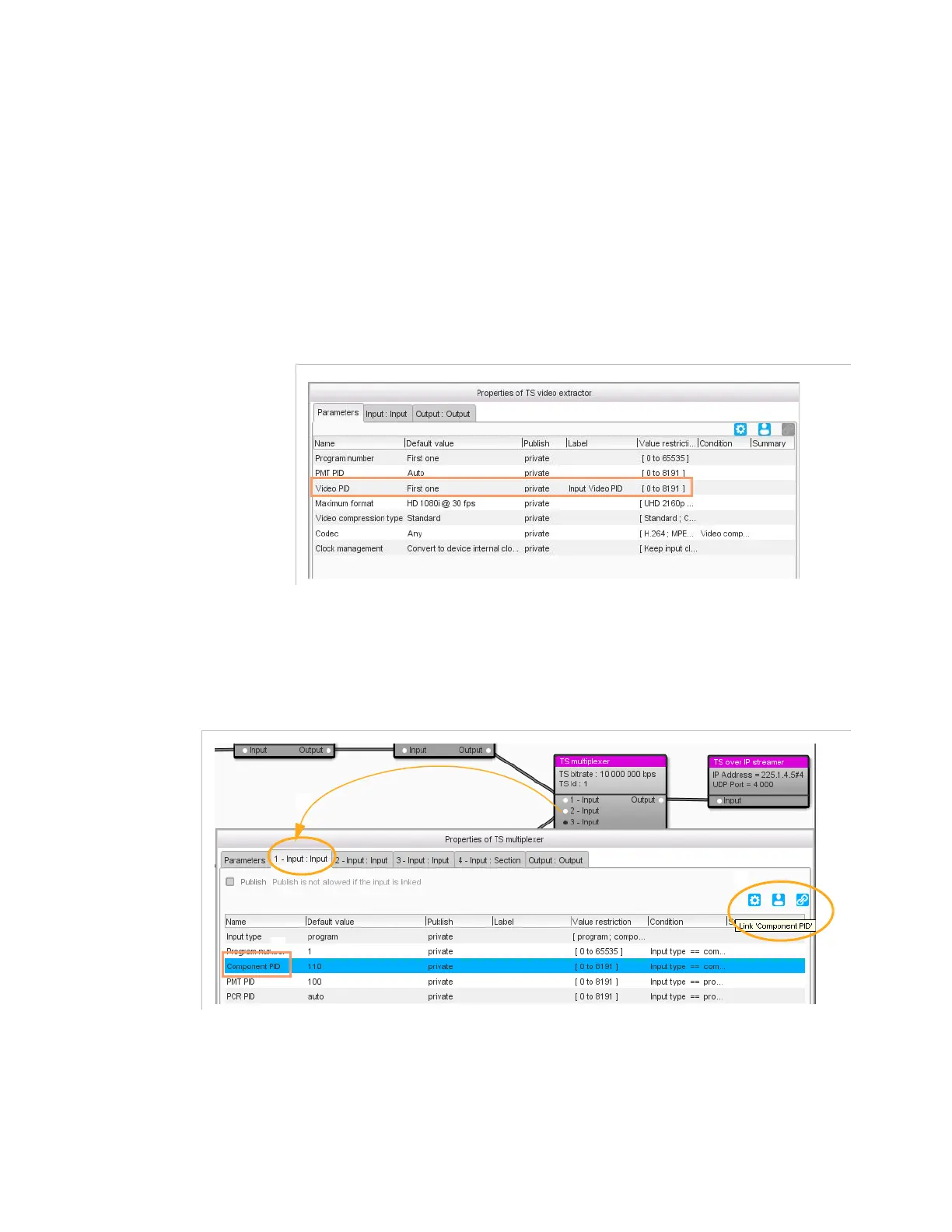
Example 1
: lets us consider an IPTV transcoding workflow. We want to
have the same video PID in the output program as the one present in the
input program.
Use the link tool as follows:
1.
Open the first processing component. In our example, open the
TS
video extractor
processing component.
2.
Edit a label for the parameter you wish to take as reference (in our
example, the
Video PID
).
Figure 3-211. Setting a label for the reference parameter
3.
Select the parameter for which you wish to make a link to the
reference parameter. In our example, select the
Component PID
in
the first ‘Input’ tab of the
TS multiplexer
processing component.
Figure 3-212. Setting the link



 To Next Page