Chapter 3 ’Web User Graphical Interface’ — Workflow Library
Electra VS
-
Version 05.10 305
User Manual - Rev. A
Image file storage
: server location where the image file is
stored. Several methods allows to define the location:
- Enter the name of network storage declared in the set up tab
(recommended) or
- Enter the complete server path using the following syntax:
[CIFS|NFS]://login:password@[IP adress | hostname]/MyDirectory
Using this second method we assume that the network storage
is accessible from all the nodes of the Electra VS (no IP address
or hostname verification is done before launching the job,
therefore if the server is not accessible from the node the
reception of the file will fail).
If you enter a hostname, a DNS lookup will be performed every
30 seconds to check that the resolution of the IP address has not
changed.
Image file folder
: folder on the network storage where the
image file is stored.
Image file name
: name of the image file.
Raise a log when image file is absent
: if set to
true
, an
alarm is raised if the file is missing. You should set this
parameter to
false
if you want to control the apparition or
disappearance of image by presence or absence of image file.
Overlay transparency:
transparency of the image (0%
corresponds to a plain image).
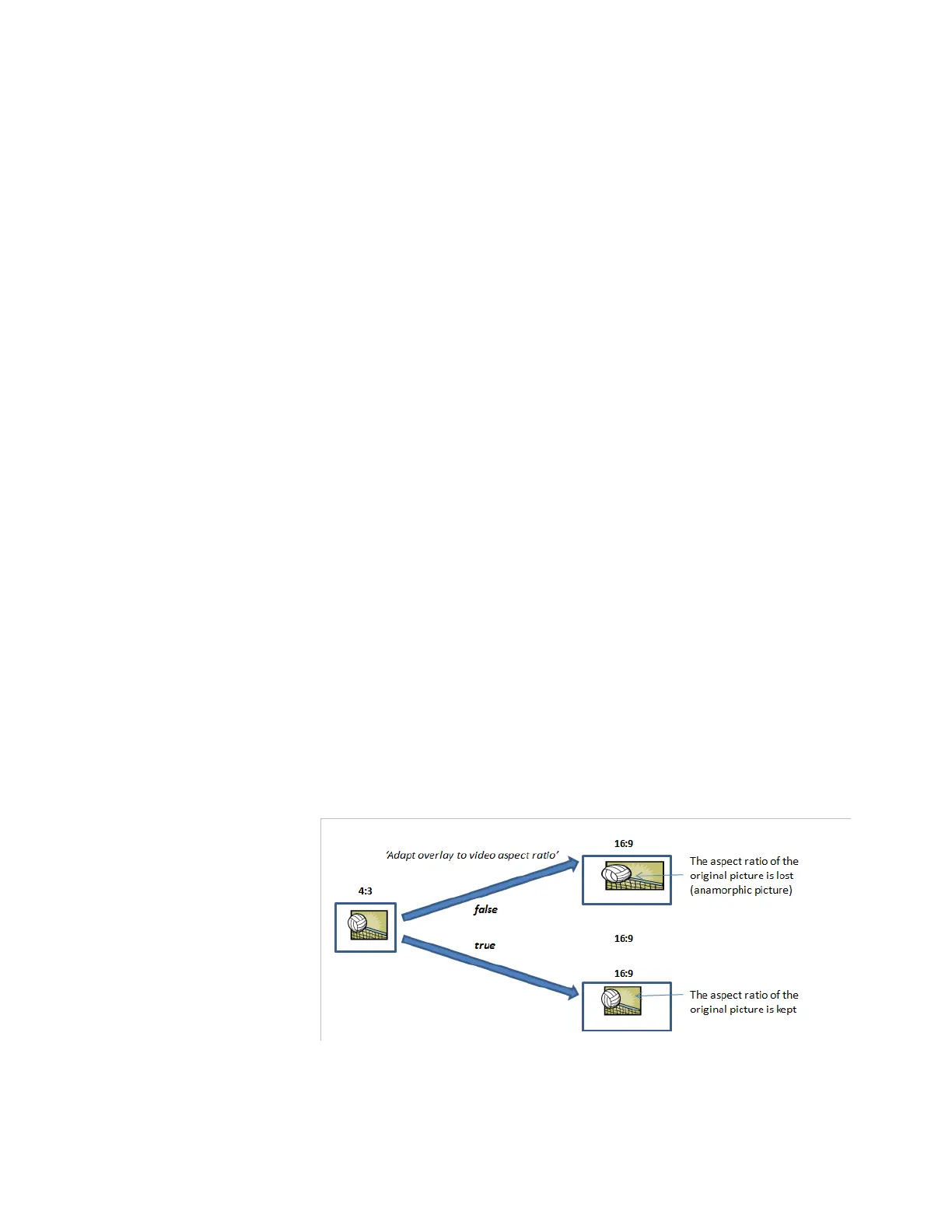
Adapt overlay to video aspect ratio: if set to true, the
insertion of the image in the screen will take in account the
aspect ratio. If the image aspect ratio is different from the
video aspect ratio, then the image width is modified before
the insertion.
Figure 3-278. Video overlay parameters - Image insertion: Adapt overlay to video aspect ratio
Position Origin
:
the screen corner from which the positions
are defined (
Top-Left screen corner, Top-Right screen corner,
Bottom-Left screen corner, Bottom-Right screen corner
).



 To Next Page