Chapter 2 ’Installation and Startup’ — Hardware Delivery
Electra VS
-
Version 05.10 49
User Manual - Rev. A
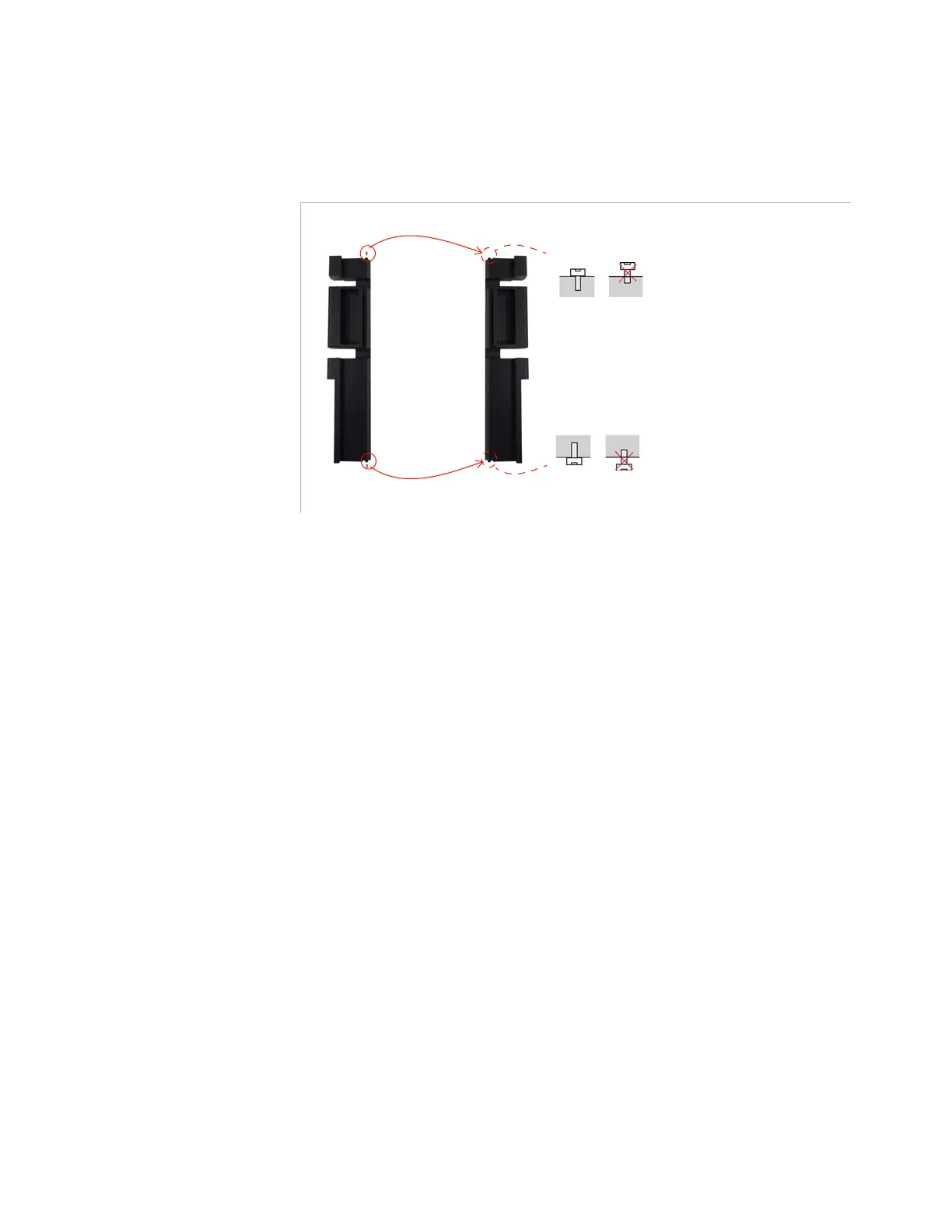
2.
Remove the top and bottom screws from the left hinge then screw
them tightly onto the right hinge.
Figure 2-28. Moving the top and bottom screws from the left hinge to the right hinge
3.
Install the front panel in the right hinge as shown in
Figure 2-24
and
Figure 2-25
(this time with the right hinge).
4.
Re-mount the right hinge and front panel together on the chassis as
shown in
Figure 2-26
(this time with the right hinge).
Move the top screw from the left hinge to the right hinge
Move the bottom screw from the left hinge to the right hinge



 To Next Page