Chapter 3 ’Web User Graphical Interface’ — Operating Instructions (Tutorial)
94 Electra VS
-
Version 05.10
User Manual - Rev. A
5.
Fill in the
Name
field on the top left. This name will later appear in the
list of jobs. Choose this name carefully so that you are able to
recognize it easily in the list, as there may be a high number of jobs in
the list.
6.
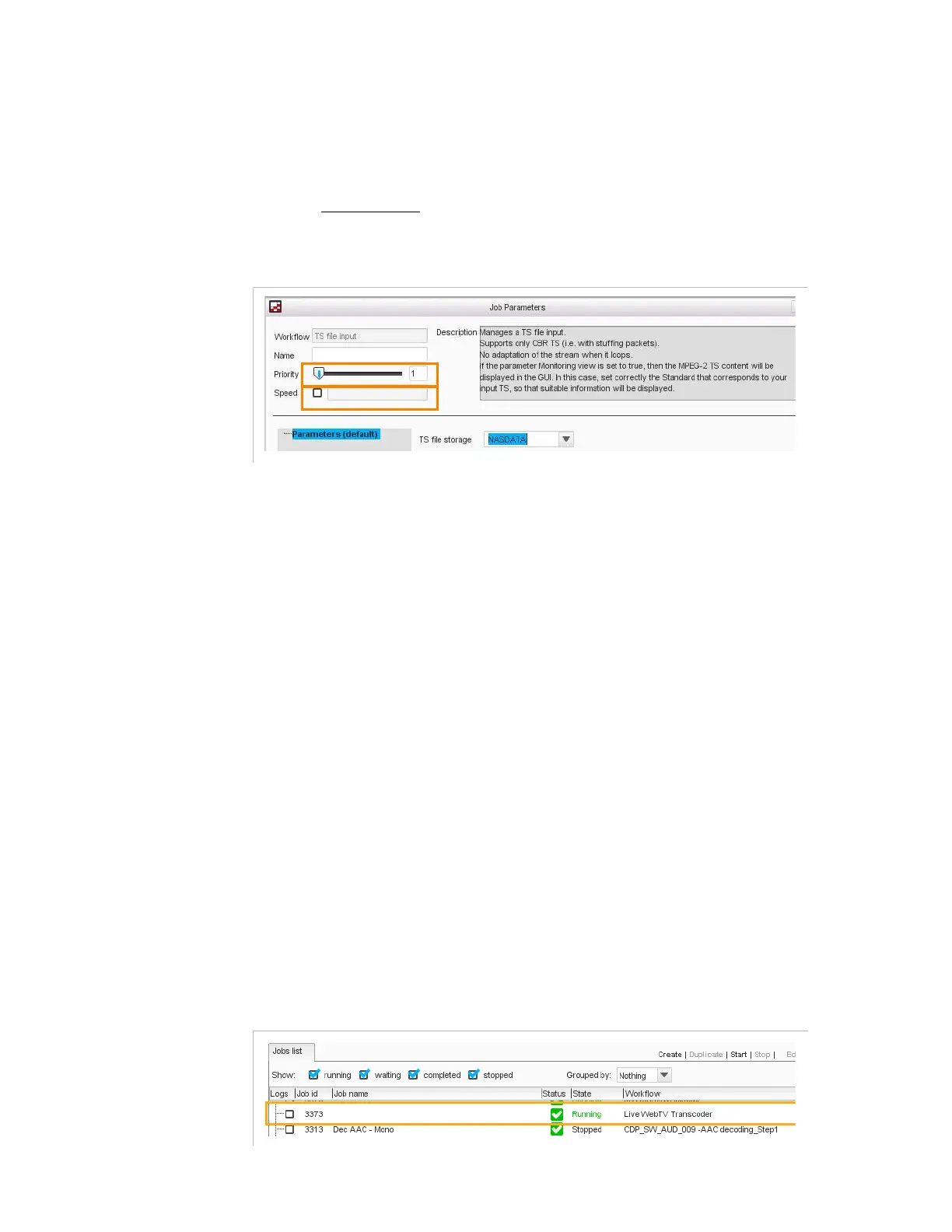
For a file encoding job, you can set a priority for the job and its speed:
Figure 3-15. Setting file encoding job parameters
- Priority
: if there are not enough resources (CPU,
memory...) to process all the jobs, and if you want this
particular job to be processed before the others, set an
important priority (between 1 and 250; 250 being the
highest priority). The other jobs will be processed more
slowly.
- Speed
: if set to
1
, the job will last at most as long as the
video duration. If set to
2
, the job will last at most half as
long as the video duration, etc.
Note that if the network bitrate is too low, the speed goal
might not be respected.
If not configured, the job will get the available resources of
the most available node.
Note that a live job always holds priority over file encoding jobs.
If there are not enough resources, the transcoding is kept in
waiting
state until resources become available.
7.
Set the parameters in the right part of the view. The content depends
on the selected workflow. Refer to the next section for a presentation
of the different tabs of the jobs based on predefined workflows.
8.
Click
Create and start
.
The job is displayed in the
Jobs list
. Check its status and its state.
Figure 3-16. Job is running



 To Next Page