© 2018 MA Lighting Technology GmbH - Dachdeckerstr. 16 - 97297 Waldbüttelbrunn - Germany
Phone +49 5251 688865-27 - support@ma-dot2.com - www.malighting.com
Patch
The patch edit line displays the next available patch address.
To select another universe or address, tap the three dots in the edit line. The drop down opens.
Figure 3: Select DMX universe and address
To get an overview about assigned and available DMX addresses, tap Select... on the right. The Select DMX
Address... Window opens.
Offset
The offset displays the selected patch offset.
The offset is the free DMX address space between one fixture and another fixture. A patch offset gives you a
better overview about the fixtures and their patch address.
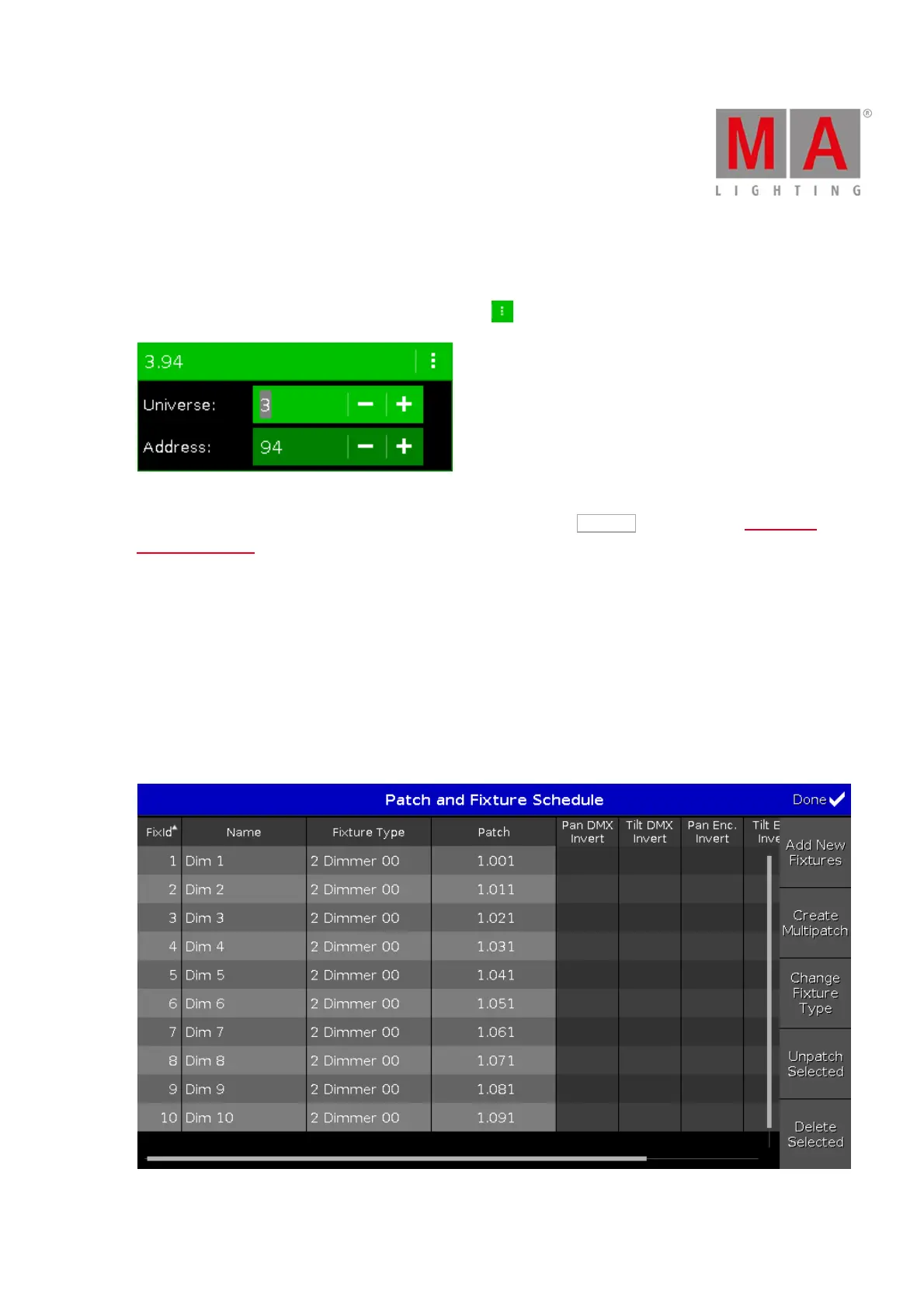
To patch a few fixtures and with a start address of x.xx1, select a patch offset of 10.
To select the quantity, tap the plus or minus. By default the offset is 1.
Figure 4: Patch and Fixture Schedule with Offset of 10



 To Next Page