© 2018 MA Lighting Technology GmbH - Dachdeckerstr. 16 - 97297 Waldbüttelbrunn - Germany
Phone +49 5251 688865-27 - support@ma-dot2.com - www.malighting.com
Tap to synchronize effects in the programmer. Refer to, SyncEffects Command.
Align >:
Selects the align mode >. Refer to, Align Key.
Align <:
Selects the align mode <. Refer to, Align Key.
Align ><:
Selects the align mode ><. Refer to, Align Key.
Align Off (default):
Turns the align mode off. Refer to, Align Key.
Dimmer Effects
In the dot2 are six predefined dimmer effects available.
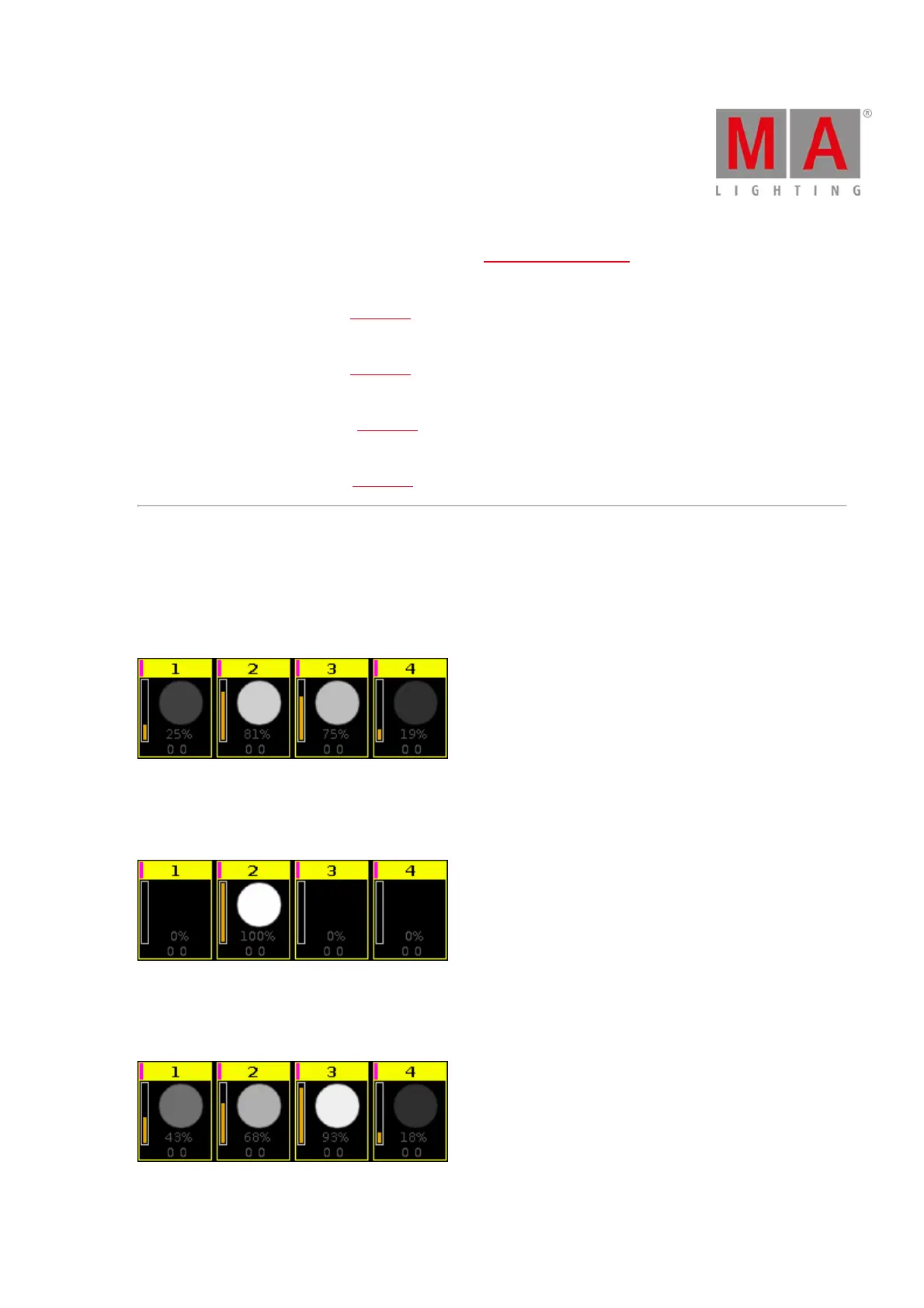
Soft Dimmer (object number 1):
Opens and close the dimmer with softness.
Figure 5: Soft dimmer effect
Hard Dimmer (object number 2):
Opens and close the dimmer without softness.
Figure 6: Hard dimmer effect
Ramp Up Dimmer (object number 3):
Dimmer snaps to 100% and fades slowly to 0%.
Figure 7: Ramp up dimmer effect



 To Next Page