Operating the transceiver
Manpack Transceiver 2110 series Reference Manual 67
The front panel screen
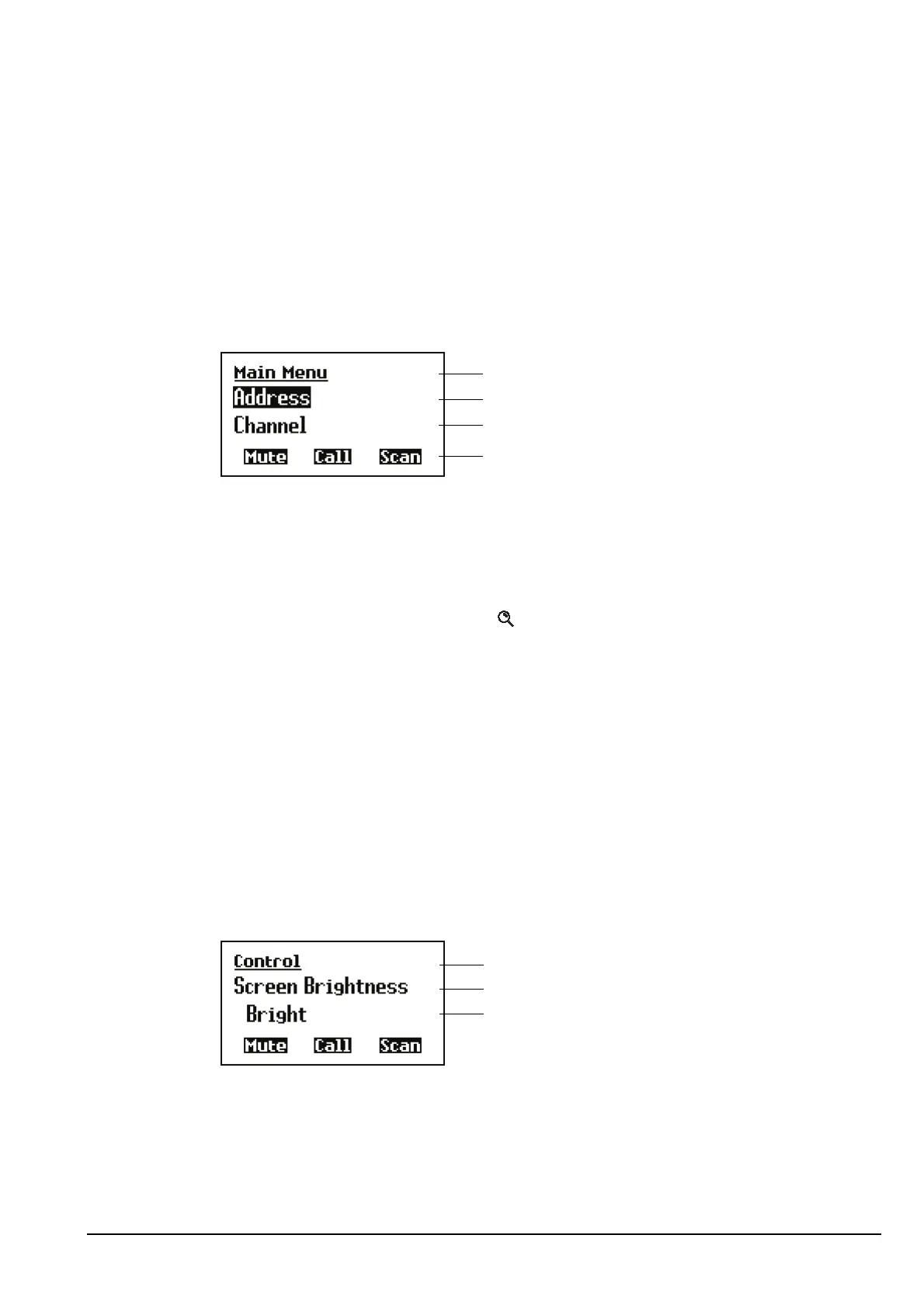
The screen on the front panel consists of three lines.
Figure 10: The front panel screen
The information displayed on the top line depends on the task you are performing. It can
display:
• the name of the list, entry or setting you are in
• the Find prompt when you press
The next line is called the active line. You can use this line to indicate the list or entry
you want to select, to enter text, and to change the value in a setting.
The third line is used when a list is displayed to show either the next item in the list
(Figure 10), or the value in the first or only setting for the entry (Figure 11). When a
value is displayed, it is indented under the name of the entry to which it applies. In
Figure 11 the value indicates that the Screen Brightness is set to Bright.
The name of each soft function key represents the action that will take place when the
corresponding F1, F2 or F3 key on the front panel of the transceiver is pressed.
Figure 11: The front panel screen displaying a value
The front panel screen also displays information screens such as the channel screen in
the Channel List, and the time screen in the Control List.
NOTE
In the following example, you must log in as administrator to see the
Main Menu (see page 128, Logging in to admin level from user level and
page 104, The Main Menu).
top line
active line
next item
soft function keys



 To Next Page