Dolby
®
IMS2000 Installation and User’s Manual
IMS.OM.004730.DRM Issue 3 199
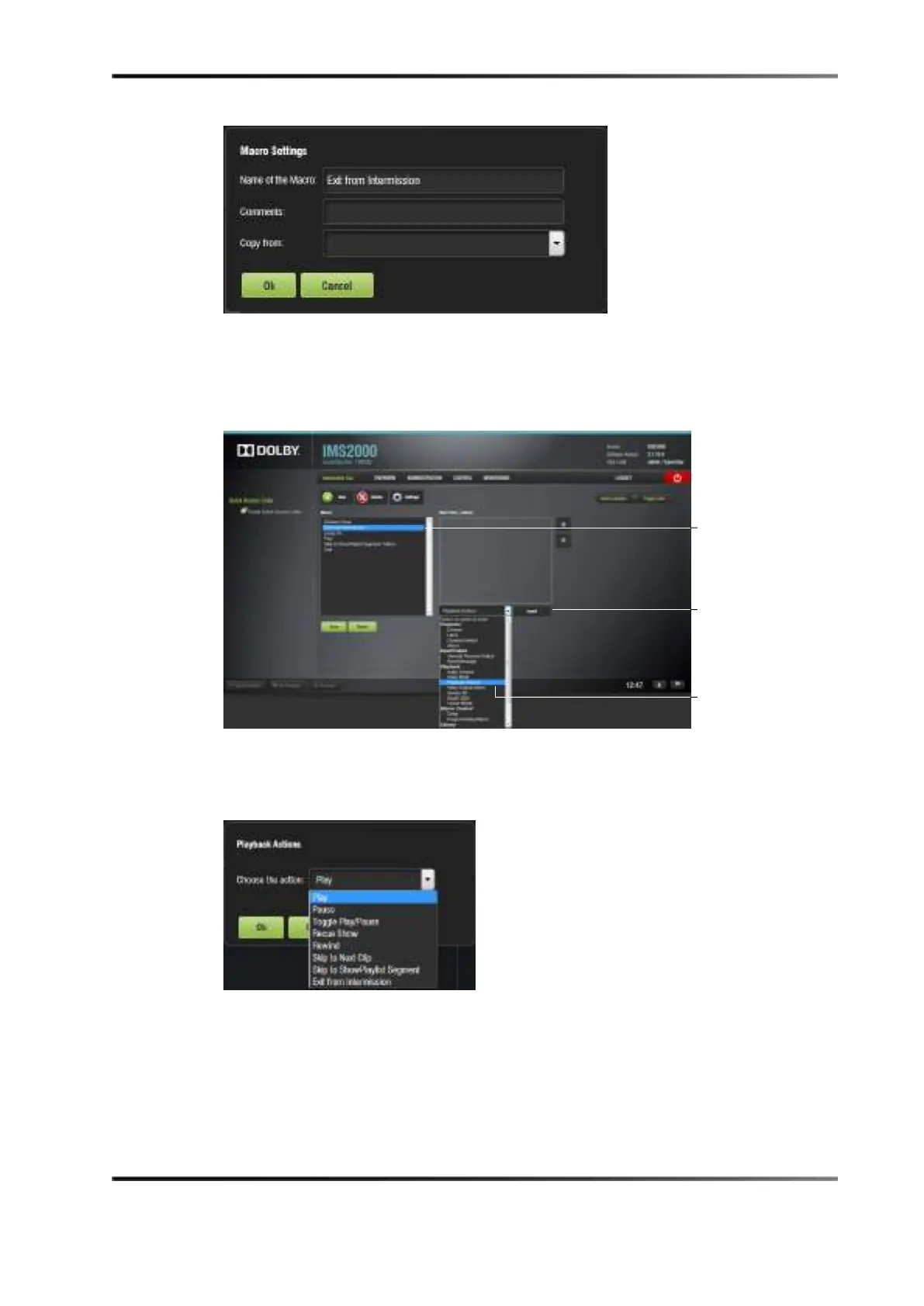
Figure 14-39 Exit from Intermission Macro
4. Click on the Select an Action to Insert button.
5. Select
Playback and then Playback Actions.
6. Click on the
Insert button.
Figure 14-40 Macro Added
7. Select Exit from Intermission from the drop-down menu.
8. Click on the
Ok button.
Figure 14-41 Exit from Intermission Macro Added
5. Click on the Save button, and enter the necessary password to save.
Superuser privileges are necessary to save the macro.



 To Next Page