A
B
C
D
E
F
G
H
L
M
N
P
section
P 7
92 1098/1098S - M.Y. 2007 - edition 00
Electric system
Lap time display
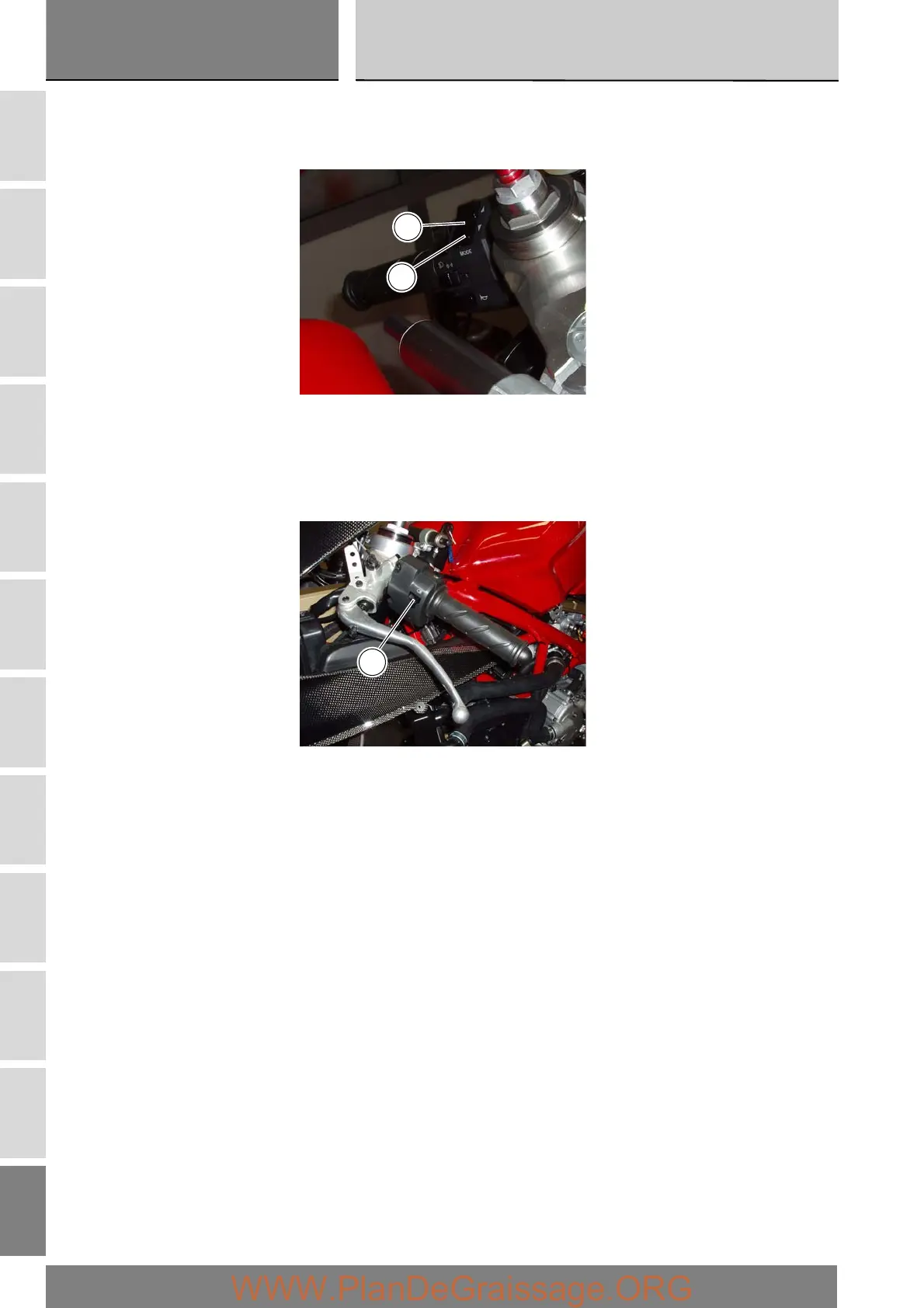
To activate this function, go into the menu and set the “LAP” function to “On” by keeping button (1) in position B “▼” for
3 seconds.
START and STOP the timer by pressing the high beam FLASH button (2) on the left-hand handlebar switch.
When the LAP function is active, each time you press the FLASH button, the display will show the lap time for 10 seconds,
before reverting to normal mode.
You can save a maximum of 30 laps in the memory.
If the memory is full, each time you press the FLASH button, the display will not save any more lap times and will display the
flashing message “FULL” for 3 seconds until the memory is reset.
1
B
2



 To Next Page