A
B
C
D
E
F
G
H
L
M
N
P
section
P 7
971098/1098S - M.Y. 2007 - edition 00
Electric system
Clock setting
To set the clock, select the “TIME Set” page from the menu.
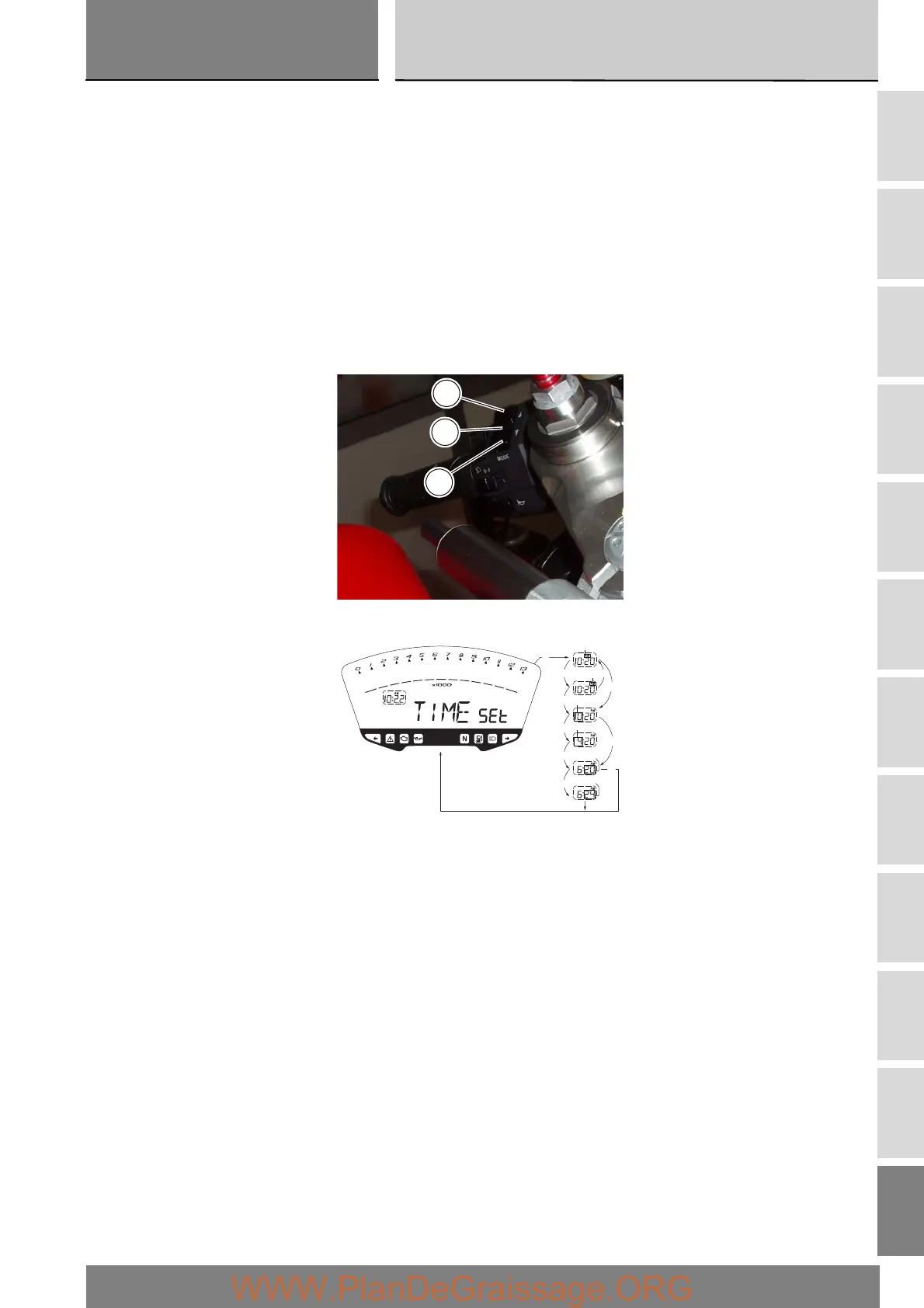
From this page, if you press the button (1) in position B “▼” for 3 seconds, you enter clock setting mode.
On entering this mode, the message “AM” will flash on the display; pressing the button (1) in position B “▼” will switch the
display to “PM”; pressing the button (1) in position B “▼” will take you back to the previous display (if the time is exactly 00:00,
when the display switches from AM to PM the time will appear as 12:00); press button (1) in position A “▲” to enter the hours
setting mode (the hour digits flash). Each time you press the button in position B “▼”, the hours digit increases cyclically in steps
of 1 hour; hold the button pressed down in position B “▼” to scroll faster through the hours in steps of 1 hour every second
(when the button is held pressed continuously, the hour digits do not flash).
If you press the button (1) in position A “▲”, you enter the minutes setting mode and the minute digits will start flashing.
Each time you press the button in position B “▼”, the minutes increase cyclically in steps of 1 minute; hold the button down
in position B “▼”, to scroll faster through the minutes in steps of 1 minute every second. If the button is held in position B “▼”
for more than 5 seconds, the minutes advance by 1 every 100 ms (when the button is held in position B “▼” continuously,
the seconds do not flash). If you press the button in position A “▲”, the system exits the clock setting mode and displays the
newly set time.
1
B
A
lamp.
lamp.
B
B
B
B
B
A
A
A
A
A
A
sett.
lamp.
lamp.
sett.








 To Next Page