A
B
C
D
E
F
G
H
L
M
N
P
section
P 7
96 1098/1098S - M.Y. 2007 - edition 00
Electric system
Erase USB
This function enables you to delete the data saved on the USB DAQ: the DAQ must be connected to the motorcycle wiring.
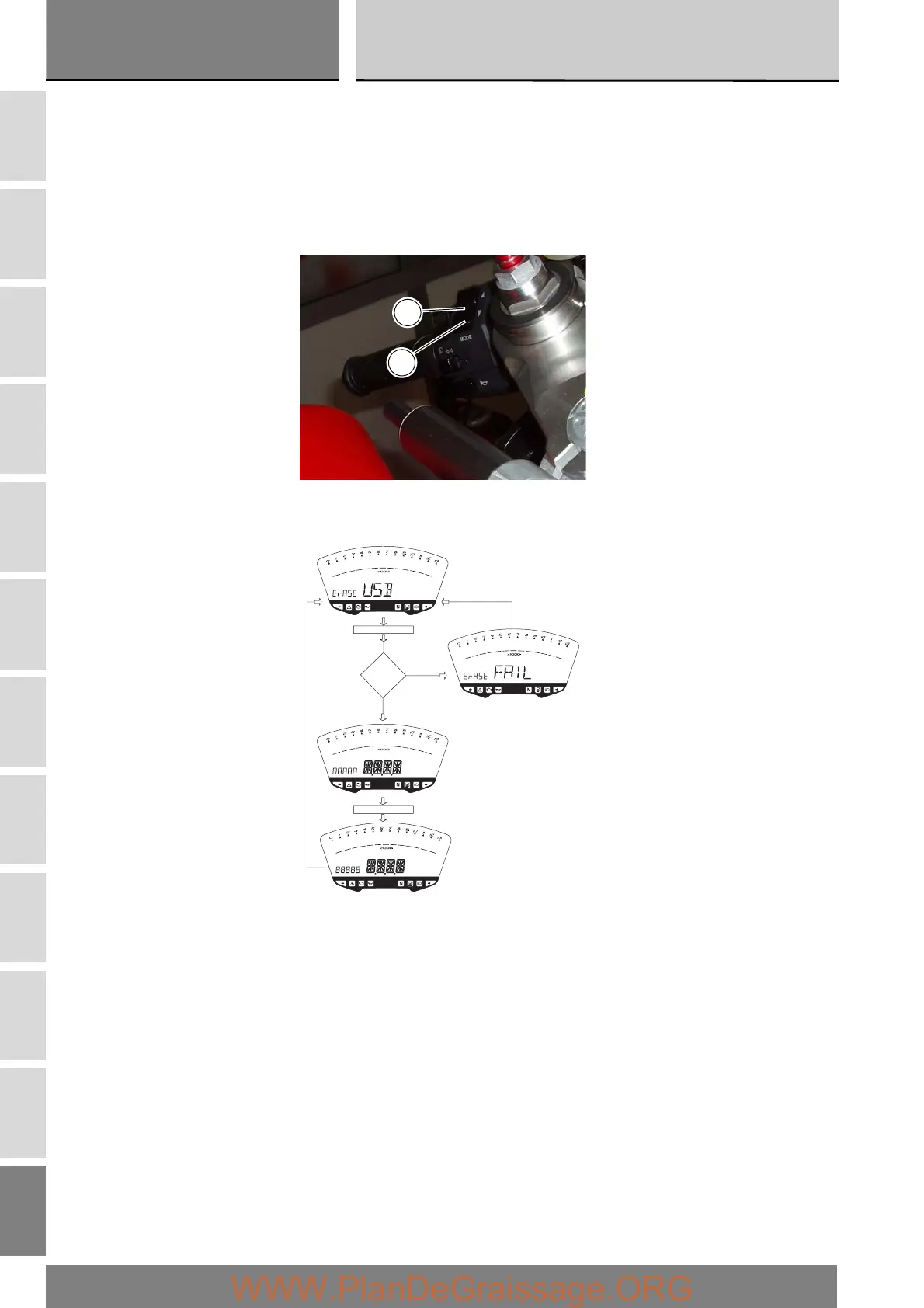
To delete the data, go into the menu and select the “Erase USB” page.
If you hold the button (1) in position B “▼” for 3 seconds and the USB DAQ is not acquiring data, the message “WAIT…” appears
on the display for 10 seconds. After 10 seconds, the message “OK” appears for 2 seconds, to confirm that the data has been
deleted.
If you hold the button (1) in position B “▼” for 3 seconds and the USB DAQ is acquiring data, the DAQ memory is not cleared
and the display shows the message “ERASE FAIL” for 2 seconds.
1
B
USB=ON
B= On 3 sec.
disp. 2 sec.
YES
NO
WAIT for 4 sec.
disp. 2 sec.







 To Next Page