Chapter 3 ’Web User Graphical Interface’ — Operating Instructions (Tutorial)
128 Electra VS
-
Version 05.10
User Manual - Rev. A
2.
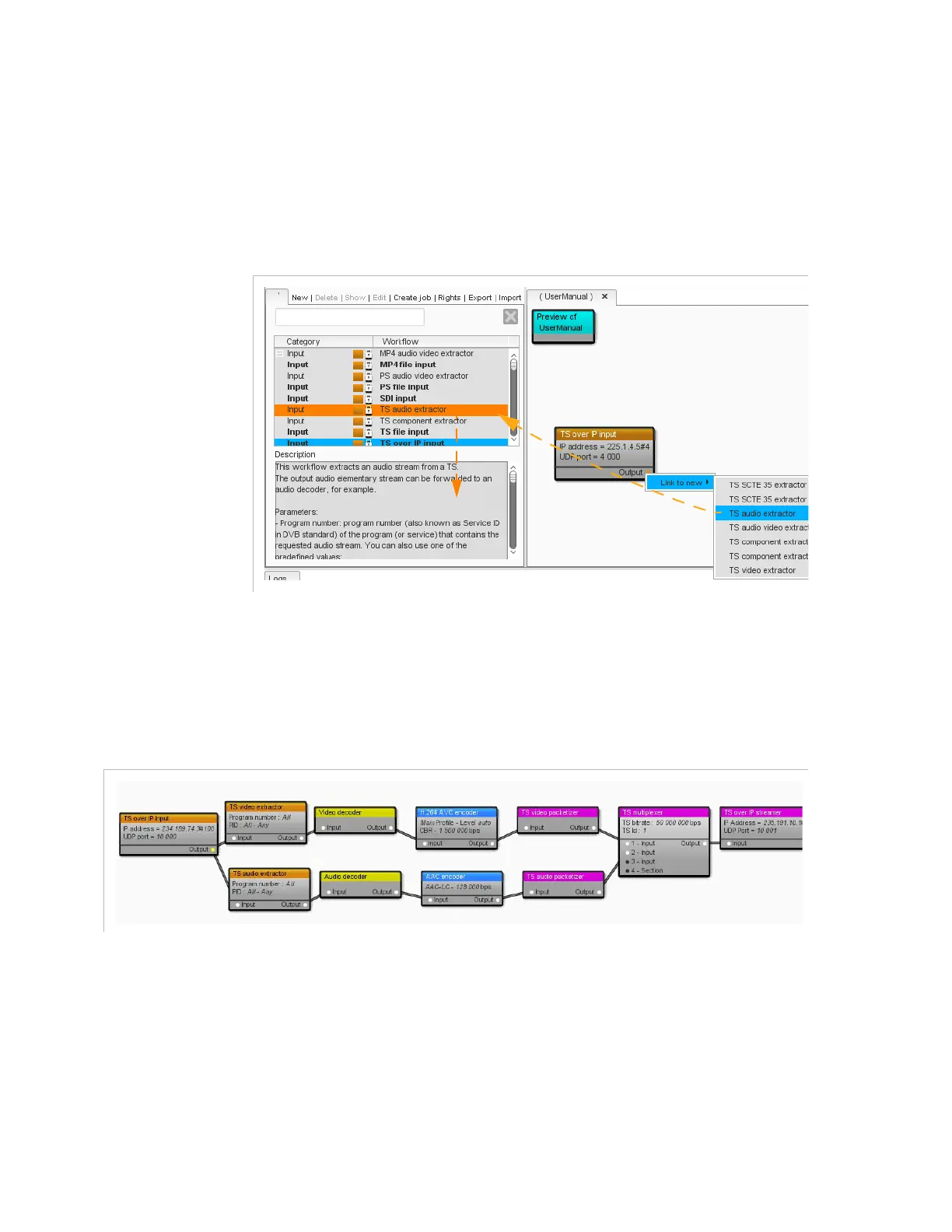
Right-click one of the processing component’s interface buttons and
choose
Link to new
from the menu.
3.
Choose a processing component from the proposed list. The option
you are pointing with the mouse pointer is highlighted in the list and
its description is displayed.
Figure 3-66. Linking to a new processing component
4.
Repeat steps
2
and
3
for each processing component to add.
Do not forget to hit the
Save
button once in a while.
After completion, you will get a workflow which may look like this.
Figure 3-67. Workflow after completion



 To Next Page