Chapter 3 ’Web User Graphical Interface’ — Operating Instructions (Tutorial)
Electra VS
-
Version 05.10 129
User Manual - Rev. A
Setting the Parameters of the Processing Component
To access the parameters of a processing component:
1.
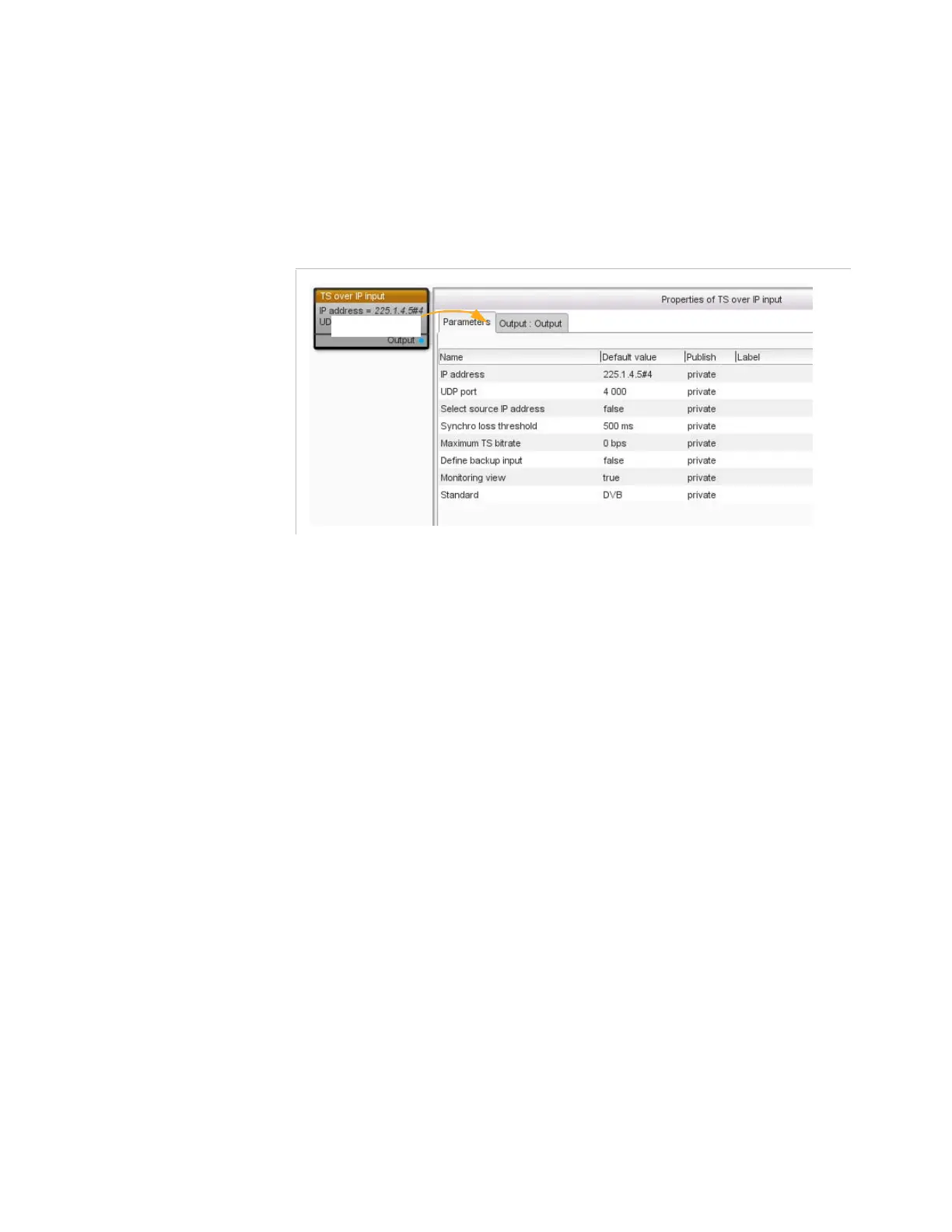
Double-click the processing component. This displays a
Properties
dialog box that lists parameters in a tab.
Figure 3-68. Setting the parameter of a processing component (e.g. TS over IP input)
2.
Select each tab in turn (
Parameters
,
Input
,
Output
).
3.
Choose the parameters that you want to publish, i.e. the parameters
that the person who will create a job based on your workflow will need
to define. By default all parameters are set to
private
. Set the
parameters that should be editable to
public
.
4.
From the default value column, click the cells to add your values if
needed. This column displays
the actual value when the parameter is
private
or
protected
.
the default value when the parameter is
public
. This value is able
to be changed by the person who will create a job based on this
workflow. Any change of the default value has no impact on the
running jobs.
5.
Click
OK
to validate.
Organizing the Parameters of the Workflow
By default all the public parameters are displayed in the same panel and
in the same section when creating a job. If you have a great number of
public parameters, you may want to sort them into sections and groups.
As example you will find hereunder the job panel based on a workflow
where parameters are not sorted.



 To Next Page