Chapter 3 ’Web User Graphical Interface’ — GUI Description
204 Electra VS
-
Version 05.10
User Manual - Rev. A
Activity status (Main/Backup)
: Activity status of the job (of the
main and backup jobs if the job is a redundant job).
Description
of the workflow on which the job is based
(non-editable).
You will find in the lower part the job parameters, displayed in a tree and
sorted by sections and groups (if any). You can edit the values and apply
them, even while the job is running.
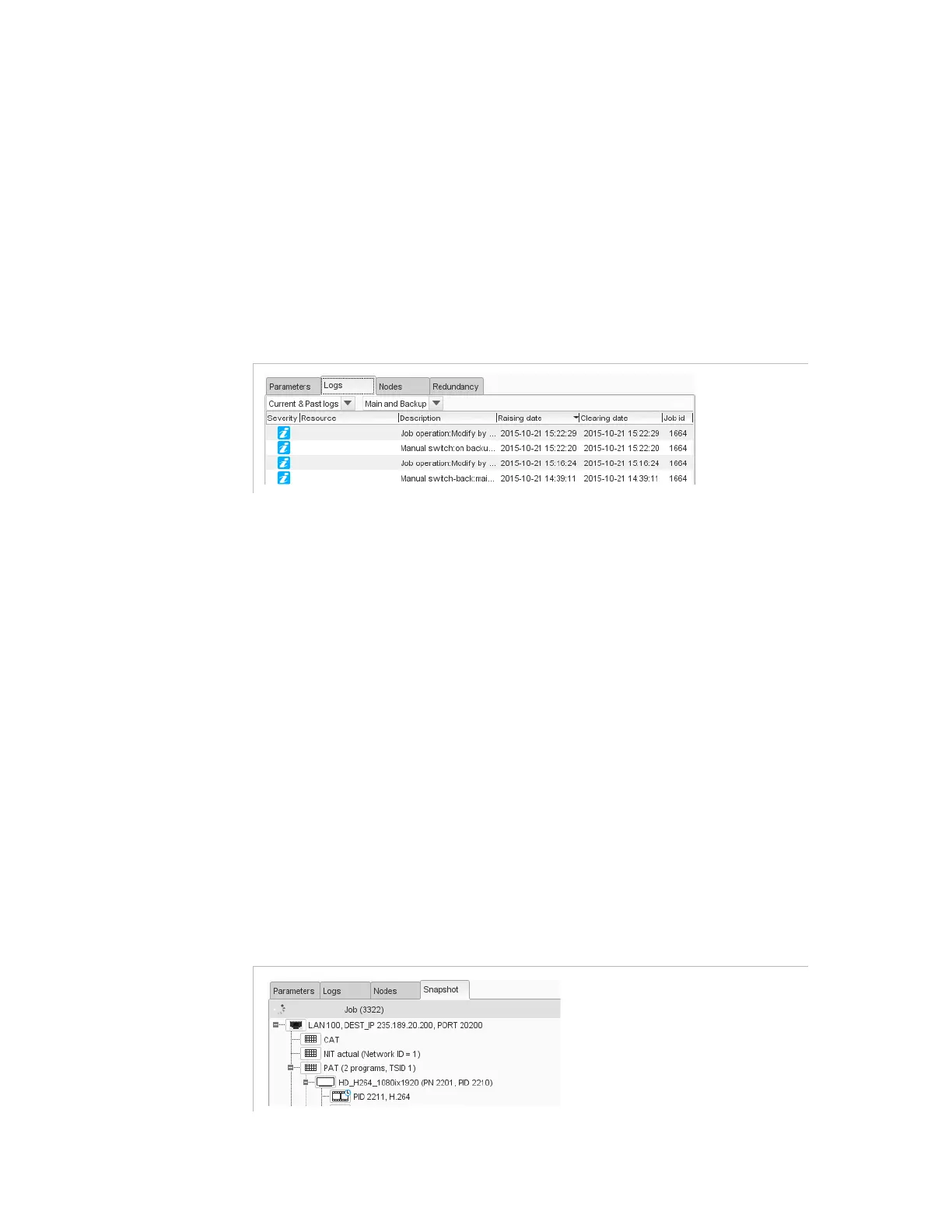
Job Logs
Figure 3-166. Job Logs view
This panel gives the alarms and events related to the selected job.
The following information is provided:
Severity
: see
Table 3-1 ’Status pictograms’
on page 90.
Resource
: resource to which the log refers.
Description
: log description.
Raising date
: log raising date and time.
Clearing date
: log falling date and time (for closed logs only).
Job id
: Job identifier if the job is a redundant job.
You can use the filter (
Current logs only
/
Past logs only
/
Current & Past
logs
) to display only the ones on which you want to focus.
If the job is a redundant job, you can use the filter (
Main
/
Backup
/
Main and
Backup
) to display only the ones on which you want to focus.
Job Snapshot
Figure 3-167. Job Snapshot view



 To Next Page