Chapter 3 ’Web User Graphical Interface’ — GUI Description
220 Electra VS
-
Version 05.10
User Manual - Rev. A
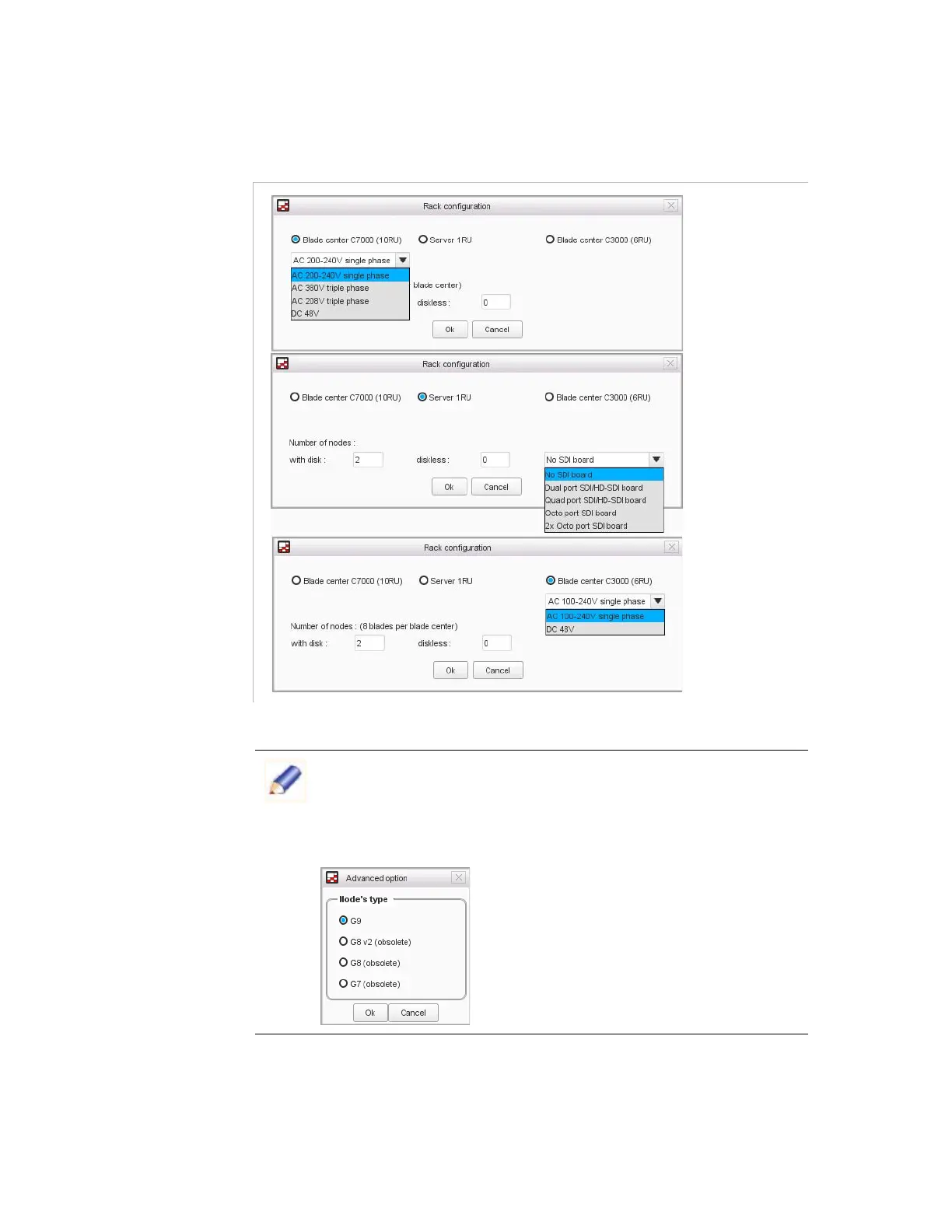
Select the type and the number of nodes.
Figure 3-185. Rack category – Add nodes
Click
Ok
.
Click
Apply
.
By default the hardware type of the added blades is performed to be
the latest available one. If the simulation should be perform using old
hardware, you can change the type of the added blade in
Advanced
tab. Click
Advanced
to select the type of blade
,
G7
,
G8
,
G8 v2
or
G9
.



 To Next Page