Service Parts Disassembly
Phaser 3610, WorkCentre 3615 Service Manual4-86
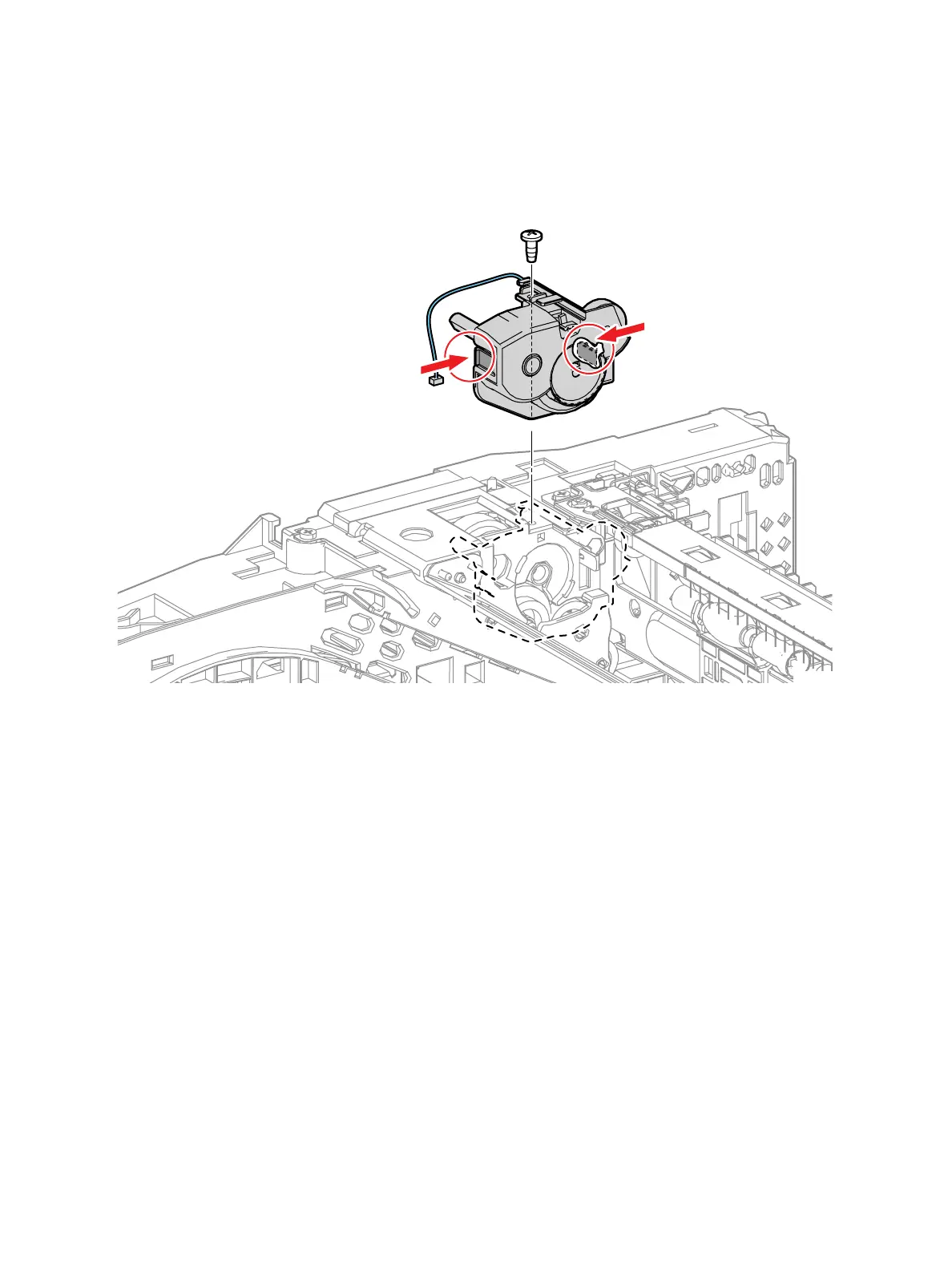
3. Remove the Drive Assembly. (Figure 2)
a. Remove 1 screw (silver, tapping, 6mm) that secures the Exit Invert Drive Assembly.
b. Release 2 clips.
c. Release the harness of the invert clutch, then remove the assembly.
Figure 2
s3610-05
b)
c)
a)



 To Next Page
 Loading...