A
B
C
D
E
F
G
H
L
M
N
P
section
P 6
791098/1098S - M.Y. 2007 - edition 00
Electric system
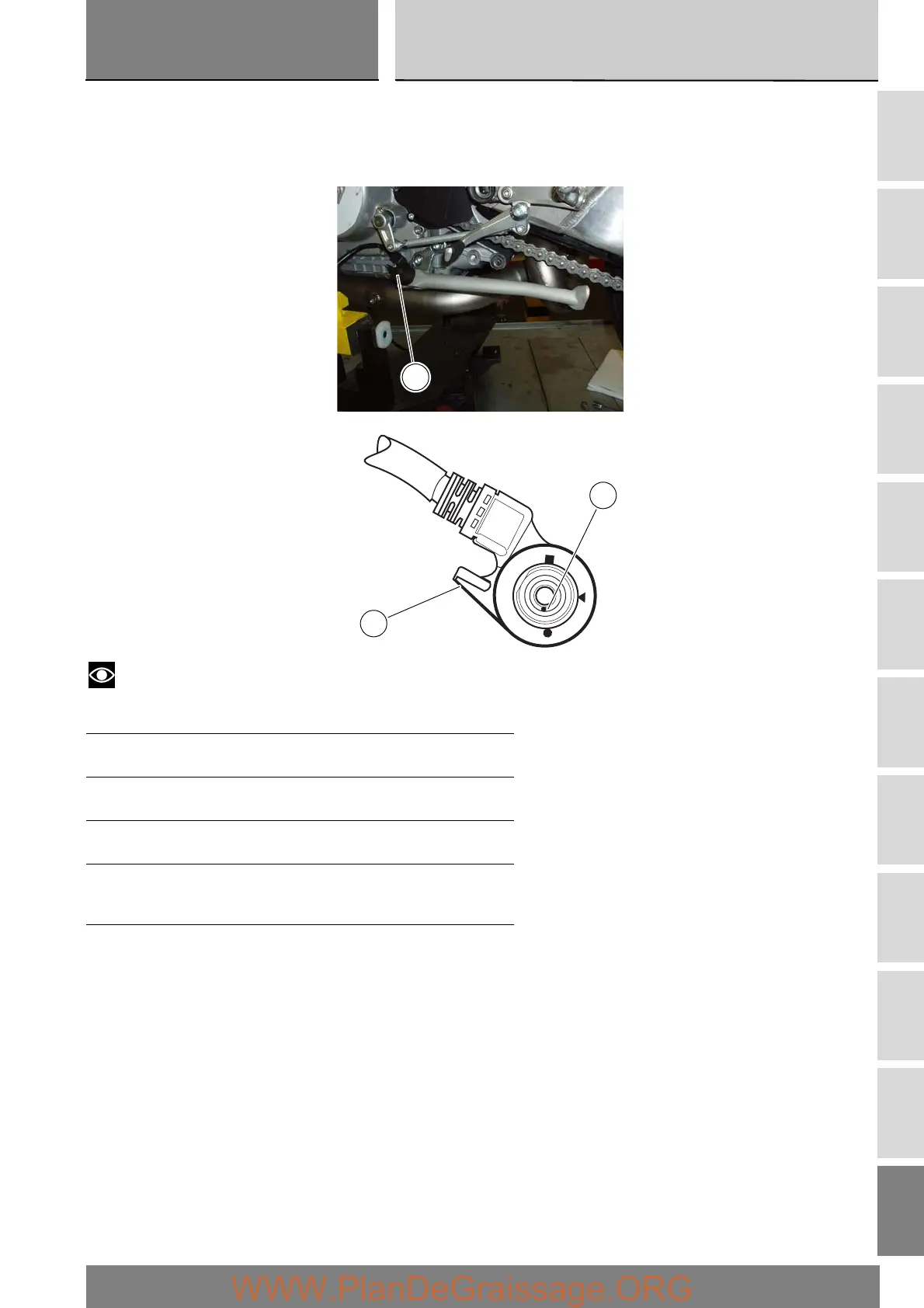
Checking the sidestand switch
Remove the switch (1) from the sidestand and disconnect the main wiring loom connector from the switch (see “Routing of
wiring on frame” Sect. P 1).
Use an analogue or digital multimeter (Sect. P 9, Diagnostic instruments) to check operation of the switch (see table).
Notes
The same check can also be performed using the “DDS” tester (Sect. D 5, DDS tester).
0 = open contact
X = Closed contact
Pos. pin (A) Device Val.
● - ▲ 0X
▲ - ■ X0
Multimeter pos. Green/
Green
White
Green/
Yellow
Black
1
A
1











 To Next Page