137
6-11. AUDIO SYSTEM Settings (AUDIO SYS)
Allows you to set basic settings on the audio system.
6-11-1. FADE IN / OUT
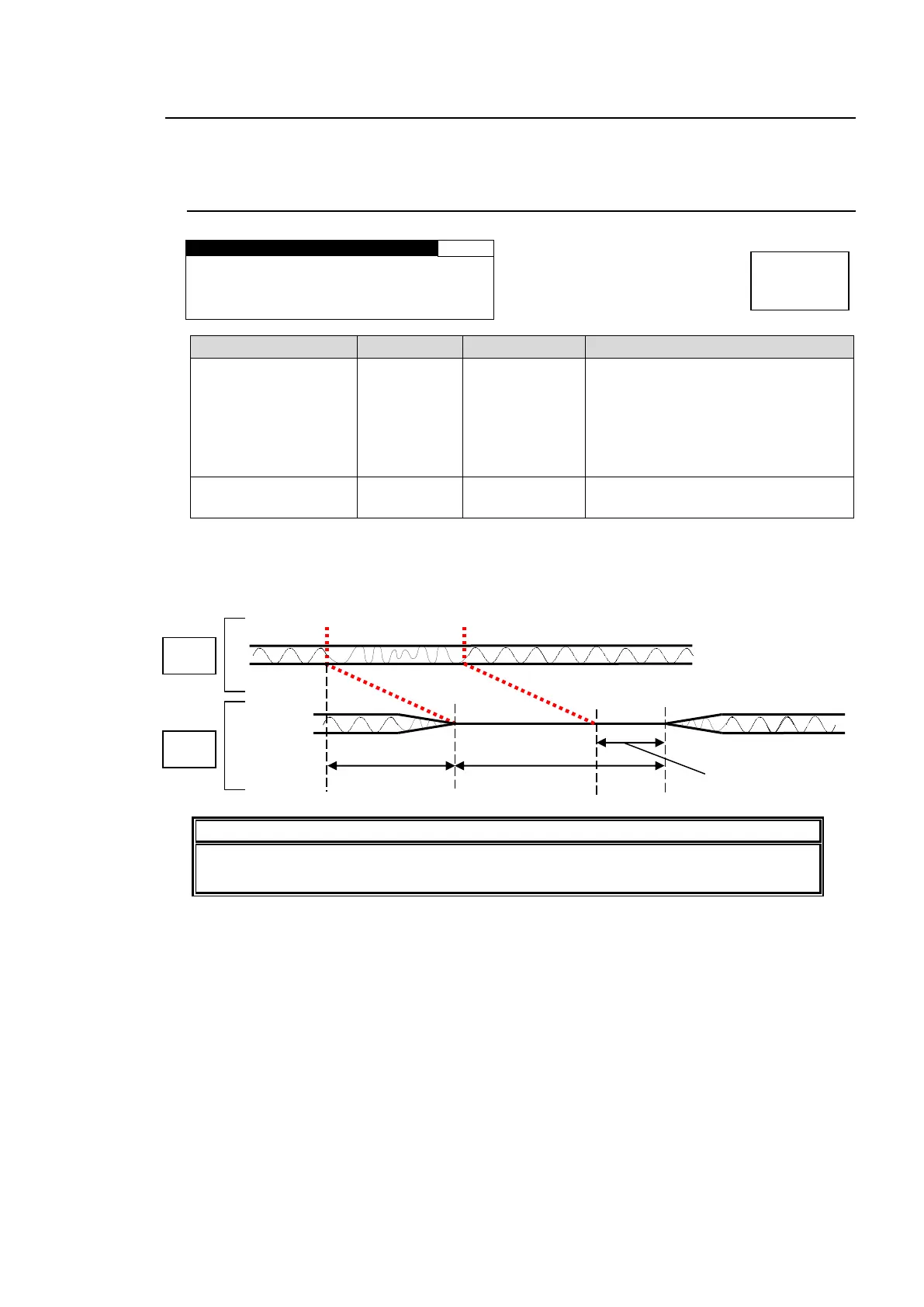
F A D E M O D E : D I S A B L E
F A D E T I M E : 12m s e c
DISABLE: Always outputs input
audio signals without adding any
effect such as Fade or Mute.
ENABLE: Sets an audio to mute with
fade out if an audio error is detected,
and make it fade in when recovered.
*1
Sets the duration for FADE IN and
OUT transitions.
*1 To use this function, the audio delay must be set longer than the sum of the FADE TIME
and error detection time (2 msec).
Ex.) If FADE TIME is set to 12 msec, the audio delay must be longer than 14 msec; i.e. 12+
2 msec (error detection time).
FADE IN/OUT may not function properly for the switching between AES input signals
whose sampling rates are different, or that are asynchronous.



 To Next Page