192
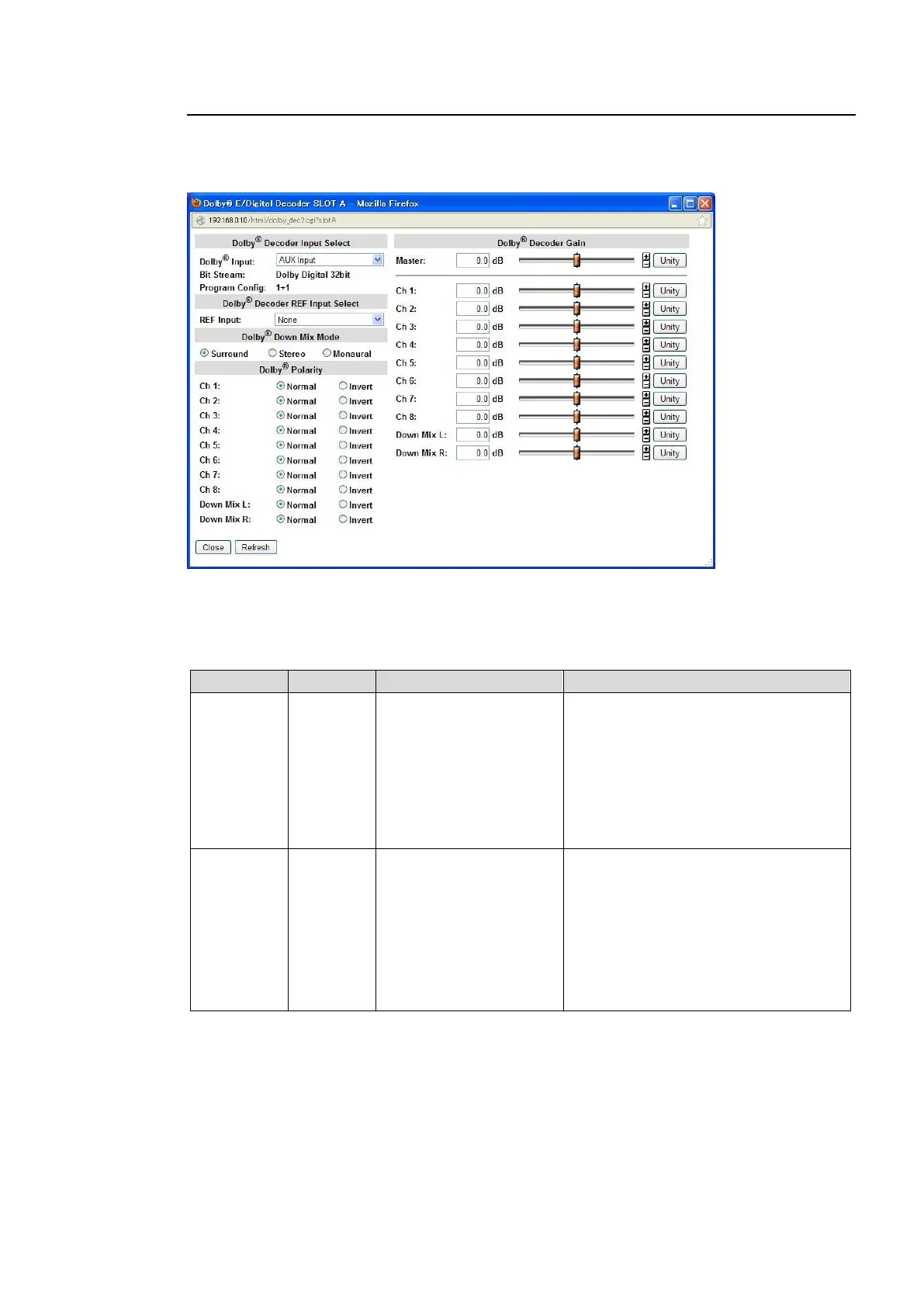
9-3-13. Dolby E/Digital Decoder
Clicking block (15) on the audio block diagram when the FA-95D-D or FA-95DE-E option is
installed in option slot A/B opens the Dolby Decoder dialog box.
(The Dolby options in slots A and B can be set separately.)
After completing the settings, click Close to close the dialog box.
Click Refresh to update the settings.
Dolby Decoder Input Select
AUX Input
Embedded 1 Ch
1/2-15/16
Embedded 2 Ch
1/2-15/16
AES 1/2-7/8
Selects source audio signals to input to
the Dolby decoder.
AUX Input: Input signal in optional Dolby
input connector (Dolby IN).
Embedded 1 Ch 1/2-15/16:
Embedded FS1 audio signal
Embedded 2 Ch 1/2-15/16:
Embedded FS2 audio signal
AES 1/2-7/8: AES input audio signal
Dolby Digital 32bit
Dolby Digital 16bit 1CH
Dolby Digital 16bit 2CH
Dolby Digital 16bit 1/2CH
Dolby E 24bit
Dolby E 20bit
Dolby E 16bit
PCM
Loss
Error
Displays signal type and bit width of
signal selected under Dolby Input.
PCM: Normal audio signal
Loss: No signal
Error: Unidentifiable



 To Next Page