208
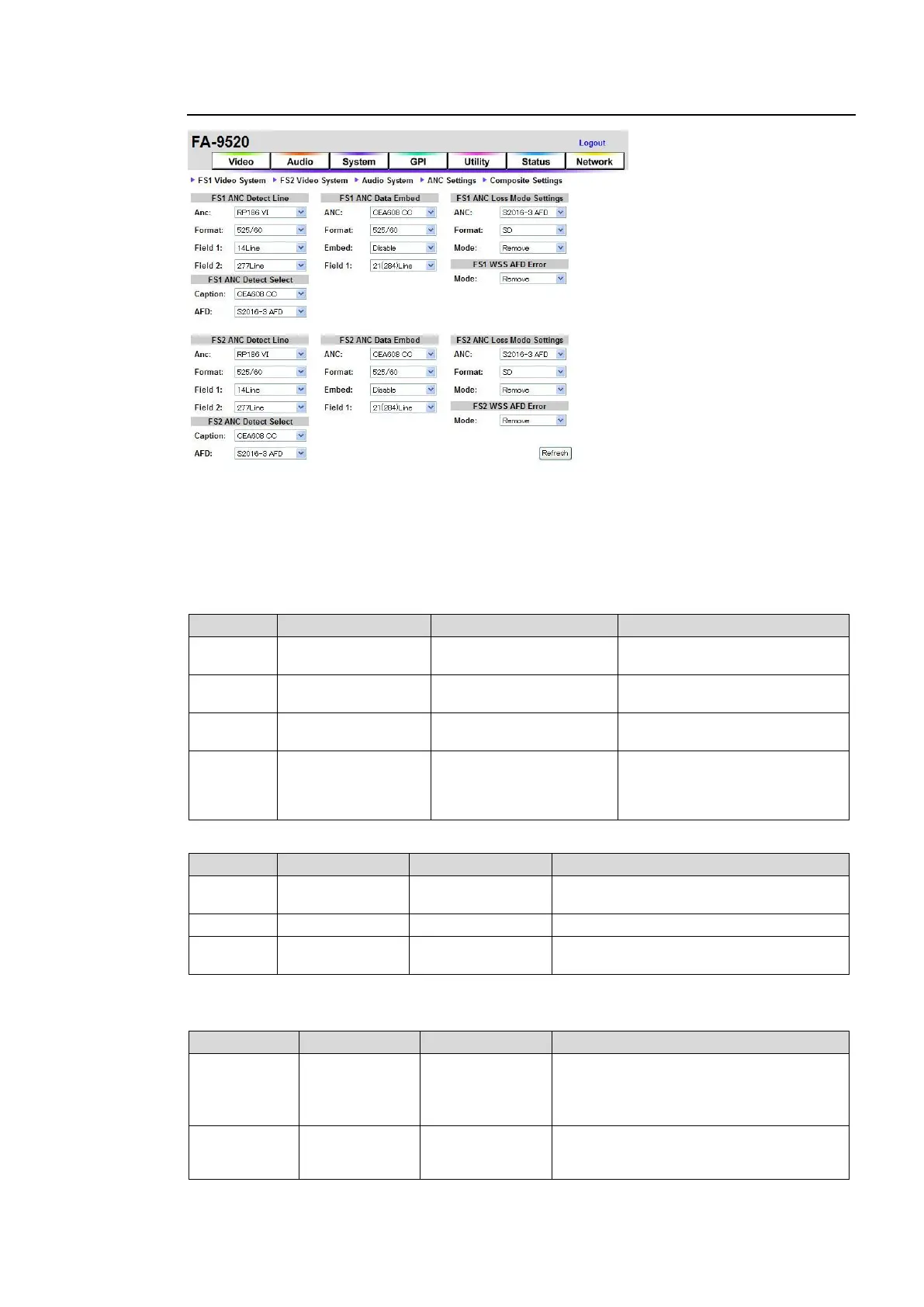
9-4-3. ANC Settings
If the user name and password are not set in the USER SETTING page (see section 9-8-5),
the Logout is not shown.
Click Refresh to update the settings.
FS1/FS2 ANC Detect Line
Allows you to select which line of the input signal to detect the superimposed ancillary data.
For RP186 VI:
Selects an ancillary data
standard.
Selects the input signal format.
14 Line (in 525/60)
11 Line (in 625/50)
12 to 19 Line (in 525/60)
8 to 22 Line (in 625/50)
Selects a line to detect ancillary
data in Field 1.
277 Line (in 525/60)
324 Line (in 625/50)
275 to 282 Line (in
525/60)
321 to 335 Line (in
625/50)
Selects a line to detect ancillary
data in Field 2.
For BT1119 WSS:
Selects an ancillary data standard.
Selects the input signal format.
Selects a line to detect ancillary data in
Field 1.
FS1/FS2 ANC Detect Select
Allows you to select the superimposed ancillary data type.
CEA608 CC: Detects closed caption data
in luminance signal of 525/60 systems.
S334-1 CC: Detects closed caption data
in 525/60 SDI signal ancillary data space.
S2016-3 AFD
RP186 VI
BT1119 WSS
Selects an ancillary data type to detect in
SDTV input signals.
*1 Be sure to set to CEA608 CC when processing closed caption data in 525/60 composite
signals. Otherwise the caption data will not be detected.



 To Next Page