220
9-7. Status Display
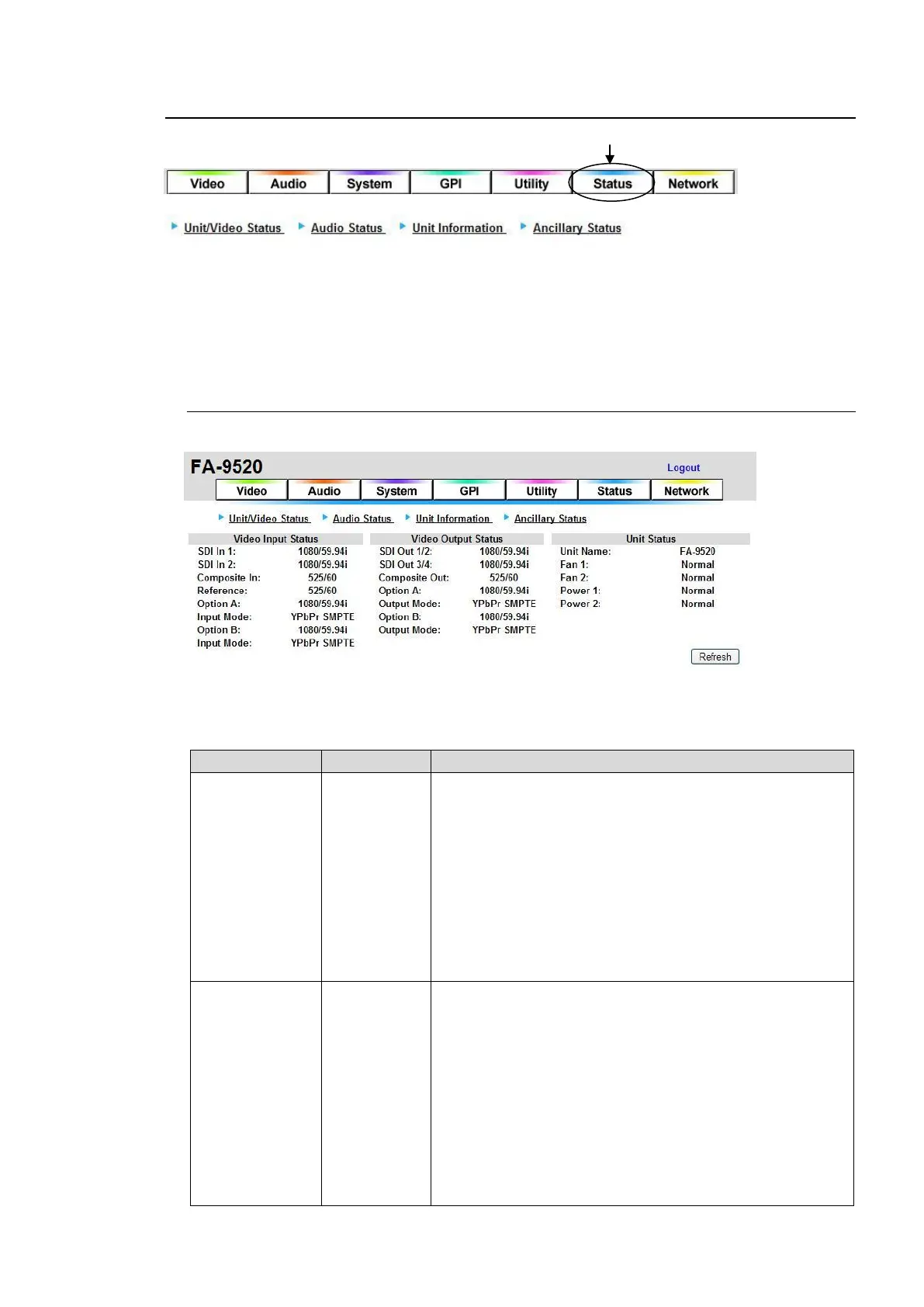
Click the Status tab at the top of the page. The Unit/Video Status page will be displayed. To go to
the Audio Status page, click Audio Status at the top left of the page. In the same way, click
Unit/Video Status to go to the Unit/Video Status page, and click Unit Information to go to the
Unit Information page. Click Changeover Status to go to the Changeover Status page. The
Changeover Status page will open only if the FA-95CO option is installed.
9-7-1. Unit/Video Status
The video and unit statuses are shown on the Unit/Video Status page.
If the user name and password are not set in the USER SETTING page (see section 9-8-5),
the Logout is not shown. Click Refresh to refresh the page.
Video Input Status
Loss
525/60
625/50
1080/59i
1080/50i
720/59p
720/50p
1080/23PsF
1080/24PsF
1080/59p
1080/50p
BY-PASS
Unknown
Displays the video format of the SDI1 input signal.
Displays “Loss” if there is no input signal.
Displays “Unknown” if there is an unsupported input signal.
Displays “BY-PASS” if the function is enabled.
Loss
525/60
625/50
1080/59i
1080/50i
720/59p
720/50p
1080/23PsF
1080/24PsF
1080/59p
*1
1080/50p
*1
BY-PASS
Unknown
-----
Displays the video format of the SDI2 input signal.
Displays “Loss” if there is no input signal.
Displays “Unknown” if there is an unsupported input signal.
Displays “BY-PASS” if the function is enabled.
Displays “-----“ indicating no SDI2 input detection if 9-2-1 FS
Input Select is set to YPbPr SMPTE, YPbPr BETACAM,
RGB, or Y/C.



 To Next Page