212
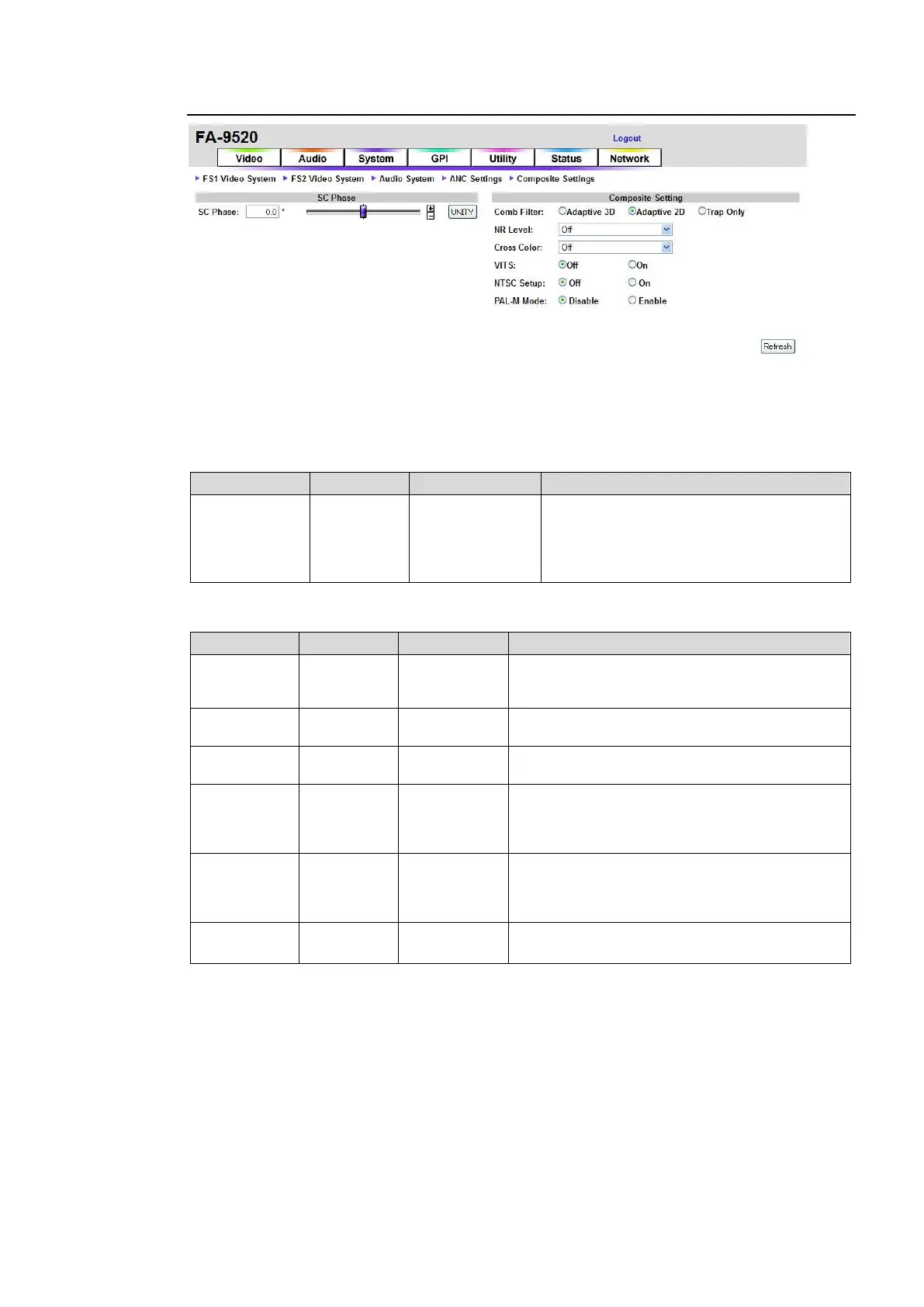
9-4-4. Composite Settings
If the user name and password are not set in the USER SETTING page (see section 9-8-5),
the Logout is not shown.
Click Refresh to update the settings.
SC Phase
Adjusts the subcarrier phase of composite
and Y/C output signals referring to the B.B.
genlock signal.
Not adjustable with the tri-level genlock
signal.
Composite Setting
Adaptive 3D
Adaptive 2D
Trap Only
Selects a mode to separate the Y (luminance)
and C (chrominance) of composite signals.
Sets the noise reduction level for the composite
signal inputs.
Sets the cross color (noise) reduction level.
On: Passes through VITS (V-ANC) lines 10 to
21 (NTSC), or 6 to 23 (PAL) of composite input
signals. For SD-SDI output signals, inserts VITS
lines into Y signals.
Select Off when using signals without 7.5 IRE
setup.
Select On when using signals with 7.5 IRE
setup.
Disable: Allows NTSC signals to be output.
Enable: Allows PAL-M signals to be output.
*1
*1 This setting enables PAL-M output for COMPOSITE OUT and Y/C
*1
outputs, however,
NTSC signal output will be disabled.
To synchronize the PAL-M output, input a PAL-M BB or 59.94/29.97 Hz tri-level sync signal
to the GENLOCK IN connector. (NTSC BB signals cannot synchronize PAL-M output
signals.)



 To Next Page