188
9-3-9. Down Mix Setting
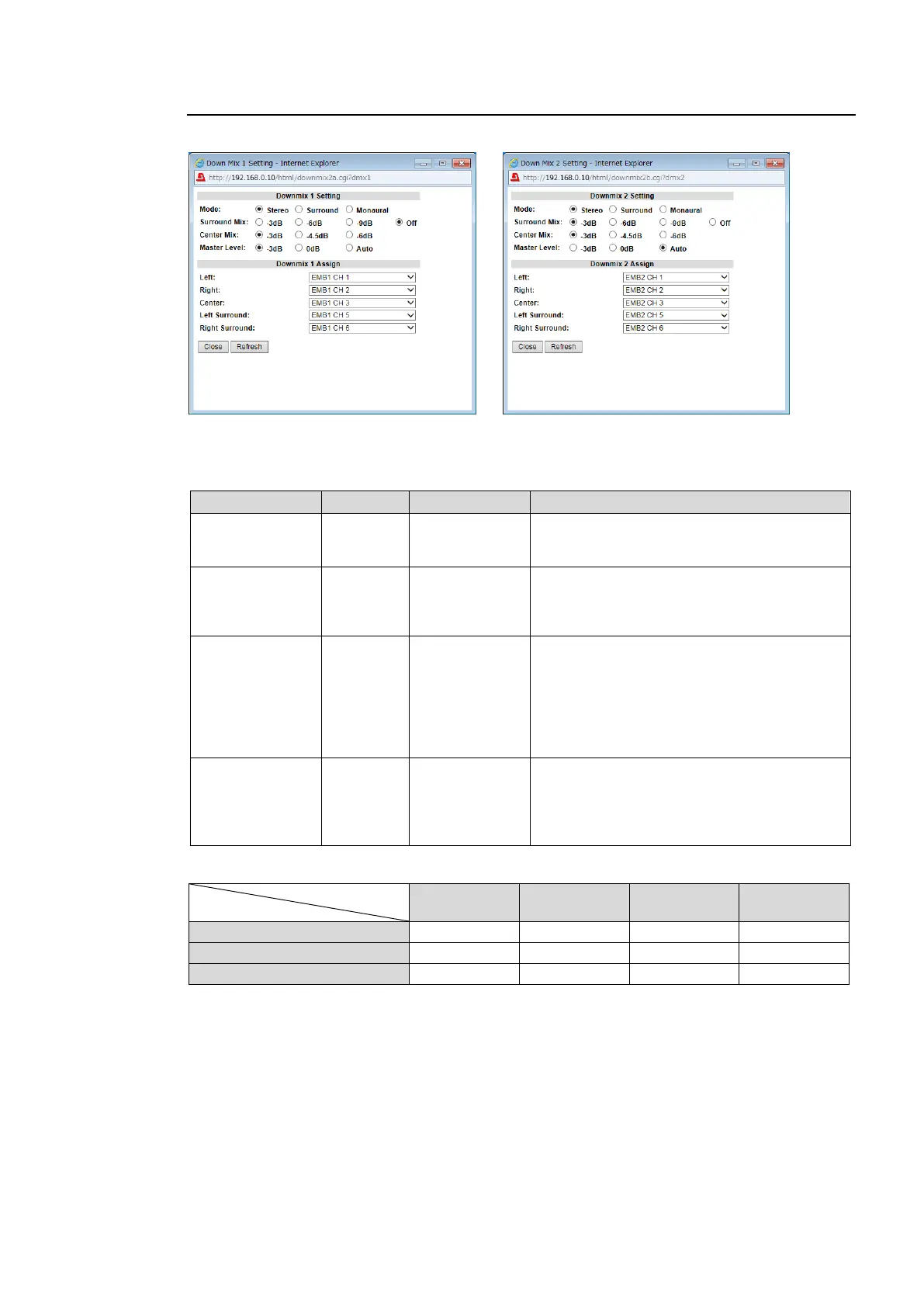
Clicking block (10) on the audio block diagram opens the Down Mix Setting dialog box.
See section 6-7 “DOWN MIX1 SET” and 6-8. “DOWN MIX2 SET” for details.
Downmix 1, 2 Setting
Selects a mode to downmix audio signals.
Sets the Ls/Rs (surround channels) level.
Off : (-∞dB) Excludes surround channels
from the downmix.
Sets the C (center channel) level.
-3dB: The output level after the downmix
retains the original center channel level.
-4.5dB, -6dB: Used to reduce the audio level
in case it becomes too loud due to the center
channel audio mixing to both the right and
left channels.
Sets the level for the downmixed audio
signals as a whole.
If set to Auto, Down MIX Master Level
changes according to the Downmix Mode
and Surround Mix level selections.
*1
*1 If Master Level is set to Auto, Master Level changes as shown in the below table.
Surround Mix Level
Down Mix Mode



 To Next Page