176
9-3. AUDIO Settings
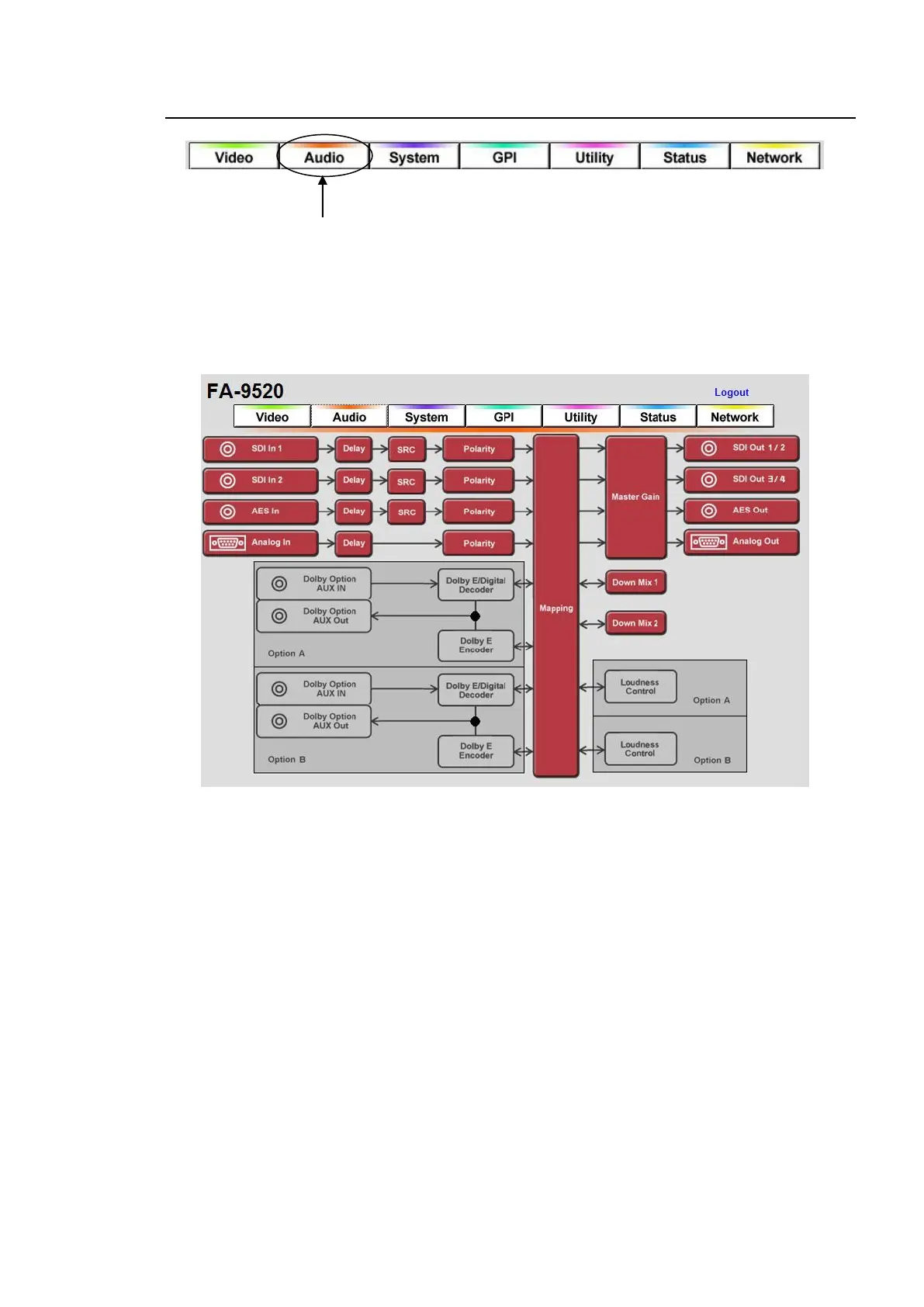
Click the Audio tab at the top of the page. The audio block diagram will be displayed.
Each block in the diagram lets you to go to the corresponding windows or dialog boxes that
allows you to change various settings.
Audio Block Diagram
* (11) is effective when the FA-95D-D or FA-95DE-E option is installed.
* (12) is effective when the FA-95DE-E option is installed.
* (13) is effective when the FA-95ALA option is installed.
If the user name and password are not set in the USER SETTING page (see section 9-8-5),
the Logout is not shown.



 To Next Page