35
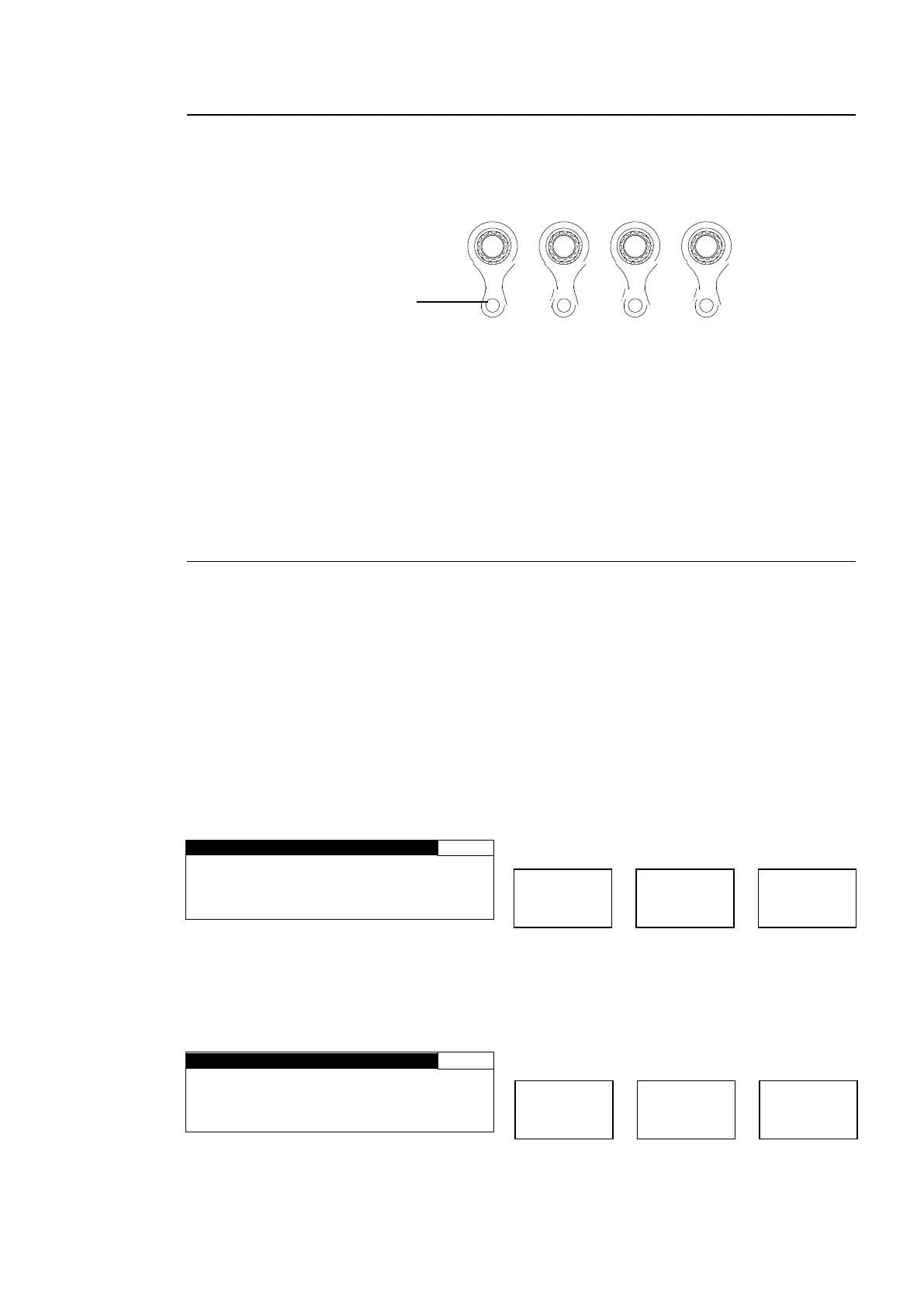
4-2-7. Resetting to Default
<NORMAL mode>
The UNITY indicator light goes off when the setting value is changed from the default value.
Pressing the UNITY button while the light is off returns the corresponding setting value to the
default value. Then the light goes off. Pressing the button again returns the value to the
previous value before resetting to the default value.
<LIVE SAFE mode>
The UNITY indicator light goes off when the setting value is changed from default. Pressing
the UNITY button while the light is off returns the corresponding setting value to default.
When a setting value is changed, the single-down-arrow button and the LED around the
control knob corresponding to the changed setting blinks in the setting change confirming
state. Pressing the single-down-arrow button while blinking confirms the change, and the
blinking arrow button and control knob lights turn on. Pressing the single-up-arrow button
cancels the change, the setting returns to the value before it was changed, and the blinking
arrow button and control knob lights turn on.
4-2-8. Switching Between 2-Channel Frame Synchronizers
Independent 2-channel frame synchronizers FS1 and FS2 can be switched to one from
another using the FS1/LOCK or FS2/LOCK button.
Menus that allow FS1 and FS2 setting selections are shown with or ⊚ in the menu list in
section 4-2-2. “Menu Buttons”.
Either the FS1/LOCK or FS2/LOCK button lights green in a menu that can be set for FS1 and
FS2 separately. The setting for the frame synchronizer corresponding to the lit button can be
changed.
Pressing both the FS1/LOCK and FS2/LOCK buttons simultaneously, for LINK setting menus
shown with ⊚ in the menu list in section 4-2-2. “Menu Buttons”, makes one button turn on and
light green, and the other blink. Changing settings for one frame synchronizer will also change
settings for the other.
Example 1: Setting VIDEO PROCESS AMP for FS1
V I D E O L E V E L : 1 0 0 . 0 %
C H R O M A L E V E L : 1 0 0 . 0 %
S E T U P / B L A C K : 0 . 0 %
1. Press the PROCESS/SDI AUDIO button to open the VIDEO PROCESS AMP menu. Press
the FS1/LOCK button for it to light green.
2. Turn F1 to F4 control knobs to change FS1 settings.
Example 2: Setting VIDEO PROCESS AMP for FS2
V I D E O L E V E L : 1 0 0 . 0 %
C H R O M A L E V E L : 1 0 0 . 0 %
S E T U P / B L A C K : 0 . 0 %
1. Press the PROCESS/SDI AUDIO button to open the VIDEO PROCESS AMP menu. Press
the FS2/LOCK button for it to light green.
2. Turn control knobs F1 to F4 to change FS2 settings.
F1
F2
F3
F4
UNITY UNITY UNITY UNITY
Press the UNITY button to
reset the value. The indicator
lights up orange.



 To Next Page