225
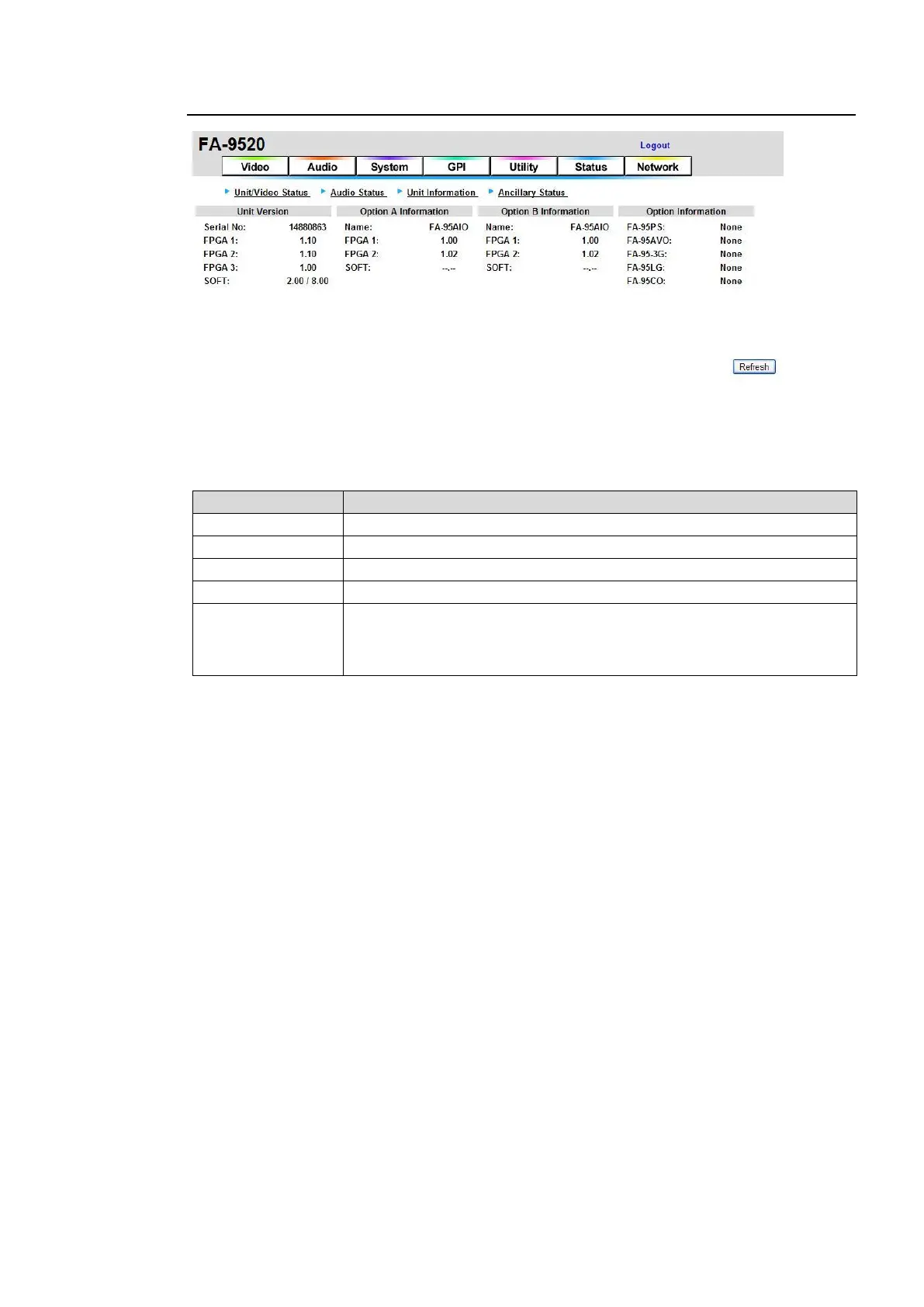
9-7-3. Unit Information
If the user name and password are not set in the USER SETTING page (see section 9-8-5),
the Logout is not shown.
Click Refresh to update the settings.
Unit Version
Displays the serial number of the FA-9520.
Displays the FPGA1 version.
Displays the FPGA2 version.
Displays the FPGA3 version.
Displays the software version of the FA-9520 in FA-9520 mode. (First 4
digits)
Displays the software version of the FA-9520 in FA-9500 mode. (Last 4
digits)
Option A Information
Displays the information of the optional installed expansion card in SLOT A. If no card is
installed, “None” will be shown.
Option B Information
Displays the information of the optional installed expansion card in SLOT B. If no card is
installed, “None” will be shown.
Option Information
Displays the installation status and information on options other than the expansion cards
installed into SLOT A and SLOT B.



 To Next Page