55
5-5-2. COMPOSITE CLIP
C O M P O S I T E C L I P
M O D E : C O M P O S I T E C L I P
COMPOSITE CLIP enables
clipping on the composite output
signals.
WHITE
(Composite White Clip)
Sets the upper threshold of
analog composite color space.
BLACK
(Composite Black Clip)
Sets the lower threshold of
analog composite color space.
The COMPOSITE CLIP settings are effective only on the analog composite outputs.
The settings are not effective on the SDI1/2 and SDI3/4 outputs.
To enable the COMPOSITE CLIP menu, set YPbPr/RGB CLIP to OFF.
5-5-3. VIDEO CLIP Setting Ranges
YPbPr CLIP
Y Signal Settings
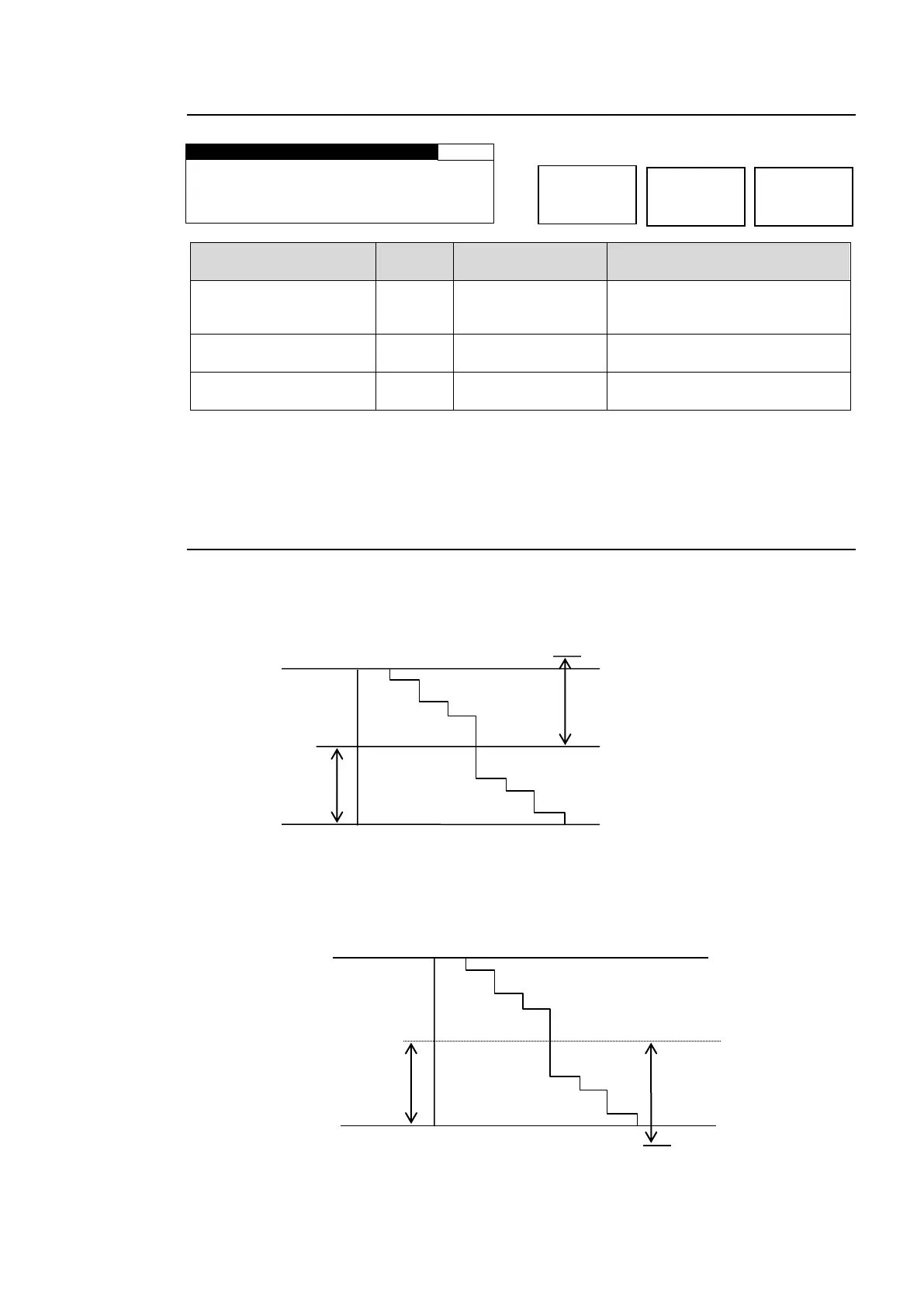
① Y White Clip Level
Setting range 50 - 109% (Default: 109%)
② Y Black Clip Level
Setting range -7.5 - 50% (Default: -7.5%)
SMPTE 100% color bar when 100% white.
Y white clip level setting range
Y Black clip level setting range
SMPTE 100% color bar when 100% black.



 To Next Page